







Question: C++ in Visual Basic - Create an Input function to allow the user to enter the numerator and denominator. Make sure to have exception or
C++ in Visual Basic
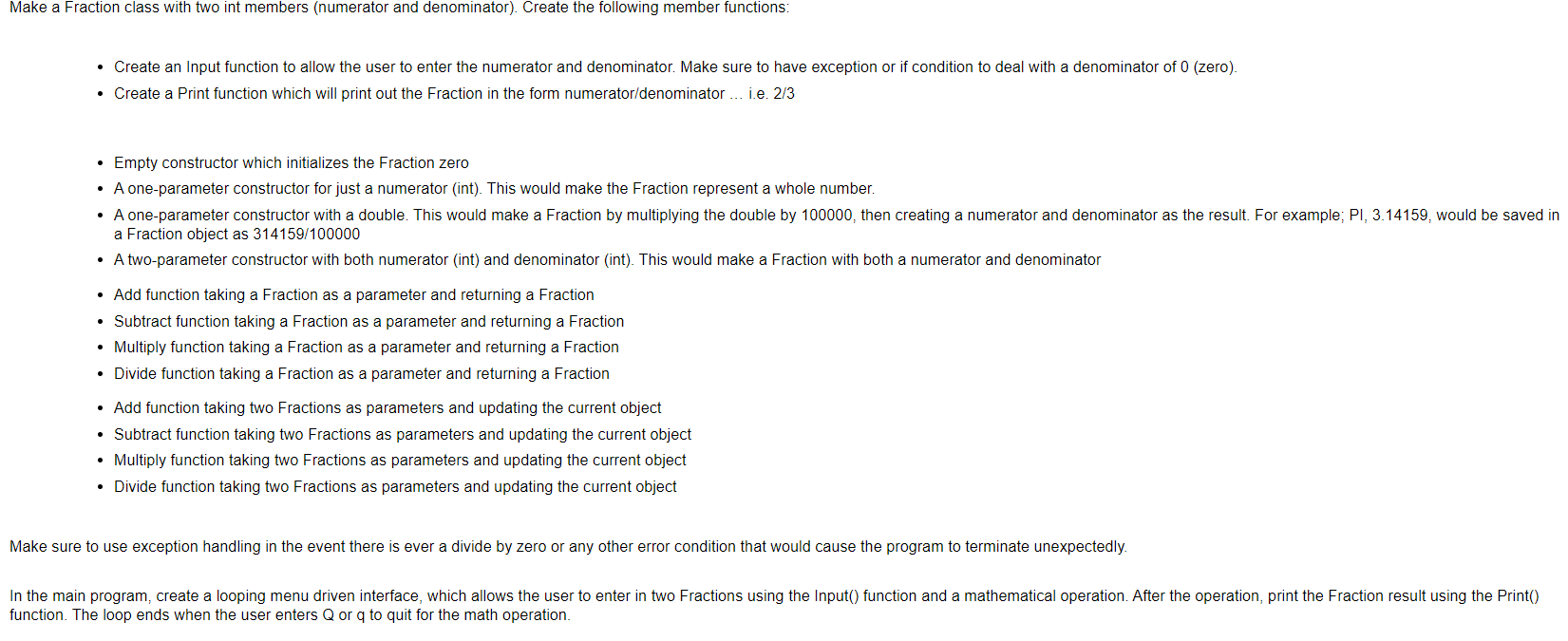
- Create an Input function to allow the user to enter the numerator and denominator. Make sure to have exception or if condition to deal with a denominator of 0 (zero). - Create a Print function which will print out the Fraction in the form numerator/denominator ... i.e. 2/3 - Empty constructor which initializes the Fraction zero - A one-parameter constructor for just a numerator (int). This would make the Fraction represent a whole number. a Fraction object as 314159/100000 - A two-parameter constructor with both numerator (int) and denominator (int). This would make a Fraction with both a numerator and denominator - Add function taking a Fraction as a parameter and returning a Fraction - Subtract function taking a Fraction as a parameter and returning a Fraction - Multiply function taking a Fraction as a parameter and returning a Fraction - Divide function taking a Fraction as a parameter and returning a Fraction - Add function taking two Fractions as parameters and updating the current object - Subtract function taking two Fractions as parameters and updating the current object - Multiply function taking two Fractions as parameters and updating the current object - Divide function taking two Fractions as parameters and updating the current object Make sure to use exception handling in the event there is ever a divide by zero or any other error condition that would cause the program to terminate unexpectedly. function. The loop ends when the user enters Q or q to quit for the math operation
Step by Step Solution
There are 3 Steps involved in it

Get step-by-step solutions from verified subject matter experts
 Study Help