







Question: C++ #include #include using namespace std; int main() { // display title cout // get input char customer_type; cout > customer_type; double subtotal; cout >
C++
#include
using namespace std;
int main() { // display title cout
// get input char customer_type; cout > customer_type;
double subtotal; cout > subtotal;
// set discount percent double discount_percent; if (tolower(customer_type) == 'r') { // RETAIL if (subtotal = 100 && subtotal = 500) { discount_percent = .3; } else { discount_percent = .2; } } else if (tolower(customer_type) == 'w') { // WHOLESALE if (subtotal
double invoice_total = subtotal - discount_amount; invoice_total = round(invoice_total * 100) / 100;
// display output cout
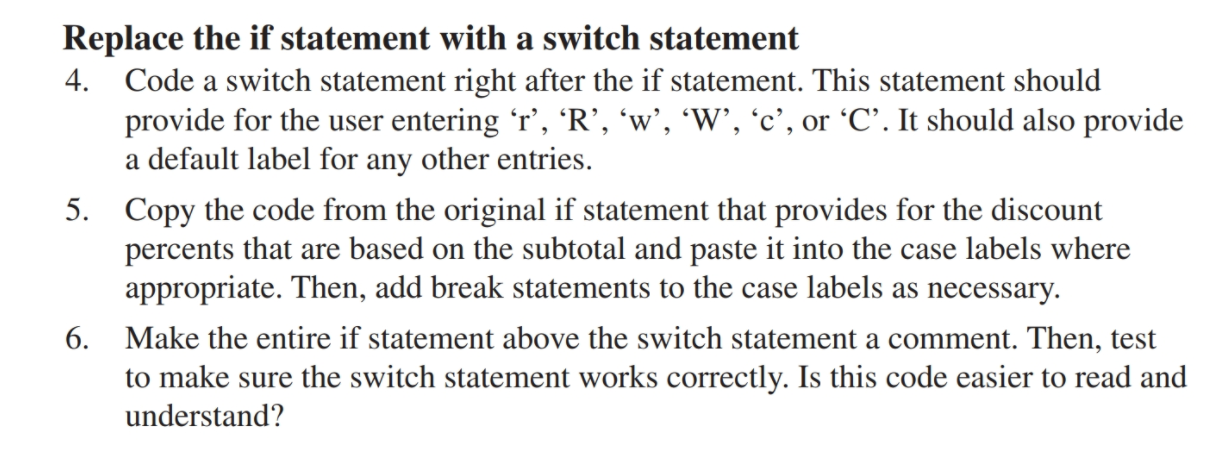
cout Replace the if statement with a switch statement 4. Code a switch statement right after the if statement. This statement should provide for the user entering r', 'R', 'w', 'W', 'c', or C. It should also provide a default label for any other entries. 5. Copy the code from the original if statement that provides for the discount percents that are based on the subtotal and paste it into the case labels where appropriate. Then, add break statements to the case labels as necessary. 6. Make the entire if statement above the switch statement a comment. Then, test to make sure the switch statement works correctly. Is this code easier to read and understand
Step by Step Solution
There are 3 Steps involved in it

Get step-by-step solutions from verified subject matter experts
 Study Help