







Question: C++ Modify this lab to print EACH Student's Highest and Lowest Grade and the Associated Test Number For example, GIVEN the Student's Grades are placed
C++
Modify this lab to print EACH Student's Highest and Lowest Grade and the Associated Test Number
For example, GIVEN the Student's Grades are placed in order of the Tests, that is, the results for Test 1 first, Test 2 second, etc.
Then for these GRADES: 87 78 99 100 34 56 78 89 77 93
Your search should evaluate:
(1) Student's Highest Grade was 100 received on Test 4 and Student's Lowest Grade was 34 received on Test 5.
(2) Modularize the code functionality of the Program
(3) If the Student's Average was not also printed in the Original, Print it now
(4) All Other Output from Lab #1 should also be printed.
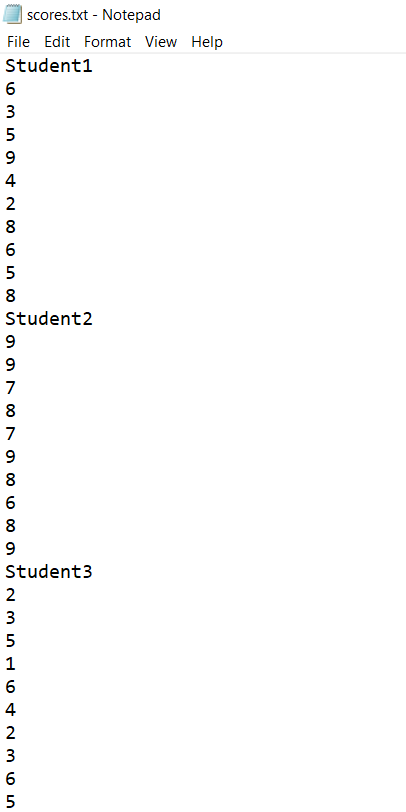
Student1 6 3 5 9 4 2 8 6 5 8 Student2 9 9 7 8 7 9 8 6 8 9 Student3 2 3 5 1 6 4 2 3 6 5
Screenshot
Code
#include
using namespace std;
struct SG { float arraySG[10]; string name; char LG; }; class Grade { public: SG Data[10]; int i, j, total,count; Grade() { i=0; j=0; total = 0; count=0; readFromFile(); } void readFromFile() { char line[20]; //considering max size of any line in file is 20 character. change if required. FILE *fileRead = fopen("scores.txt", "r"); //r means opening file in read mode if(fileRead == NULL) //NULL means either file does not exists or there is no permission to open file { cout= 10, I have given P. Please change it }
//show details on screen for(i=0; i 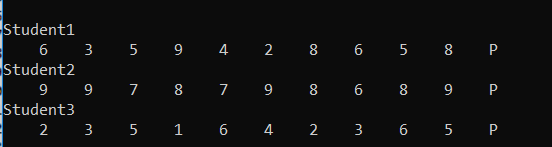
Step by Step Solution
There are 3 Steps involved in it

Get step-by-step solutions from verified subject matter experts
 Study Help