







Question: C + + PLEASE Assignment 5 C: Level Map Creator. There are a variety of ways that game developers store their level layouts. One simple
C PLEASE Assignment C: Level Map Creator. There are a variety of ways that game developers store their level layouts. One simple method is to associate level elements with certain symbols, and then storing them in a D grid inside a text file. We will use our knowledge of D arrays to create a very simple Level Map Creator tool. The program should prompt the user to enter a width and height for the level. Then it should initialize a D array and fill every element with the symbol. Afterwards, the user should be given the following options via a menu: Clear Level Add Platform Add Item Reinitialize the D array and fill every element with the symbol. Prompt the user to enter a starting point and length for the horizontal platform. Replace those elements in the D array with the symbol. If the length is longer than the number of columns or out of bounds notify the user that this is not possible. Prompt the user to enter a column and row index. Replace that element in the D array with the symbol. If the column and row index in outside the bounds of the array, notify the user that this is not possible. End the program Quit: After completing the task, print the modified D array, If anything other than Quit is selected, display the menu again. Otherwise, tell the player "Good byel and stop, Hints: Since we're using a D array to represent the level map, we'll use its indexes for our level coordinates. will be the topleft corner of the map, and will correspond to array Sample Output : FYE Level Map Creator Enter a level map width: Enter a level map height:
Hello, I've done the question above, but am running into an error in case of my switch statement. Could you tell me how to relsolve the issue in C
My code:
int defines coordinate
int defines coordinate
string player P; deines the symbol for case
string platform ; deines the platform symbol
int choice; players choice of action
string symbol ;
int width;defines user inouted width
int height; defines user inputed height
cout FYE Level Map Creator
;
cout "Enter a level map width: ;
cin width;
cout "Enter a level map height: ;
cin height;
string array new string height; creates a dynamic D array
for int ; height;
arrayi new stringwidth;
for int width;
array symbol;
do
for int ; height; prints the current arry
for int ; width;
cout arrayij;
cout
;
cout "Options
;
cin choice;
switch choice
case : creates a code silar to above and reenters the sybol for each part
for int ; height;
array new stringwidth;
for int width;
arrayij symbol;
case :
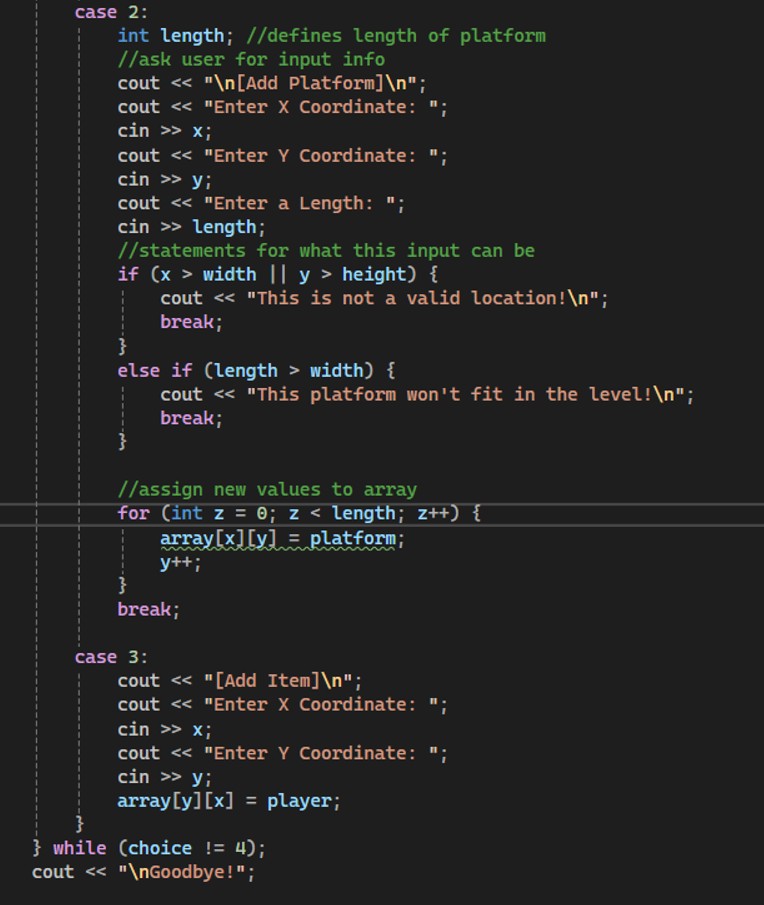
int length; defines length of platform
ask user for input info
cout
Add Platform
;
cout "Enter X Coordinate: ;
cin ;
cout "Enter Y Coordinate: ;
cin ;
cout "Enter a Length: ;
cin length;
statements for what this input can be
if width height
cout "This is not a valid location!
;
break;
else if length width
cout "This platform won't fit in the level!
;
break;
assign new values to array
for int ; length;
array platform;
;
break;
case :
cout Add Item
;
cout "Enter x Coordinate: ;
cin ;
cout "Enter Y Coordinate: ;
cin ;
array player;
while choice ;
cout
Goodbye!";
Step by Step Solution
There are 3 Steps involved in it
1 Expert Approved Answer
Step: 1 Unlock

Question Has Been Solved by an Expert!
Get step-by-step solutions from verified subject matter experts
Step: 2 Unlock
Step: 3 Unlock
 Study Help