Question: C++ please Part 1 Instructions A local library needs a program that stores information about their books. The information that they need stored is as
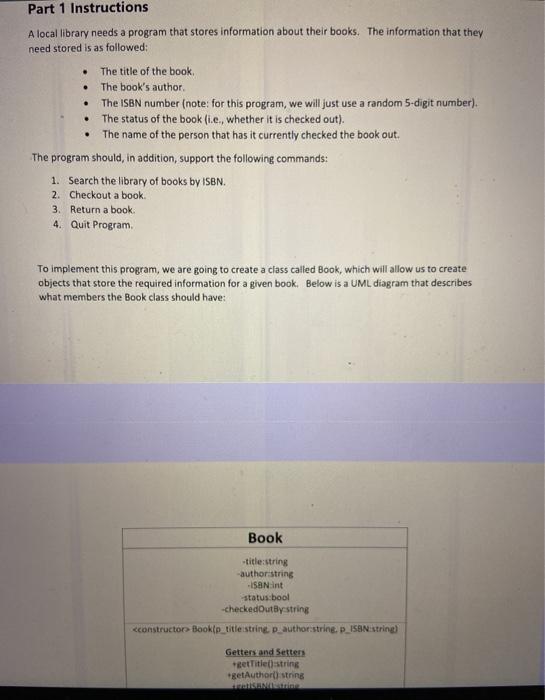
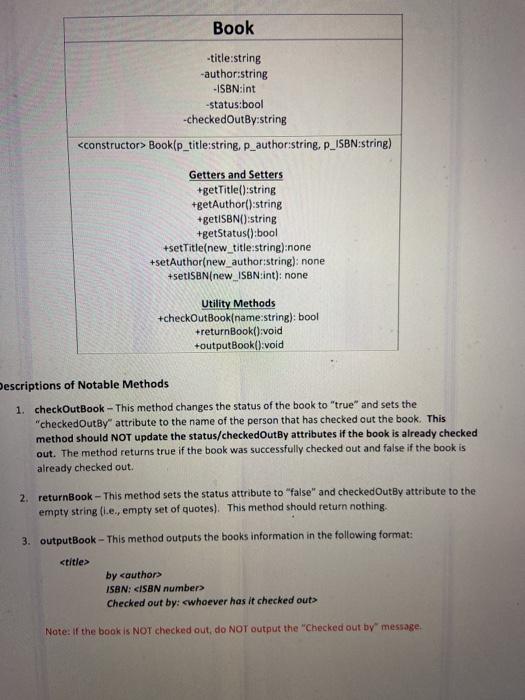
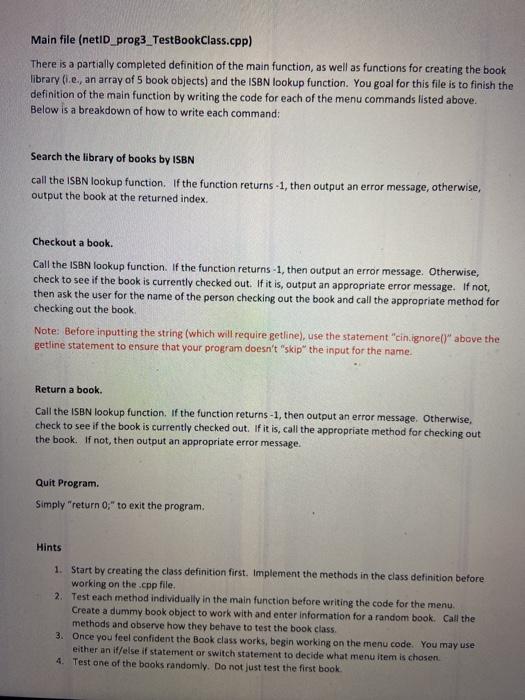
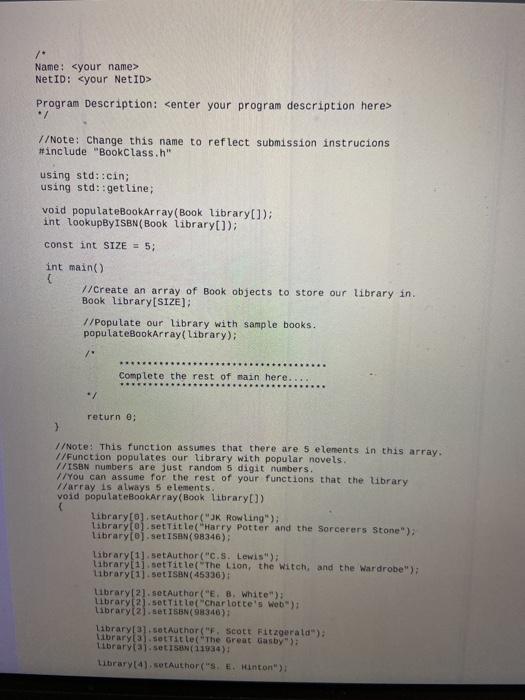
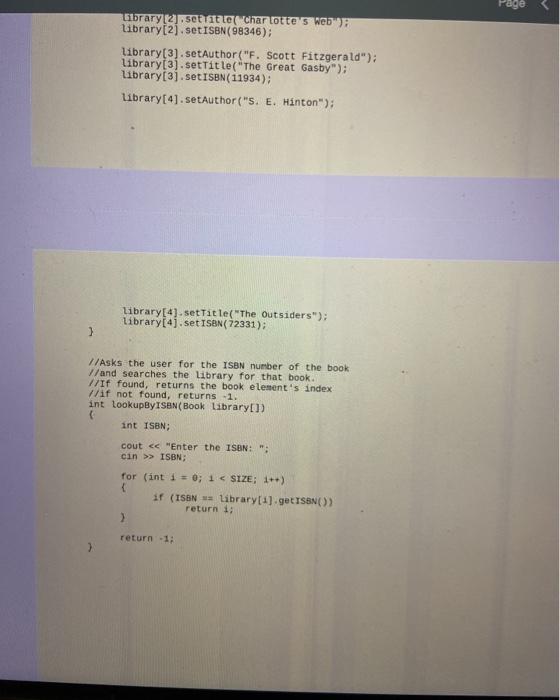
Part 1 Instructions A local library needs a program that stores information about their books. The information that they need stored is as followed: . . . The title of the book, The book's author The ISBN number (note: for this program, we will just use a random 5-digit number). The status of the book (ie, whether it is checked out). The name of the person that has it currently checked the book out The program should, in addition, support the following commands: 1. Search the library of books by iSen. 2. Checkout a book 3. Return a book 4. Quit Program To implement this program, we are going to create a class called Book, which will allow us to create objects that store the required information for a given book. Below is a UML diagram that describes what members the Book class should have: Book title:string author string ISSNint status:bool -checkedOutly string Book(p_title:string, p_author:string, P_ISBN:string) Getters and Setters +getTitle():string +getAuthor():string +getISBN():string +getStatus():bool +setTitle(new_title:string): none +setAuthor(new_author:string): none +setISBN(new_ISBN:int): none Utility Methods +checkOutBook(name:string): bool +returnBook():void +outputBook():void Descriptions of Notable Methods 1. checkOutBook - This method changes the status of the book to "true" and sets the "checkedOutBy" attribute to the name of the person that has checked out the book. This method should NOT update the status/checkedOutBy attributes if the book is already checked out. The method returns true if the book was successfully checked out and false if the book is already checked out. 2. returnBook - This method sets the status attribute to "false" and checked OutBy attribute to the empty string (e., empty set of quotes). This method should return nothing. 3. outputBook - This method outputs the books information in the following format: by <author> ISBN: ISBN number Checked out by: whoever has it checked out Note: If the book is NOT checked out, do NOT output the "Checked out by message Main file (netiD_prog3_TestBookClass.cpp) There is a partially completed definition of the main function, as well as functions for creating the book library (e., an array of 5 book objects) and the ISBN lookup function. You goal for this file is to finish the definition of the main function by writing the code for each of the menu commands listed above. Below is a breakdown of how to write each command: Search the library of books by ISBN call the ISBN lookup function. If the function returns -1, then output an error message, otherwise, output the book at the returned index Checkout a book. Call the ISBN lookup function. If the function returns -1, then output an error message. Otherwise, check to see if the book is currently checked out. If it is, output an appropriate error message. If not, then ask the user for the name of the person checking out the book and call the appropriate method for checking out the book Note: Before inputting the string (which will require getline), use the statement "cin.ignorell" above the getline statement to ensure that your program doesn't "skip the input for the name Return a book. Call the ISBN lookup function. If the function returns -1, then output an error message. Otherwise, check to see if the book is currently checked out. If it is, call the appropriate method for checking out the book. If not, then output an appropriate error message Quit Program. Simply "return 0;" to exit the program. Hints 1. Start by creating the class definition first. Implement the methods in the class definition before working on the.cpp file. 2. Test each method individually in the main function before writing the code for the menu. Create a dummy book object to work with and enter information for a random book. Call the methods and observe how they behave to test the book class. 3. Once you feel confident the Book class works, begin working on the menu code. You may use either an if/else if statement or switch statement to decide what menu item is chosen 4. Test one of the books randomly. Do not just test the first book / Name: <your name> NetID: <your netid> Program Description: <enter your program description here change this name to reflect submission instrucions using std::cin std::getline void populatebookarray library int lookupbyisbn const size="5;" main an array of book objects store our in. with sample books. complete the rest here.... . return function assumes that there are elements in array: populates popular novels. numbers just random digit numbers. you can assume for functions is always elements. rowling potter and sorcerers stone o lewis lion witch wardrobe white web scott fitzgerald title great gasby librarytaj.set156n setauthor hinton gibrary sett itte chartotte e. outsiders user isbn number searches book. found returns element index not lookupbyisen isbn: cout cin>> ISBN: for (int i = 0; 1 SIZE: 1++) if (ISBN Library[1].getISBN()) return 1: 2 return -1; 3</enter></your></your></author>









 Study Help