







Question: C++ program on visual studio. numbers inside (data.txt) could not attach the file. 16 17 9 16 0 17 19 16 24 3 8 12
C++ program on visual studio.
numbers inside (data.txt) could not attach the file.
16 17 9 16 0 17 19 16 24 3 8 12 14 5 20 6 2 11 20 17 2 11 4 2 3 7 21 16 18 20 22 1 21 13 19 12 17 24 10 19 3 11 22 8 23 14 16 11 3 18 22 19 12 7 12 9 23 16 4 3 16 10 15 17 13 6 15 17 14 23 21 5 15 4 20 0 6 1 18 23 4 23 9 4 6 15 16 1 6 8 19 14 1 23 12 13 18 7 4 16
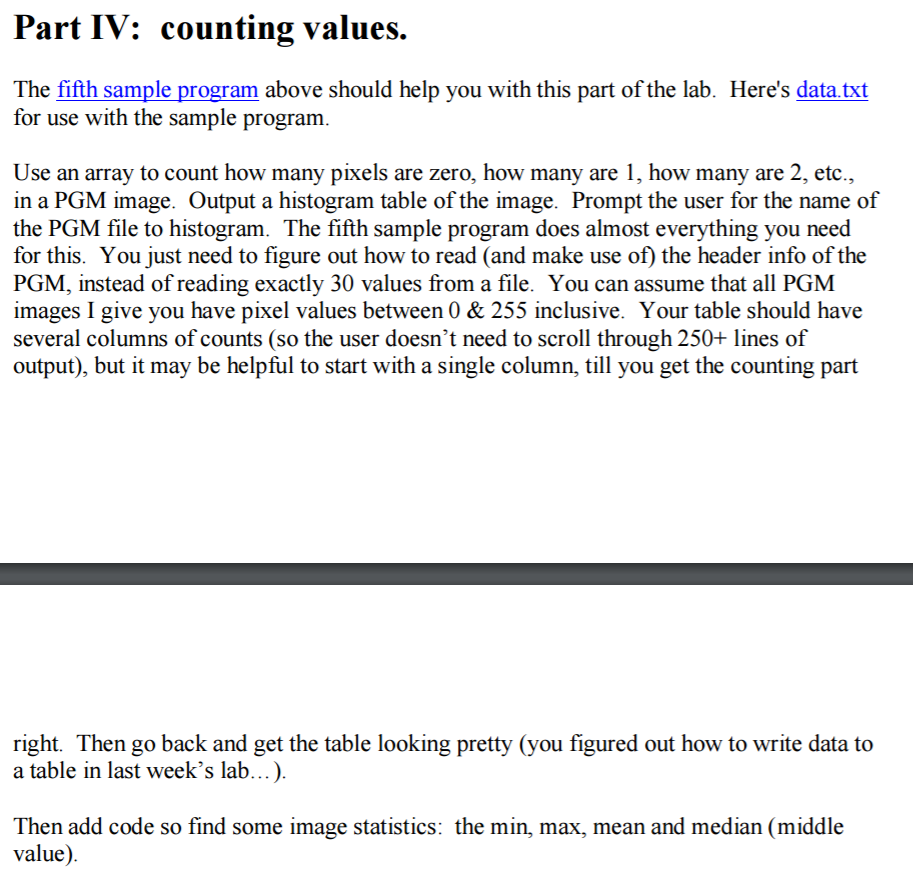
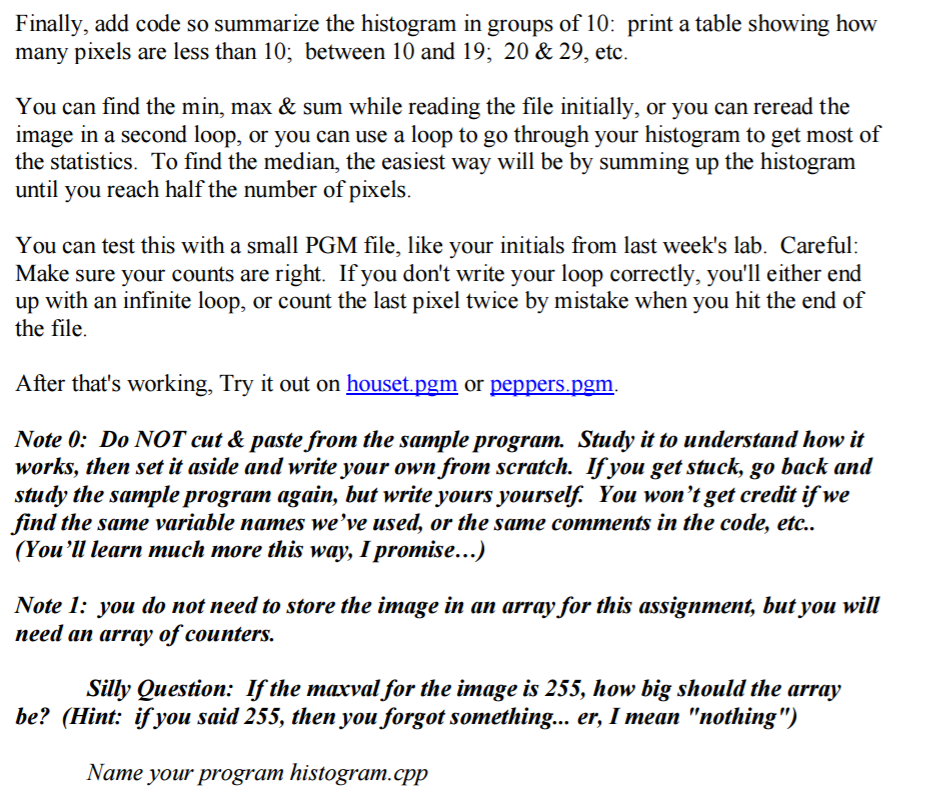
Part IV: counting values. The fifth sample program above should help you with this part of the lab. Here's data.txt for use with the sample program. Use an array to count how many pixels are zero, how many are 1, how many are 2, etc., in a PGM image. Output a histogram table of the image. Prompt the user for the name of the PGM file to histogram. The fifth sample program does almost everything you need for this. You just need to figure out how to read (and make use of the header info of the PGM, instead of reading exactly 30 values from a file. You can assume that all PGM images I give you have pixel values between 0 & 255 inclusive. Your table should have several columns of counts (so the user doesn't need to scroll through 250+ lines of output, but it may be helpful to start with a single column, till you get the counting part right. Then go back and get the table looking pretty (you figured out how to write data to a table in last week's lab...) Then add code so find some image statistics: the min, max, mean and median (middle value
Step by Step Solution
There are 3 Steps involved in it

Get step-by-step solutions from verified subject matter experts
 Study Help