Question: C++ program Read through all of the instructions before starting. Write a program that does the following: Part A 1. Prompts the program user for
C++ program
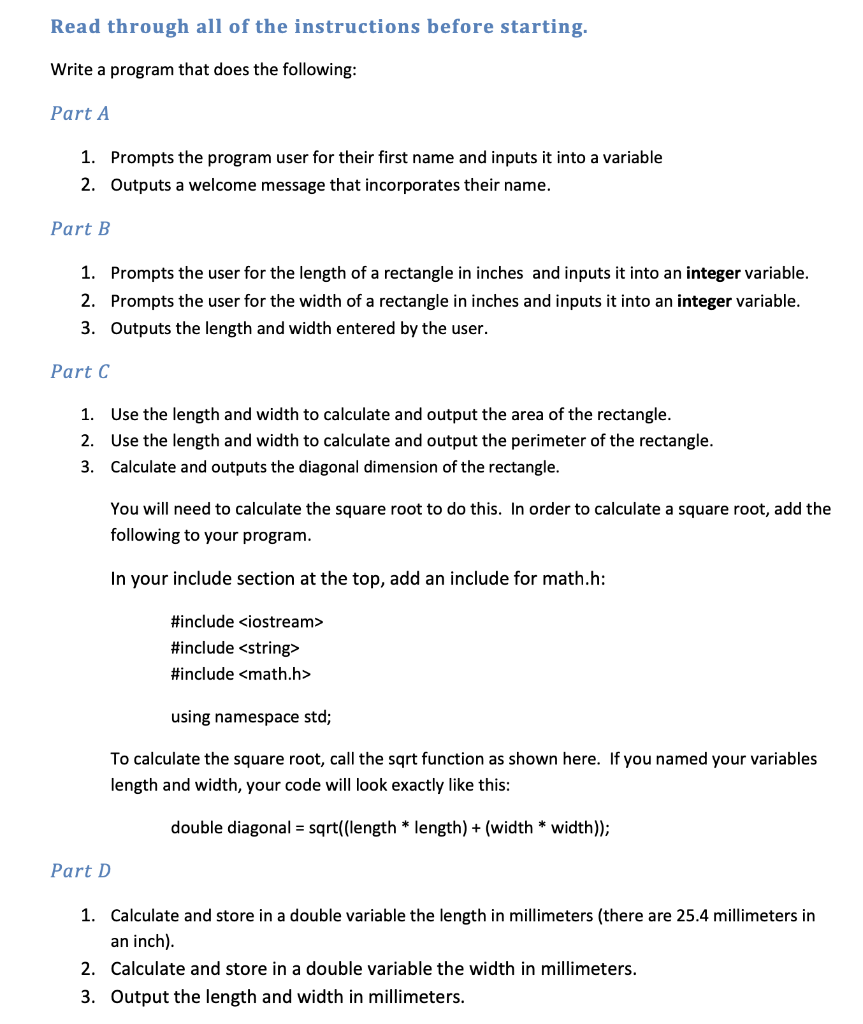
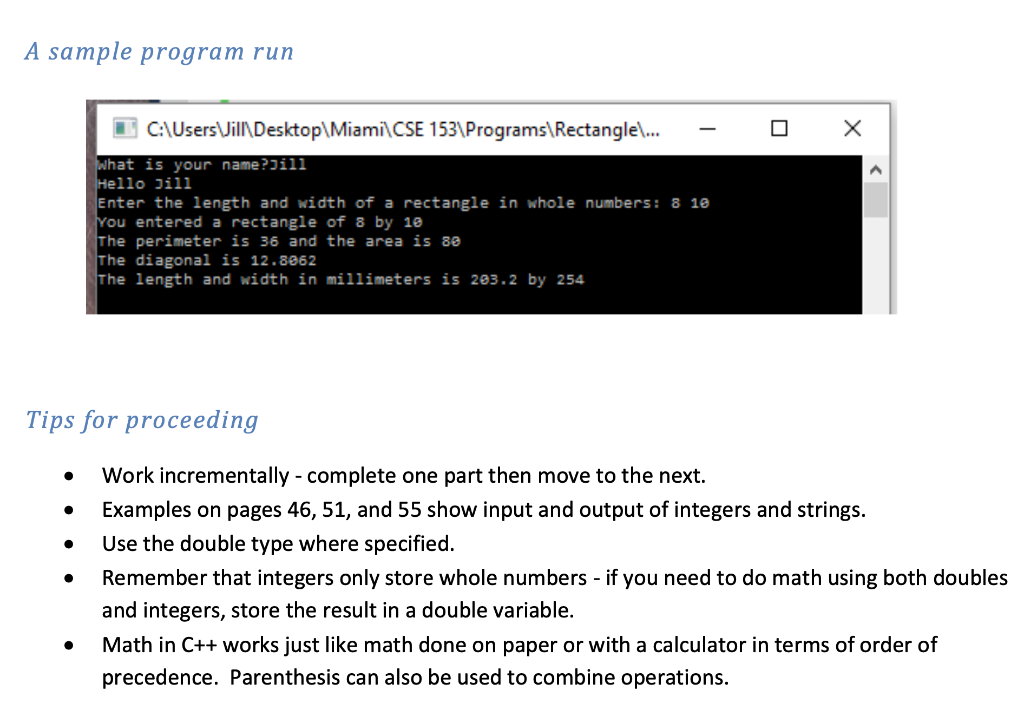
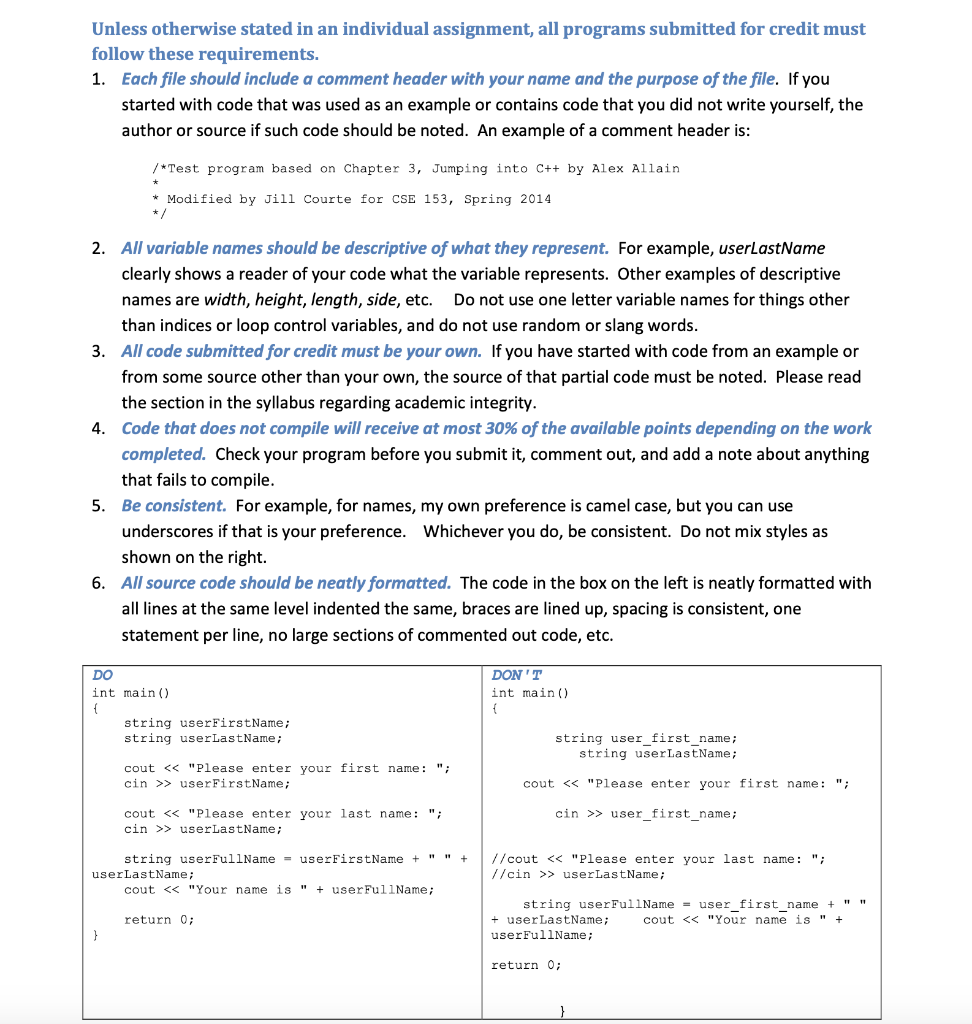
Read through all of the instructions before starting. Write a program that does the following: Part A 1. Prompts the program user for their first name and inputs it into a variable 2. Outputs a welcome message that incorporates their name. Part B 1. Prompts the user for the length of a rectangle in inches and inputs it into an integer variable. 2. Prompts the user for the width of a rectangle in inches and inputs it into an integer variable. 3. Outputs the length and width entered by the user. Part C 1. Use the length and width to calculate and output the area of the rectangle. 2. Use the length and width to calculate and output the perimeter of the rectangle. 3. Calculate and outputs the diagonal dimension of the rectangle. You will need to calculate the square root to do this. In order to calculate a square root, add the following to your program. In your include section at the top, add an include for math.h: #include #include #include using namespace std; To calculate the square root, call the sqrt function as shown here. If you named your variables length and width, your code will look exactly like this: double diagonal = sqrt((length * length) + (width * width)); Part D 1. Calculate and store in a double variable the length in millimeters (there are 25.4 millimeters in an inch). 2. Calculate and store in a double variable the width in millimeters. 3. Output the length and width in millimeters. A sample program run C:\Users Will Desktop\Miami CSE 153\Programs Rectangle... - O X what is your name?Jill Hello Jill Enter the length and width of a rectangle in whole numbers: 8 10 You entered a rectangle of 8 by 18 The perimeter is 36 and the area is 80 The diagonal is 12.8962 The length and width in millimeters is 203.2 by 254 Tips for proceeding Work incrementally - complete one part then move to the next. Examples on pages 46, 51, and 55 show input and output of integers and strings. Use the double type where specified. Remember that integers only store whole numbers - if you need to do math using both doubles and integers, store the result in a double variable. Math in C++ works just like math done on paper or with a calculator in terms of order of precedence. Parenthesis can also be used to combine operations. Unless otherwise stated in an individual assignment, all programs submitted for credit must follow these requirements. 1. Each file should include a comment header with your name and the purpose of the file. If you started with code that was used as an example or contains code that you did not write yourself, the author or source if such code should be noted. An example of a comment header is: /*Test program based on Chapter 3, Jumping into C++ by Alex Allain * Modified by Jill Courte for CSE 153, Spring 2014 2. All variable names should be descriptive of what they represent. For example, userLastName clearly shows a reader of your code what the variable represents. Other examples of descriptive names are width, height, length, side, etc. Do not use one letter variable names for things other than indices or loop control variables, and do not use random or slang words. 3. All code submitted for credit must be your own. If you have started with code from an example or from some source other than your own, the source of that partial code must be noted. Please read the section in the syllabus regarding academic integrity. 4. Code that does not compile will receive at most 30% of the available points depending on the work completed. Check your program before you submit it, comment out, and add a note about anything that fails to compile. 5. Be consistent. For example, for names, my own preference is camel case, but you can use underscores if that is your preference. Whichever you do, be consistent. Do not mix styles as shown on the right. 6. All source code should be neatly formatted. The code in the box on the left is neatly formatted with all lines at the same level indented the same, braces are lined up, spacing is consistent, one statement per line, no large sections of commented out code, etc. DO int main() DON'T int main() string userFirstName; string userLastName; string user_first_name; string userLastName; cout > userFirst Name; cout > userLastName; cin >> user_first_name; string userFullName = userFirstName + " " + userLastName; cout > userLastName; return 0; string userFullName = user_first_name + "" + user LastName; cout









 Study Help