







Question: C# program - This project includes a form that has a button for testing the Rectangle and Circle classes below. The project also includes a
C# program - This project includes a form that has a button for testing the Rectangle and Circle classes below. The project also includes a class called Shape. The class will be the base class for defining shapes to represent specific shape classes Circle and Rectangle. The shape class has the following members:
Properties (and instance variables) for a shapes X-Y coordinates. A virtual (overridable) GetDisplayText method for providing a string that describes the shape in the base class it will say what kind of shape it is, and its X and Y coordinates. A virtual (overridable) GetArea method that returns a shapes area. This method is a placeholder so that we can take advantage of polymorphism later. A better way to handle this is to declare it as an abstract method, but we wont discuss that until after we begin this lab. Create two public derived classes as follows: Rectangle 1. Derive the public Rectangle class from the Shape class. 2. Add two instance variables & read/write properties as follows: width (int) instance variable height (int) instance variable Width an int property Height an int property 3. Define a constructor that initializes all four properties (X, Y, Width, Height). Invoke the base class constructor from the Rectangle constructor to initialize the X and Y coordinates. 4. Define a default constructor too. 5. Override the GetArea method and return a product of Width times Height 6. Override the GetDisplayText method to show Class Name, X and Y coordinates, Width, Height and Area. Circle 1. Derive the public Circle class from the Shape class. 2. Add one instance variable & read/write property as follows: radius (int) instance variable Radius an int property 3. Define a constructor that initializes all three properties (X, Y, Radius). Invoke the base class constructor from the Circle constructor to initialize the X and Y coordinates. 4. Define a default constructor too. 5. Override the GetArea method and return a Math.PI times radius squared (Math.PI * radius * radius) 6. Override the GetDisplayText method to show Class Name, X and Y coordinates, Radius and Area When you create the Rectangle and Circle classes you must not duplicate the instance variables and properties of the Shapes class. Doing so is contrary to the purpose of inheritance that is, by deriving a class from a base class, you automatically get whats in the base class. If you duplicate whats in the base class, theres not much reason to use inheritance. Note that when you override a method, this is not duplicating the base class method, its redefining what that method does in the derived class. Once youve created the Circle and Rectangle classes, use them by uncommenting the code in the forms button that creates & displays information Rectangle and Circle objects. The code is shown below. It can be used immediately to create and display a Shape instance since that class already is in the project. When you complete the Circle or Rectangle class you can uncomment the two lines that allow you to test the class. All the following should successfully execute once youve completed these two classes Shape s = new Shape(100,60); MessageBox.Show(s.GetDisplayText(" "), s.GetType().Name); // Rectangle r = new Rectangle(300, 250, 50, 100); // MessageBox.Show(r.GetDisplayText(" "), r.GetType().Name); // Circle c = new Circle(50, 150, 15); // MessageBox.Show(c.GetDisplayText(" "), c.GetType().Name);
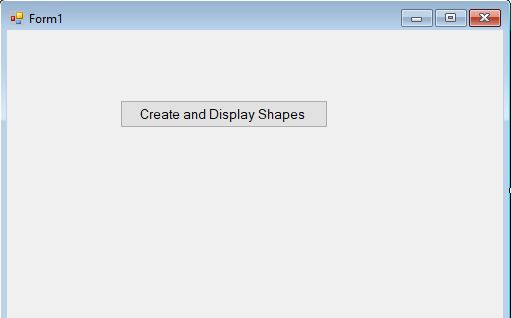
Forml Create and Display Shapes Forml Create and Display Shapes
Step by Step Solution
There are 3 Steps involved in it

Get step-by-step solutions from verified subject matter experts
 Study Help