







Question: C program to enable a shop to maintain its small items inventory ICS 103 Project (Term 171) Due: Each student must submit, in ICS 103
C program to enable a shop to maintain its small items inventory
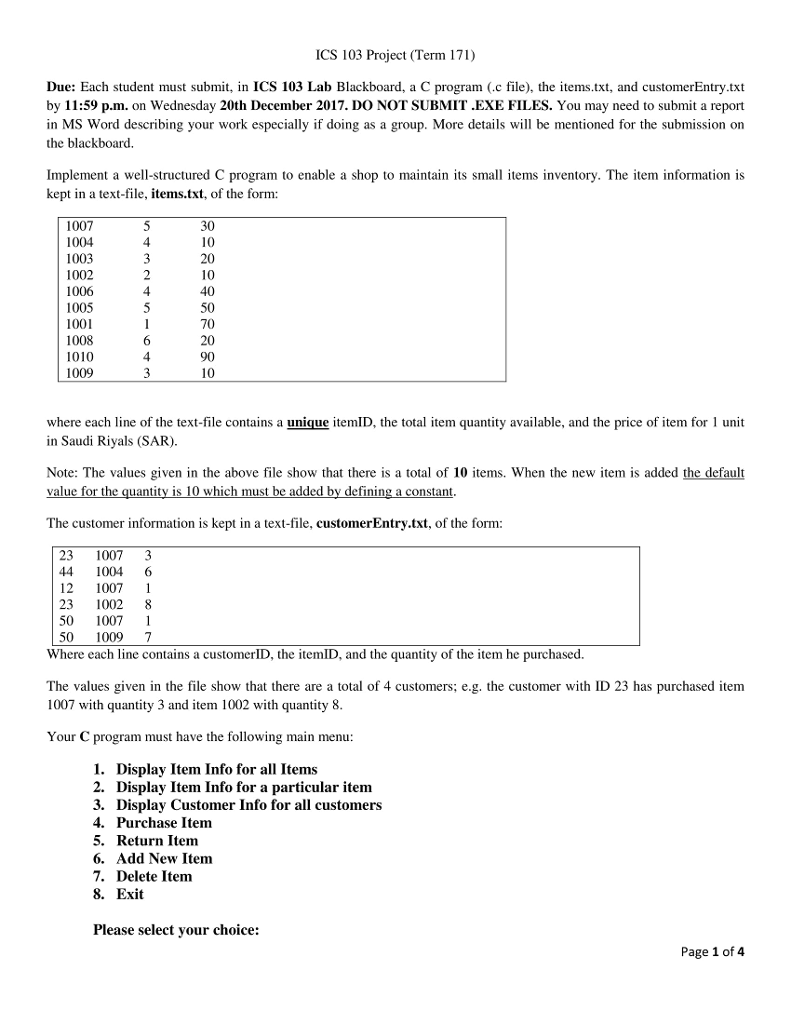
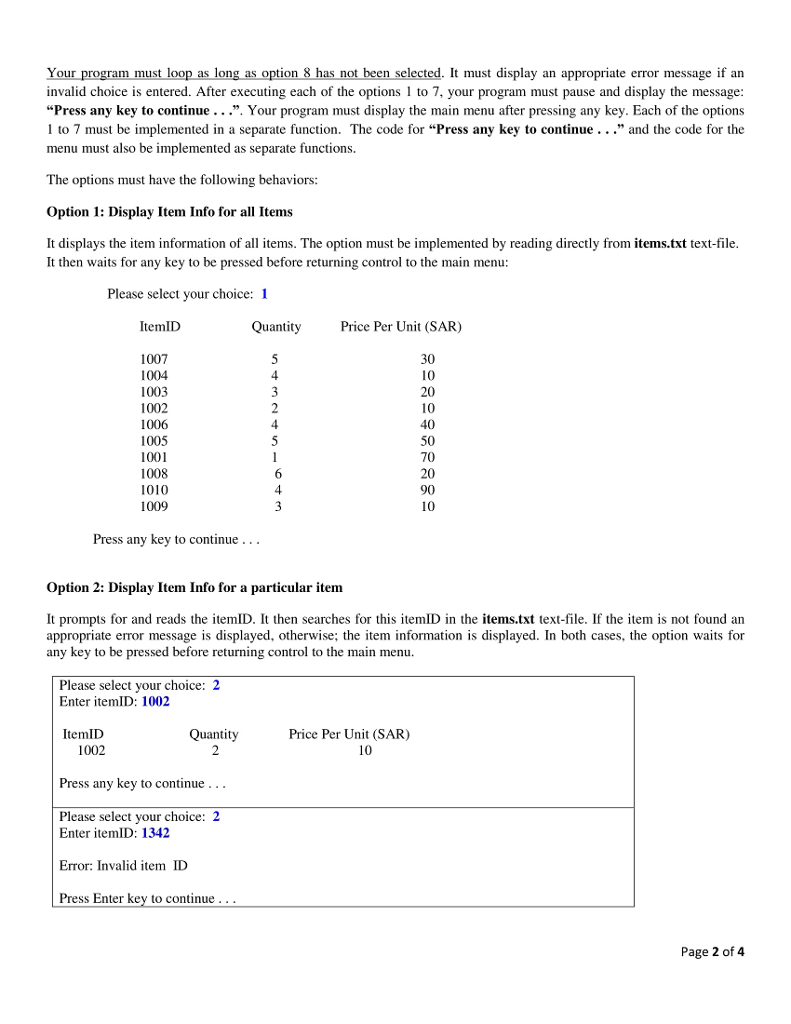
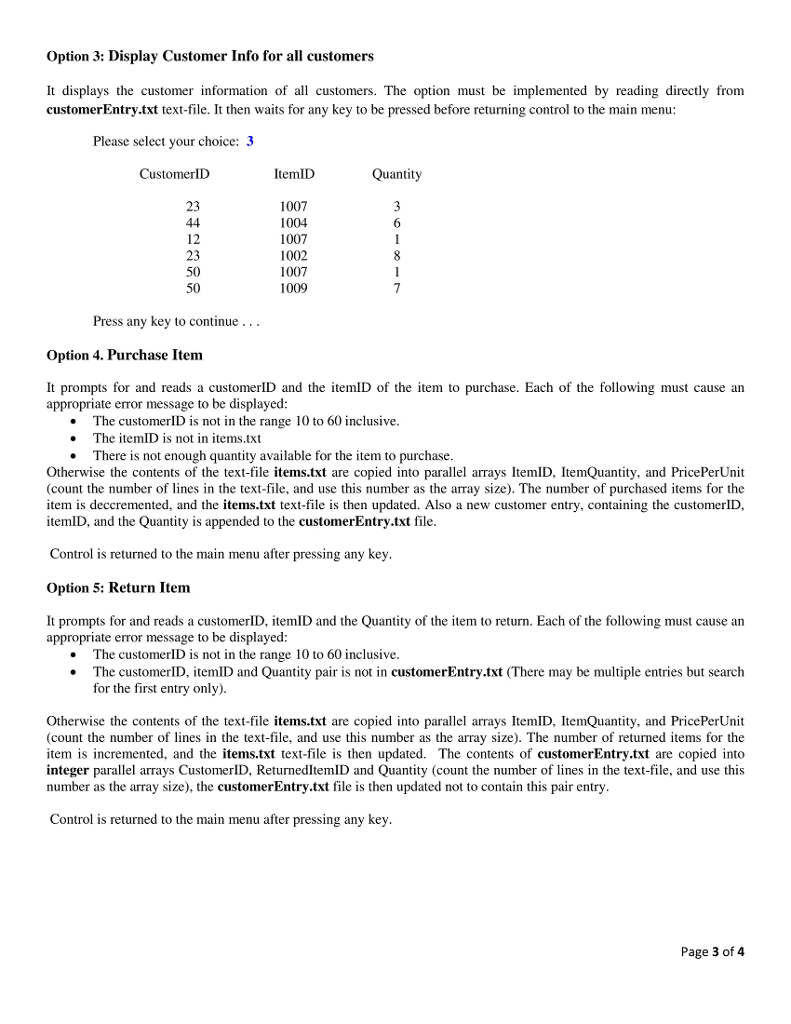
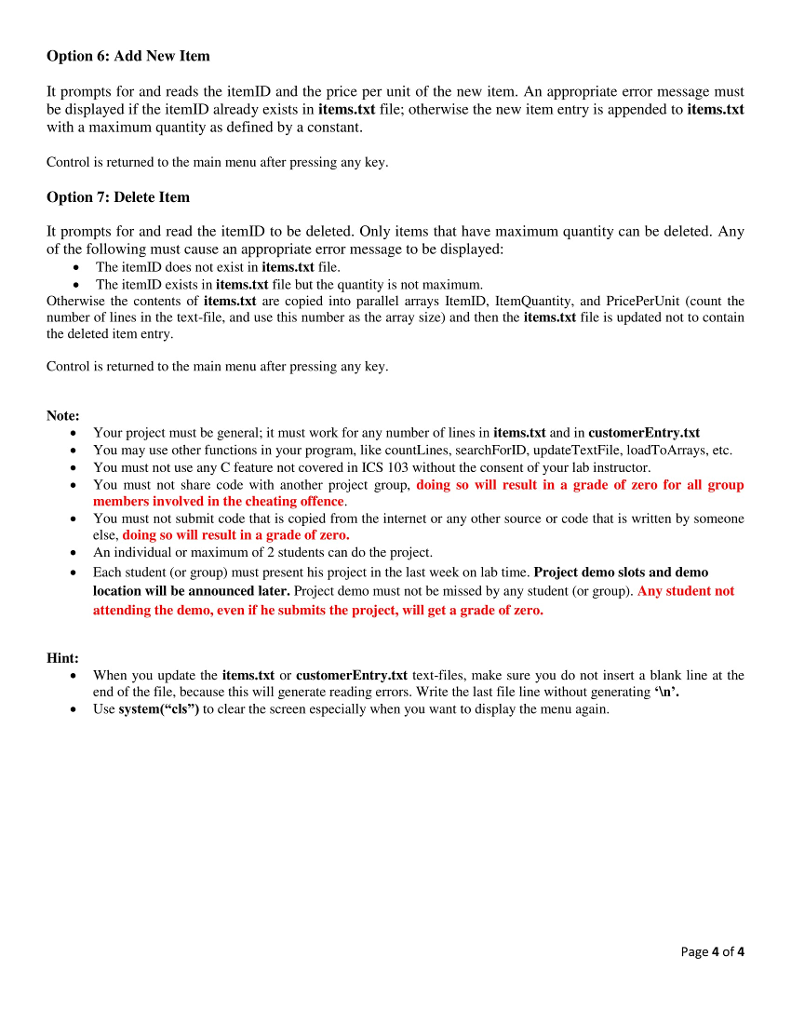
ICS 103 Project (Term 171) Due: Each student must submit, in ICS 103 Lab Blackboard, a C program (c file), the items.txt, and customerEntry.txt by 11:59 p.m. on Wednesday 20th December 2017. DO NOT SUBMIT .EXE FILES. You may need to submit a report in MS Word describing your work especially if doing as a group. More details will be mentioned for the submission on the blackboard. program to enable a shop to maintain its small items inventory. The item information is Implement a well-structured C kept in a text-file, items.txt, of the form: 1007 1004 1003 1002 1006 1005 1001 1008 1010 1009 10 20 10 40 50 20 90 4 where each line of the text-file contains a unique itemID, the total item quantity available, and the price of item for 1 unit in Saudi Riyals (SAR) Note: The values given in the above file show that there is a total of 10 items. When the new item is added the default value for the quantity is 10 which must be added by defining a constant The customer information is kept in a text-file, customerEntry.txt, of the form: 23 1007 3 4 1004 6 12 1007 1 23 1002 8 50 1007 1 50 10097 Where each line contains a customerID, the itemID, and the quantity of the item he purchased. The values given in the file show that there are a total of 4 customers; e.g. the customer with ID 23 has purchased item 1007 with quantity 3 and item 1002 with quantity 8 Your C program must have the following main menu 1. Display Item Info for all Items 2. Display Item Info for a particular item 3. Display Customer Info for all customers 4. Purchase Item 5. Return Item 6. Add New Item 7. Delete Item 8. Exit Please select your choice: Page 1 of4
Step by Step Solution
There are 3 Steps involved in it

Get step-by-step solutions from verified subject matter experts
 Study Help