







Question: C programming. Loop Classify Description: In the Loop Classify exercise, your objective is to create a program that continuously prompts the user to enter a
C programming.
Loop Classify
Description:
In the "Loop Classify" exercise, your objective is to create a program that continuously prompts the user to enter a single character. Depending on the character's nature, the program should classify it into one of the following categories:
Digit
Lowercase letter
Uppercase letter
Something else
The program should use a loop to continuously accept inputs and nested selection nested if statements to determine the classification of the entered character. The program should only terminate when the user inputs the sim character. Upon termination, a farewell message should be displayed.
Instructions:
The program begins by prompting the user with the message: "Type any key to quit
Accept a single character input from the user.
Use nested selection statements to classify the entered character:
If the character is a digit print: "That was a digit."
If the character is a lowercase letter az print: "That was a lowercase letter."
If the character is an uppercase letter AZ print: "That was an uppercase letter."
If the character is the sim or anything other than the categories mentioned above, print: "That was something else!".
Continue to prompt the user for input until they enter the sim character.
After the user enters the sim character and the appropriate message is printed, display a final message: "All done! Goodbye!".
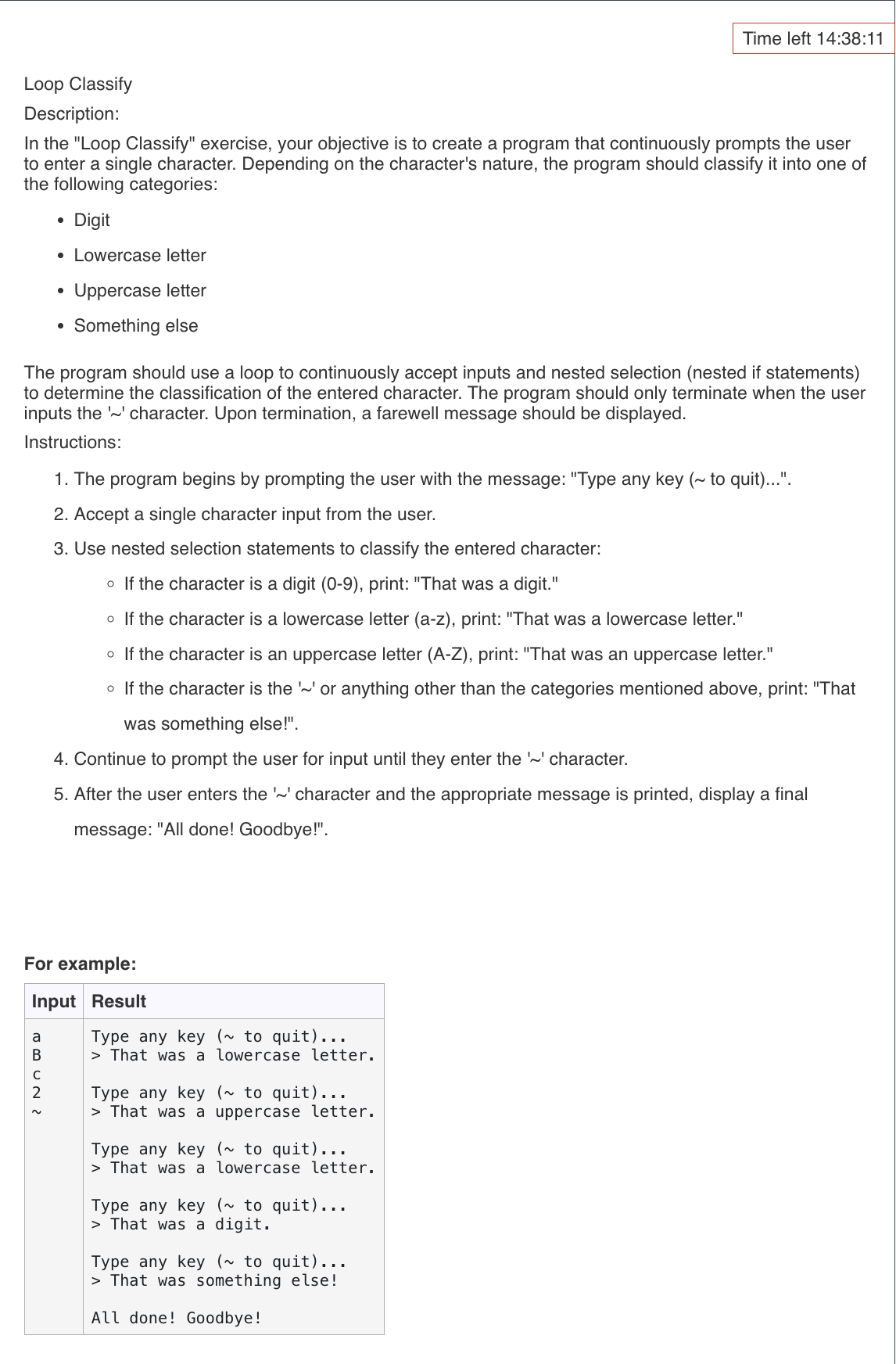
For example:
Input Result
Type any key ~ to quit
That was a lowercase letter.
Type any key ~ to quit
That was a uppercase letter.
Type any key ~ to quit
That was a lowercase letter.
Type any key ~ to quit
That was a digit.
Type any key ~ to quit
That was something else!
All done! Goodbye!
Step by Step Solution
There are 3 Steps involved in it
1 Expert Approved Answer
Step: 1 Unlock

Question Has Been Solved by an Expert!
Get step-by-step solutions from verified subject matter experts
Step: 2 Unlock
Step: 3 Unlock
 Study Help