Question: C programming task: My code so far: expected output: val2: 324 val3: 6561 val4: 2197 Power Three 1. Add a new function powerthree to the

C programming

task:
C programming task: My code so far: expected output: "val2: 324 val3:

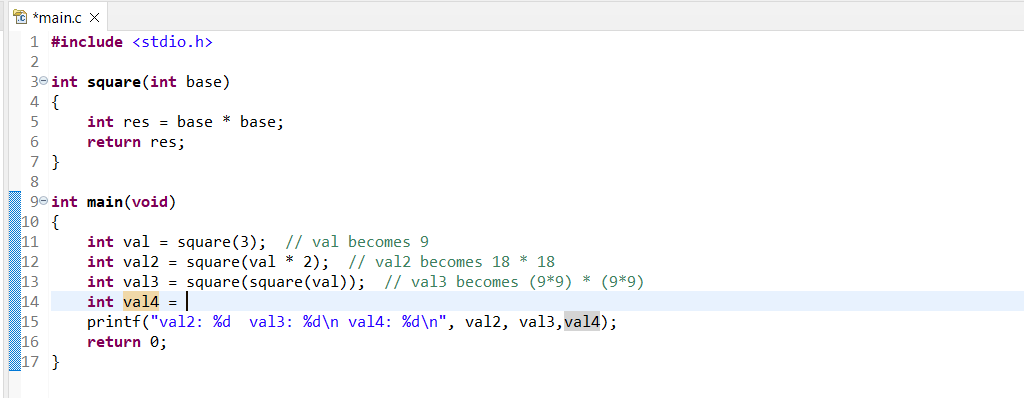
My code so far:

6561 val4: 2197" Power Three 1. Add a new function powerthree to

expected output:

"val2: 324 val3: 6561 val4: 2197"

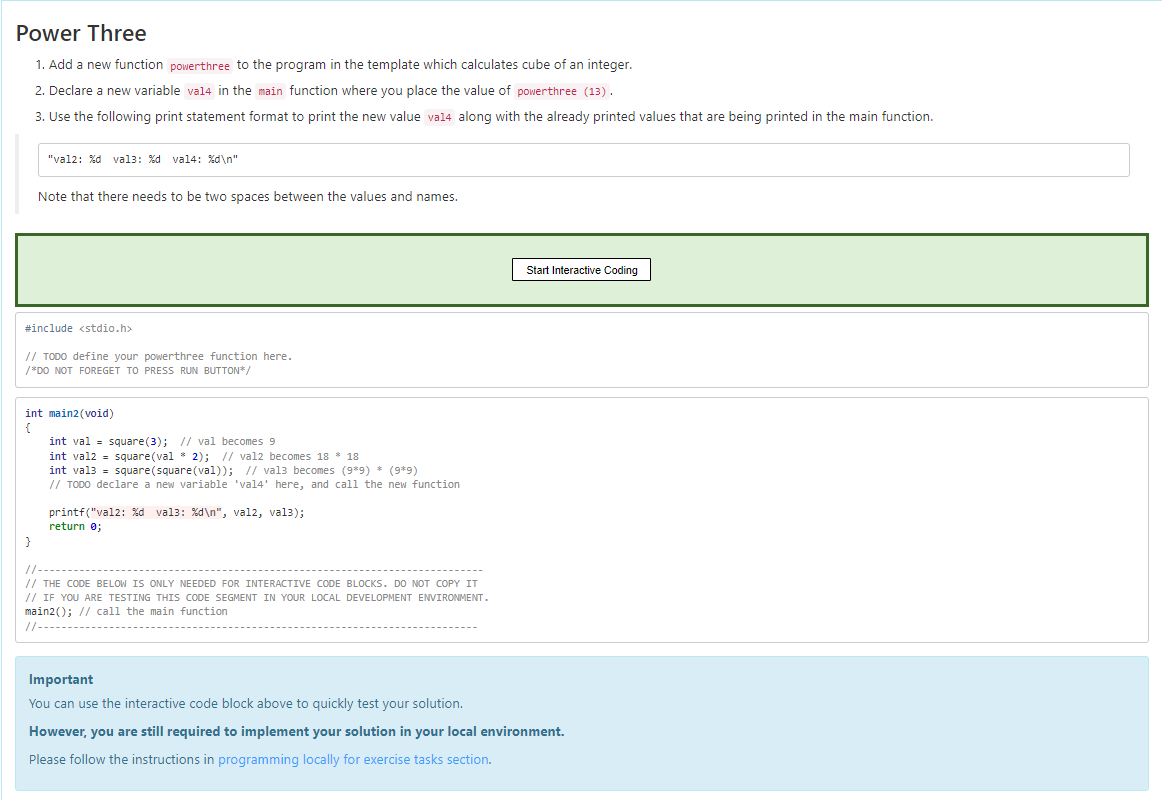
Power Three 1. Add a new function powerthree to the program in the template which calculates cube of an integer. 2. Declare a new variable val4 in the main function where you place the value of powerthree (13). 3. Use the following print statement format to print the new value val4 along with the already printed values that are being printed in the main function. "val2: %d val3: %d val4: %d " Note that there needs to be two spaces between the values and names. Start Interactive Coding #include // TODO define your powerthree function here. /*DO NOT FOREGET TO PRESS RUN BUTTON*/ int main2 (void) = int val = square(3); // val becomes 9 int val2 = square(val * 2); // val2 becomes 18 * 18 int val3 = square(square(val)); // val3 becomes (989) * (9*9) // TODO declare a new variable 'val4' here, and call the new function printf("val2: %d val3: %d ", val2, vals); return; // THE CODE BELOW IS ONLY NEEDED FOR INTERACTIVE CODE BLOCKS. DO NOT COPY IT // IF YOU ARE TESTING THIS CODE SEGMENT IN YOUR LOCAL DEVELOPMENT ENVIRONMENT. main20; // call the main function //--- Important You can use the interactive code block above to quickly test your solution. However, you are still required to implement your solution in your local environment. Please follow the instructions in programming locally for exercise tasks section. TC *main.c X 1 #include 2 30 int square(int base) 4 { 5 int res = base * base; 6 return res; 7 } 8 9e int main(void) 10 { 11 int val = square(3); // val becomes 9 12 int val2 = square(val * 2); // val2 becomes 18 * 18 13 int val3 = square(square(val)); // val3 becomes (9*9) * (9*9) 14 int val4 = 1 15 printf("val2: %d val3: %d val4: %d ", val2, val3, val4); 16 return 0; 17 }

Step by Step Solution

There are 3 Steps involved in it

1 Expert Approved Answer
Step: 1 Unlock blur-text-image
Question Has Been Solved by an Expert!

Get step-by-step solutions from verified subject matter experts

Step: 2 Unlock
Step: 3 Unlock

Students Have Also Explored These Related Databases Questions!