







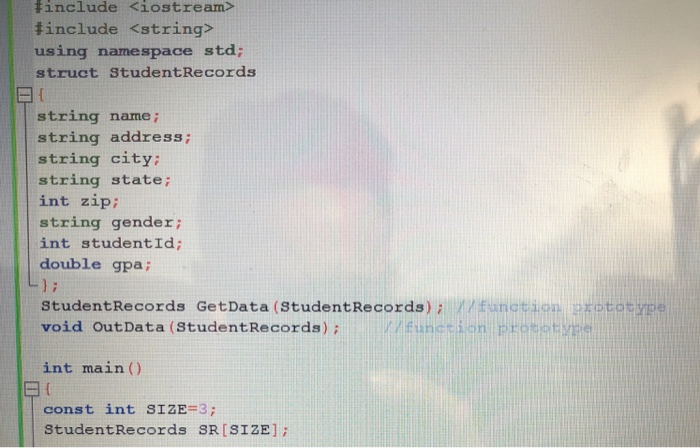
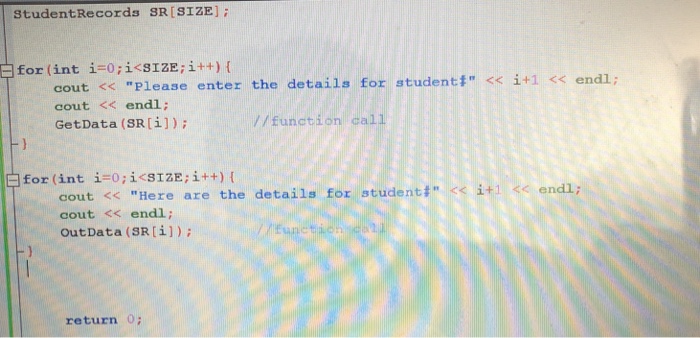
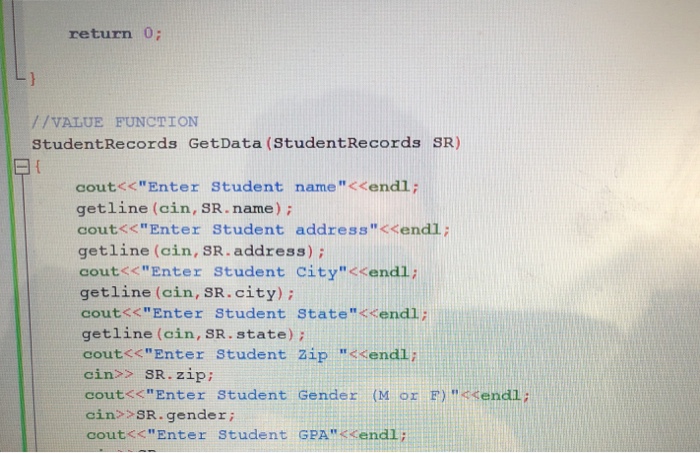
Question: C++ question. Here is what I have done so far. I am able to type in the student data but it is not giving me
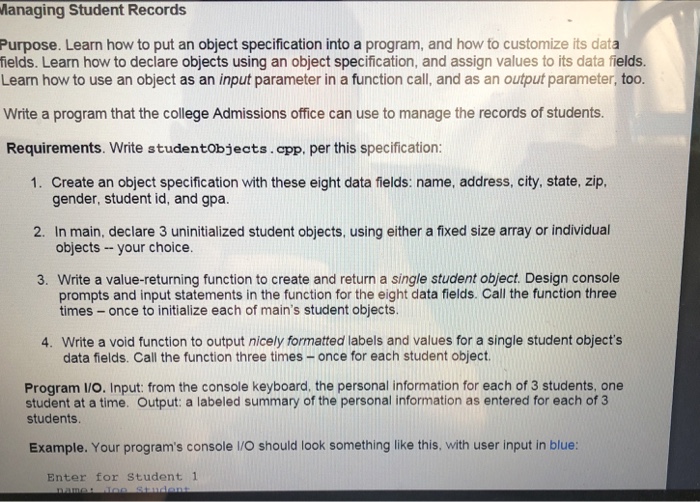
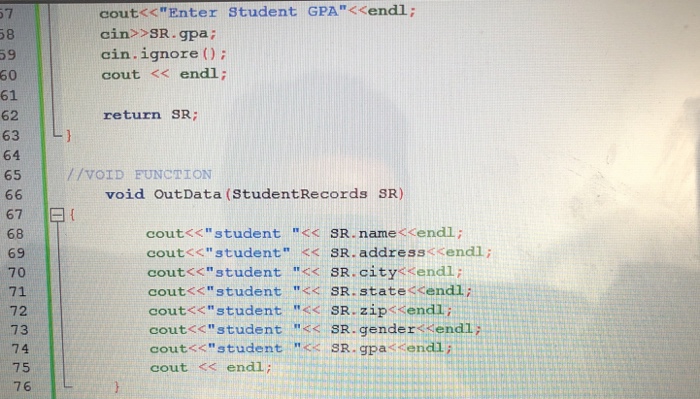
anaging Student Records Purpose. Learn how to put an object specification into a program, and how to customize its data fields. Learn how to declare objects using an object specification, and assign values to its data fields. Learn how to use an object as an input parameter in a function call, and as an output parameter, too. Write a program that the college Admissions office can use to manage the records of students. Requirements. Write studentobjects.app. per this specification: 1. Create an object specification with these eight data fields: name, address, city, state, zip, gender, student id, and gpa. 2. In main, declare 3 uninitialized student objects, using either a fixed size array or individual objects your choice. 3. Write a value-returning function to create and return a single student object. Design console prompts and input statements in the function for the eight data fields. Call the function three times - once to initialize each of main's student objects. Write a void function to output nicely formatted labels and values for a single student object's data fields. Call the function three times -once for each student object 4. Program I/O. Input: from the console keyboard, the personal information for each of 3 students, one student at a time. Output: a labeled summary of the personal information as entered for each of 3 students Example. Your program's console IO should look something like this, with user input in blue: Enter for Student 1
Step by Step Solution
There are 3 Steps involved in it

Get step-by-step solutions from verified subject matter experts
 Study Help