







Question: C++ question, plese do not use any other language. main.cpp #include #include using namespace std; #include ShoppingCart.h using namespace std; char PrintMenu(ShoppingCart& theCart){ char menuOp
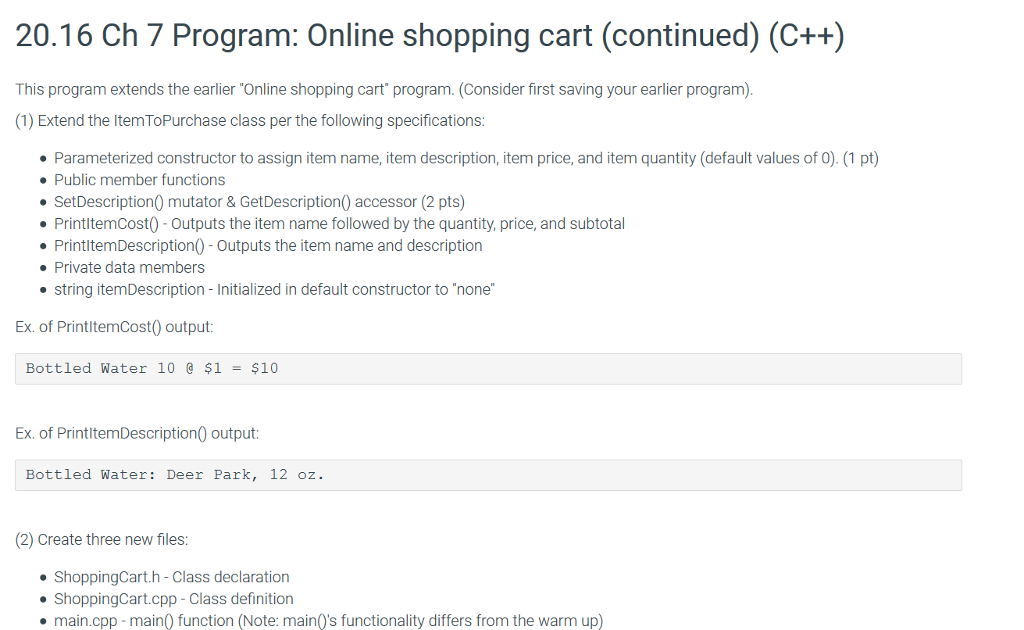
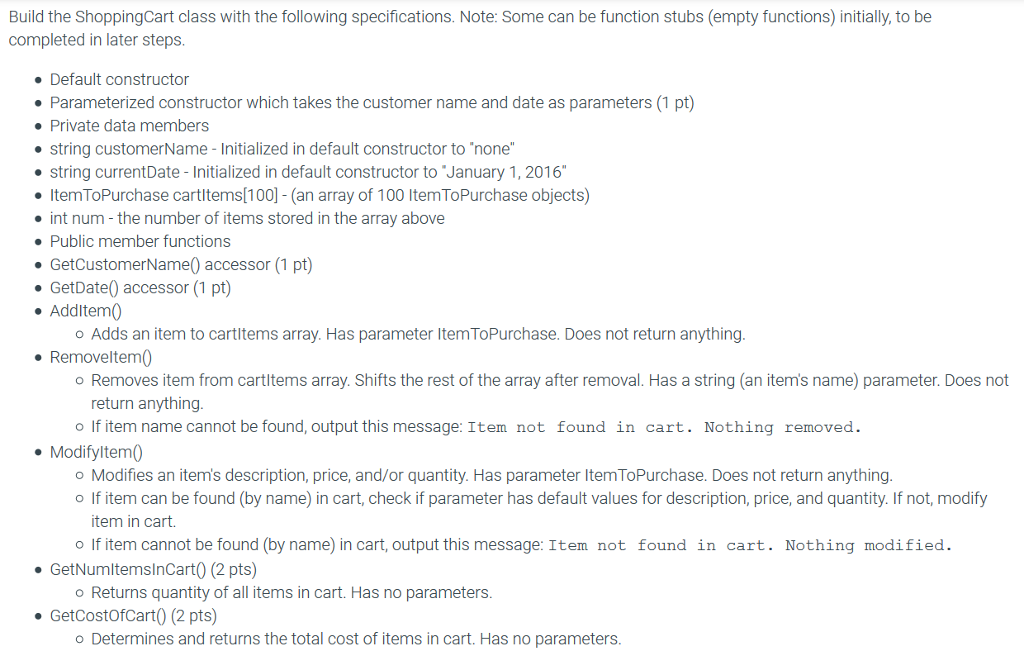
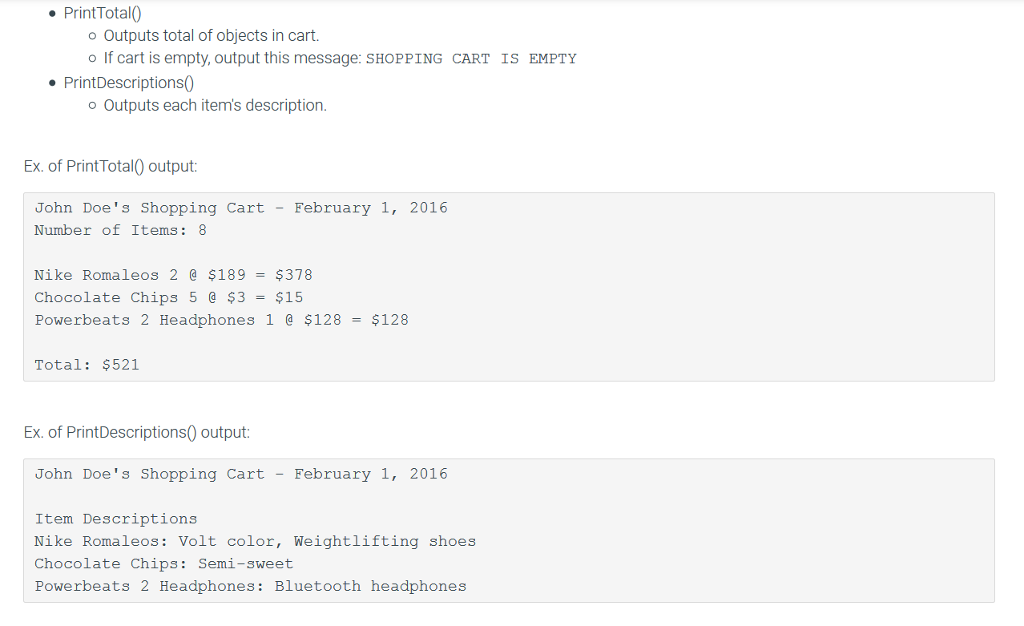
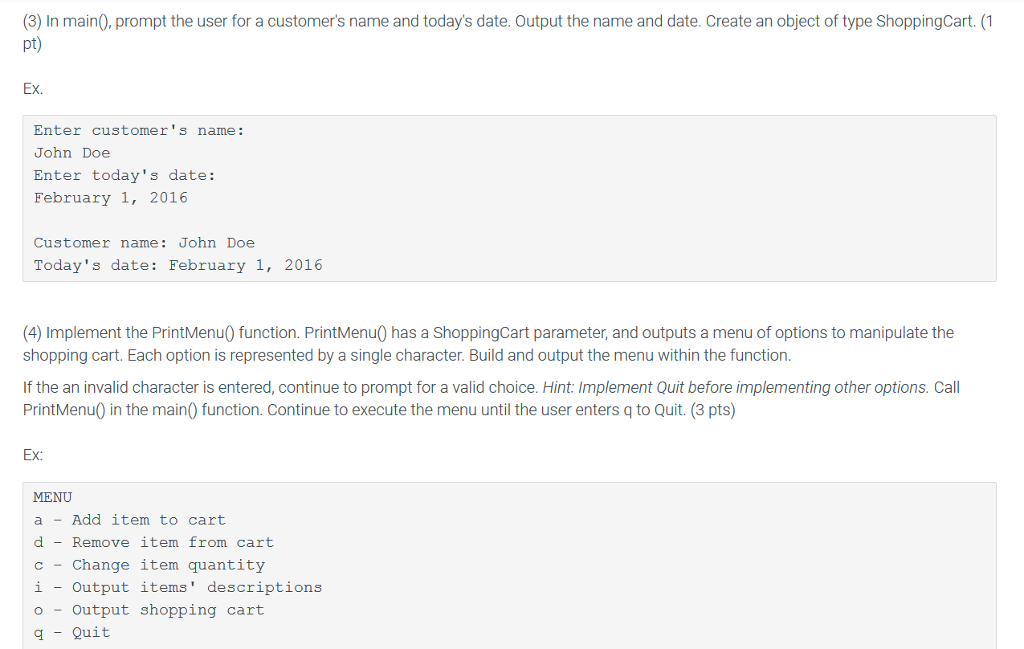
C++ question, plese do not use any other language.
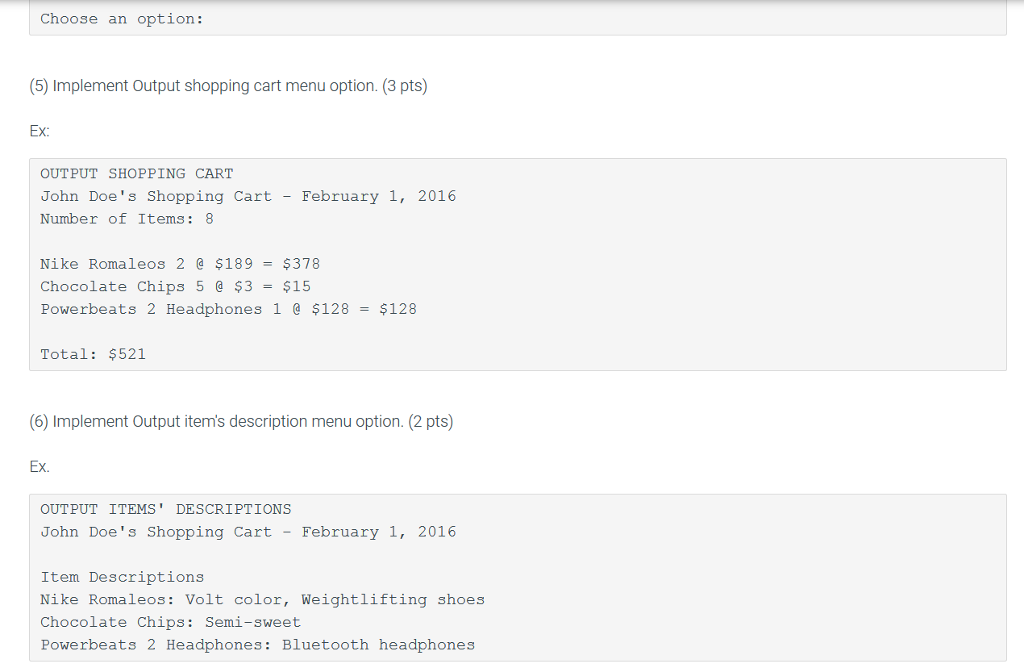
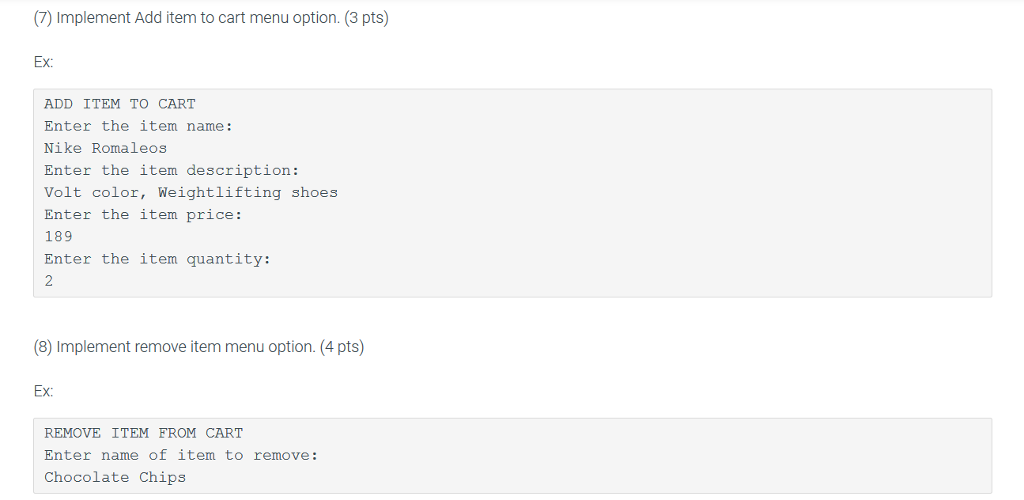
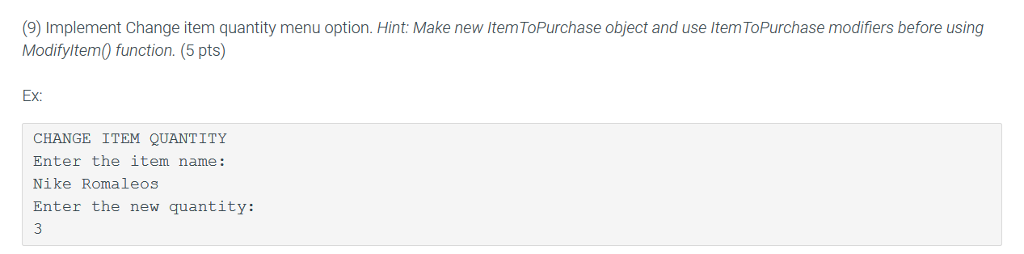
main.cpp
#include
#include "ShoppingCart.h"
using namespace std;
char PrintMenu(ShoppingCart& theCart){ char menuOp = ' '; string name; string descr; int price = 0; int quantity = 0; cout > menuOp; } switch(menuOp) { case 'a': { cin.ignore(); cout > price; cout > quantity; ItemToPurchase newItem(name, descr, price, quantity); theCart.AddItem(newItem); menuOp = ' '; cout > quantity; ItemToPurchase item; item.SetName(name); item.SetQuantity(quantity); theCart.ModifyItem(item); menuOp = ' '; cout
int main() { string custName; string today; char menuChoice = ' '; cout
ItemToPurchase.h
#ifndef ITEM_TO_PURCHASE_H #define ITEM_TO_PURCHASE_H
#include
class ItemToPurchase { public: ItemToPurchase(); void SetName(string name); void SetPrice(int price); void SetQuantity(int quantity); string GetName() const; int GetPrice() const; int GetQuantity() const; void Print(); private: string itemName; int itemPrice; int itemQuantity; };
#endif
ItemToPurchase.cpp
#include
#include "ItemToPurchase.h"
ItemToPurchase::ItemToPurchase() { itemName = "none"; itemPrice = 0; itemQuantity = 0; return; }
void ItemToPurchase::SetName(string name) { itemName = name; return; }
void ItemToPurchase::SetPrice(int price) { itemPrice = price; return; }
void ItemToPurchase::SetQuantity(int quantity) { itemQuantity = quantity; return; }
string ItemToPurchase::GetName() const { return itemName; }
int ItemToPurchase::GetPrice() const { return itemPrice; }
int ItemToPurchase::GetQuantity() const { return itemQuantity; }
void ItemToPurchase::Print() { cout
need to code ShoppingCart.h and ShoppingCart.cpp
Step by Step Solution
There are 3 Steps involved in it

Get step-by-step solutions from verified subject matter experts
 Study Help