







Question: (C++) This program echoes a word differently, depending on the word that is passed in. Usage... Modift code below: #include #include using namespace std; #include
(C++) This program echoes a word differently, depending on the word that is passed in. Usage...
Modift code below:
#include
#include "process.h"
int main(void) {
string userWord; // string to store the input word bool validInput = false; //the program expects 1 word at time we need to validate that. cout
cin >> userWord; if (cin.peek() != ' ') { // cin.peek() returns the next input character without taking it out of the input stream validInput = true; } // If validInput is true that will indicate // exactly 1 string was provided by user. if (validInput == true) { processWord(userWord); } // Tell the user that something is wrong else { cout
return 0; }
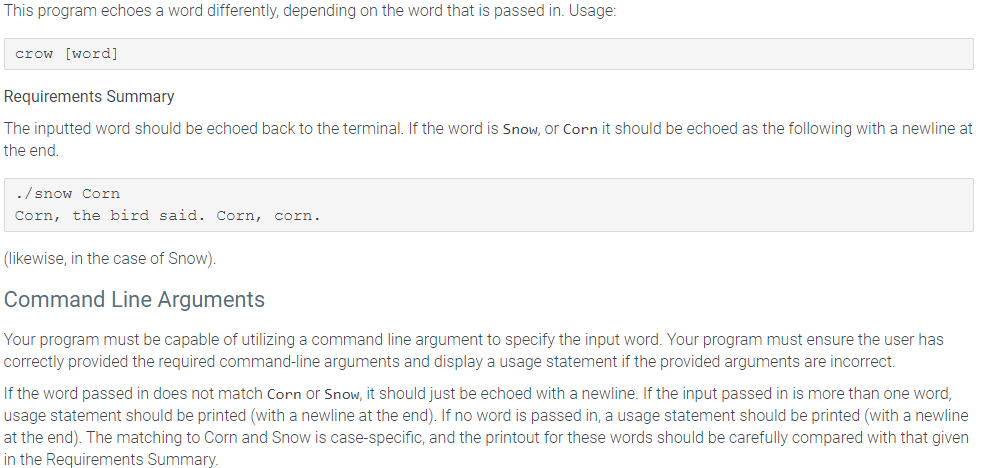
This program echoes a word differently, depending on the word that is passed in. Usage: crow [word] Requirements Summary The inputted word should be echoed back to the terminal. If the word is Snow, or Corn it should be echoed as the following with a newline at the end. ./snow Corn Corn, the bird said. Corn, corn. (likewise, in the case of Snow). Command Line Arguments Your program must be capable of utilizing a command line argument to specify the input word. Your program must ensure the user has correctly provided the required command-line arguments and display a usage statement if the provided arguments are incorrect. If the word passed in does not match Corn or Snow, it should just be echoed with a newline. If the input passed in is more than one word, usage statement should be printed with a newline at the end). If no word is passed in, a usage statement should be printed with a newline at the end). The matching to Corn and Snow is case-specific, and the printout for these words should be carefully compared with that given in the Requirements Summary
Step by Step Solution
There are 3 Steps involved in it

Get step-by-step solutions from verified subject matter experts
 Study Help