







Question: C++, use code as template below please #include #include using namespace std; void inputPurchases(float *arrayPtr, int howMuch); //provide the rest of the function templates int
C++, use code as template below please
#include
void inputPurchases(float *arrayPtr, int howMuch); //provide the rest of the function templates
int main() {
return 0; }
//function inputs number of purchase prices given in the parameter howMuch //into the dynamic array pointed to by arrayPtr //pointer -offset notation is used to access the array elements void inputPurchases(float *arrayPtr, int howMuch) { //Loop and input the purchases cout > *(arrayPtr + k); //pointer with offset notation is used } }
//code the rest of the functions here
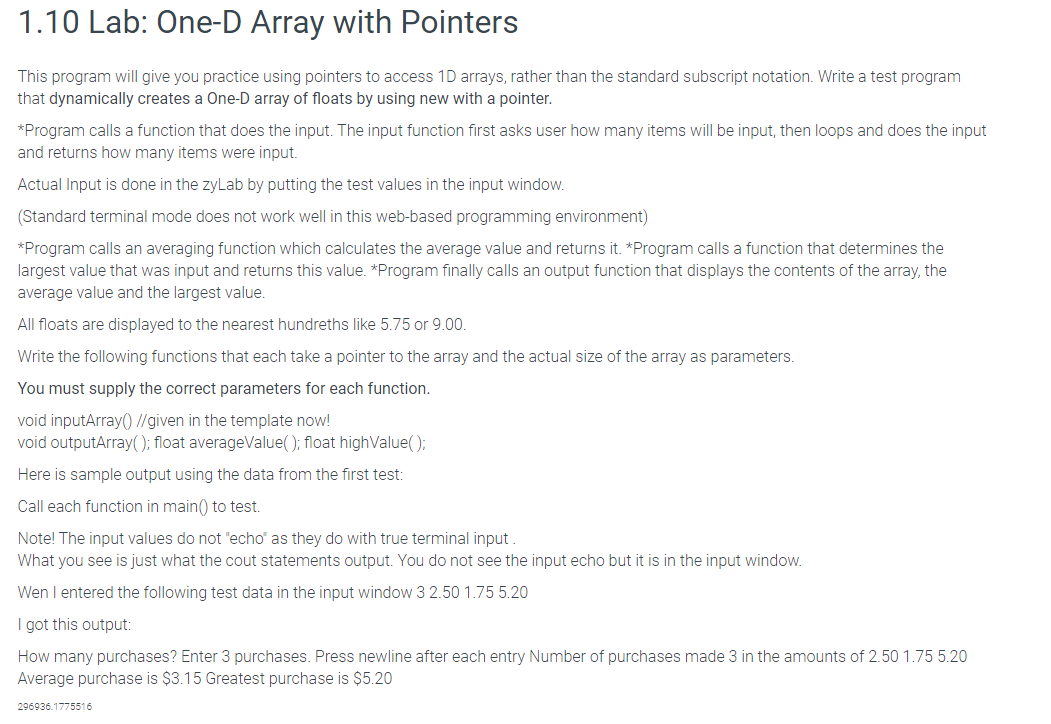
1.10 Lab: One-D Array with Pointers This program will give you practice using pointers to access 1D arrays, rather than the standard subscript notation. Write a test program that dynamically creates a One-D array of floats by using new with a pointer. *Program calls a function that does the input. The input function first asks user how many items will be input, then loops and does the input and returns how many items were input. Actual Input is done in the zyLab by putting the test values in the input window. (Standard terminal mode does not work well in this web-based programming environment) *Program calls an averaging function which calculates the average value and returns it. *Program calls a function that determines the largest value that was input and returns this value. *Program finally calls an output function that displays the contents of the array, the average value and the largest value. All floats are displayed to the nearest hundreths like 5.75 or 9.00. Write the following functions that each take a pointer to the array and the actual size of the array as parameters. You must supply the correct parameters for each function. void inputArray() //given in the template now! void outputArray(); float averageValue(); float highValue(); Here is sample output using the data from the first test: Call each function in main( to test. Note! The input values do not "echo' as they do with true terminal input What you see is just what the cout statements output. You do not see the input echo but it is in the input window. Wen I entered the following test data in the input window 3 2.50 1.75 5.20 I got this output: How many purchases? Enter 3 purchases. Press newline after each entry Number of purchases made 3 in the amounts of 2.50 1.75 5.20 Average purchase is $3.15 Greatest purchase is $5.20 296936.1775516
Step by Step Solution
There are 3 Steps involved in it

Get step-by-step solutions from verified subject matter experts
 Study Help