







Question: C# Windows Form Application in Visual Studio Thanks! Modify the application you created in Lab 6 Part 1 to utilize lists instead of an array.
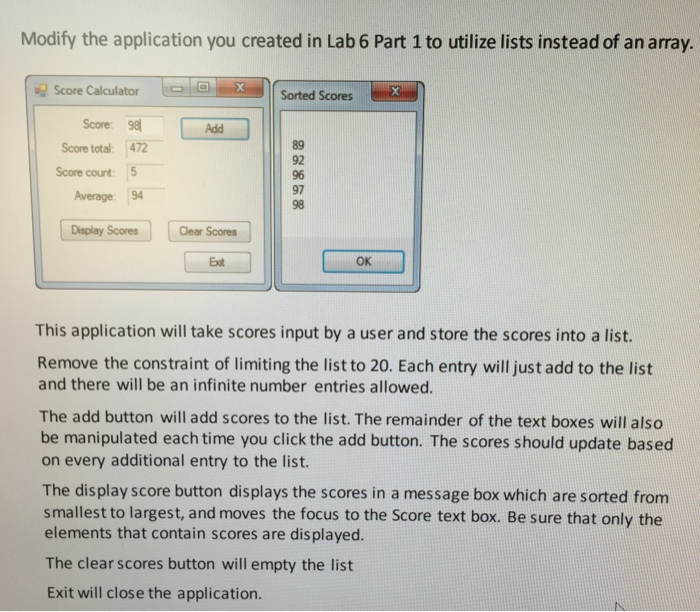
Modify the application you created in Lab 6 Part 1 to utilize lists instead of an array. Score Calculator Sorted Scores Score: 9 89 92 96 97 98 Score total: 472 Score count 5 Average 194 Display Scores Clear Scores Ext OK This application will take scores input by a user and store the scores into a list. Remove the constraint of limiting the list to 20. Each entry will just add to the list and there will be an infinite number entries allowed. The add button will add scores to the list. The remainder of the text boxes will also be manipulated each time you click the add button. The scores should update based on every additional entry to the list. The display score button displays the scores in a message box which are sorted fronm smallest to largest, and moves the focus to the Score text box. Be sure that only the elements that contain scores are displayed. The clear scores button will empty the list Exit will close the application
Step by Step Solution
There are 3 Steps involved in it

Get step-by-step solutions from verified subject matter experts
 Study Help