







Question: C201: Project Guidelines Using Python to develop a simple banking system (15 Marks). The students are required to use Python to develop a simple banking
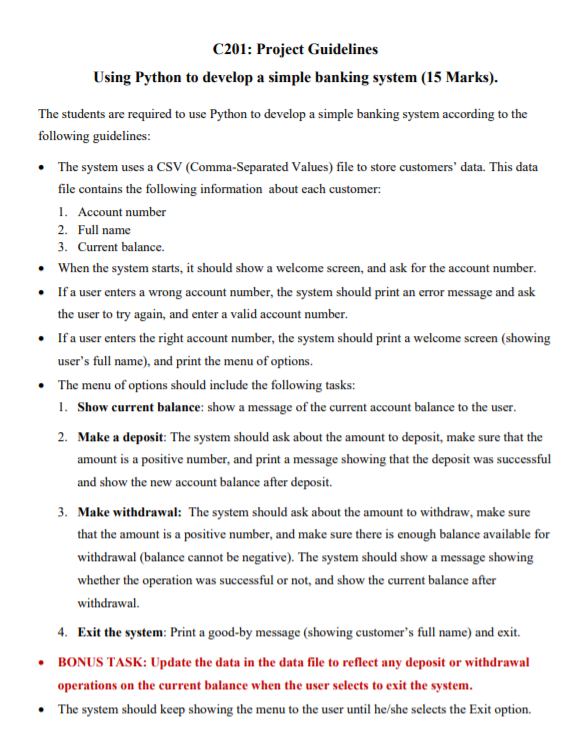
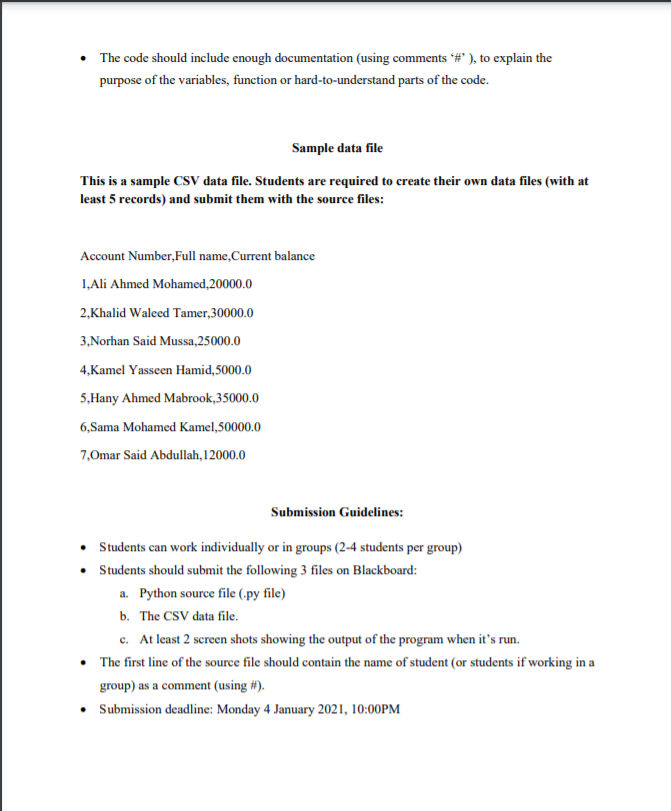
C201: Project Guidelines Using Python to develop a simple banking system (15 Marks). The students are required to use Python to develop a simple banking system according to the following guidelines: The system uses a CSV (Comma-separated Values) file to store customers' data. This data file contains the following information about each customer: 1. Account number 2. Full name 3. Current balance. When the system starts, it should show a welcome screen, and ask for the account number. If a user enters a wrong account number, the system should print an error message and ask the user to try again, and enter a valid account number. If a user enters the right account number, the system should print a welcome screen (showing user's full name), and print the menu of options. The menu of options should include the following tasks: 1. Show current balance: show a message of the current account balance to the user. 2. Make a deposit: The system should ask about the amount to deposit, make sure that the amount is a positive number, and print a message showing that the deposit was successful and show the new account balance after deposit. 3. Make withdrawal: The system should ask about the amount to withdraw, make sure that the amount is a positive number, and make sure there is enough balance available for withdrawal (balance cannot be negative). The system should show a message showing whether the operation was successful or not, and show the current balance after withdrawal. 4. Exit the system: Print a good-by message (showing customer's full name) and exit. BONUS TASK: Update the data in the data file to reflect any deposit or withdrawal operations on the current balance when the user selects to exit the system. The system should keep showing the menu to the user until he/she selects the Exit option. The code should include enough documentation (using comments #" ), to explain the purpose of the variables, function or hard-to-understand parts of the code. Sample data file This is a sample CSV data file. Students are required to create their own data files (with at least 5 records) and submit them with the source files: Account Number, Full name,Current balance 1, Ali Ahmed Mohamed, 20000.0 2,Khalid Waleed Tamer,30000.0 3, Norhan Said Mussa 25000.0 4,Kamel Yasseen Hamid, 5000.0 5,Hany Ahmed Mabrook,35000.0 6, Sama Mohamed Kamel,50000.0 7,Omar Said Abdullah, 12000.0 Submission Guidelines: Students can work individually or in groups (2-4 students per group) Students should submit the following 3 files on Blackboard: a. Python source file (.py file) b. The CSV data file. c. At least 2 screen shots showing the output of the program when it's run. The first line of the source file should contain the name of student (or students if working in a group) as a comment (using #). Submission deadline: Monday 4 January 2021, 10:00PM
Step by Step Solution
There are 3 Steps involved in it

Get step-by-step solutions from verified subject matter experts
 Study Help