







Question: Caf Kiosk Console Application Project Due Date: May 9 t h , 2 0 2 4 Overview: Source: amazon.com This final project is the culmination
Caf Kiosk Console Application Project
Due Date: May
Overview:
Source:
amazon.com
This final project is the culmination of the concepts and techniques learned throughout the semester. You will design and deyelopment a Caf Kiosk Console Application in C The application will simulate the interaction between customers and a kiosk at a caf from selecting items from a menu to placing orders. Your work will demonstrate proficiency in algorithm design, code development, program testing, and problemsolving skills.
As part of the project deployment, you will be required to share the final report, the application source code, and a video showcasing your work.
CISP: Prof. Bardewa Spring
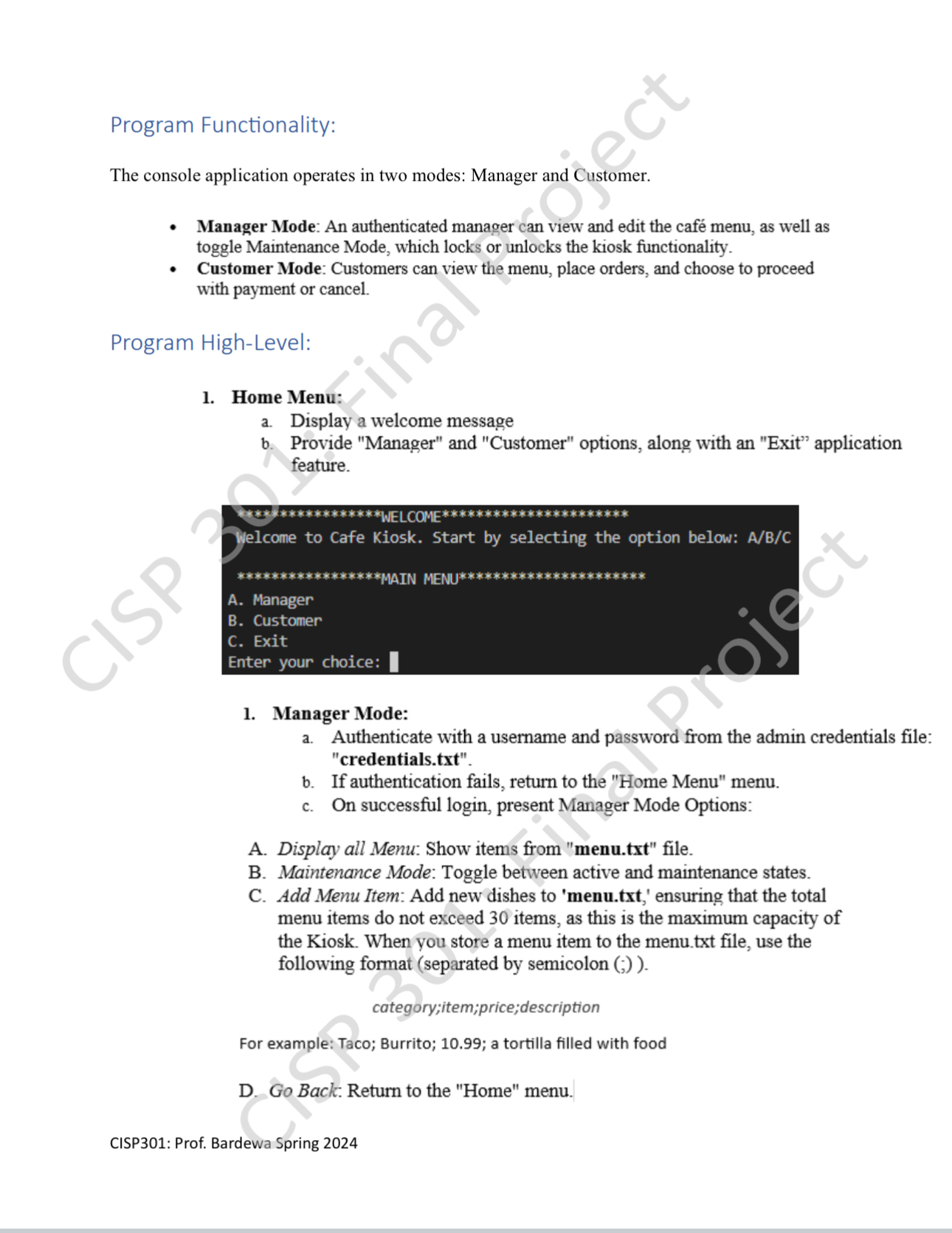
Program Functionality:
The console application operates in two modes: Manager and Customer.
Manager Mode: An authenticated manager can view and edit the caf menu, as well as toggle Maintenance Mode, which locks or unlocks the kiosk functionality.
Customer Mode: Customers can view the menu, place orders, and choose to proceed with payment or cancel.
Program HighLevel:
Home Menu:
a Display a welcome message
b Provide "Manager" and "Customer" options, along with an "Exit" application feature.
w WELCOME
Welcome to Cafe Kiosk. Start by selecting the option below: ABC
A Manager
B Customer
C Exit
Enter your choice:
Manager Mode:
a Authenticate with a username and password from the admin credentials file: "credentials.txt
b If authentication fails, return to the "Home Menu" menu.
c On successful login present Manager Mode Options:
A Display all Menu: Show items from "menu.txt file.
B Maintenance Mode: Toggle between active and maintenance states.
C Add Menu Item: Add new dishes to 'menu.txt ensuring that the total menu items do not exceed items, as this is the maximum capacity of the Kiosk. When you store a menu item to the menu.txt file, use the following format separated by semicolon
category;item;price;description
For example: Taco; Burrito; ; a tortilla filled with food
D Go Back: Return to the "Home" menu.
CISP: Prof. Bardewa Spring
Step by Step Solution
There are 3 Steps involved in it
1 Expert Approved Answer
Step: 1 Unlock

Question Has Been Solved by an Expert!
Get step-by-step solutions from verified subject matter experts
Step: 2 Unlock
Step: 3 Unlock
 Study Help