





Question: Calculate Fatality Rate with Excel Using COUNTIF on page 85. Using a spreadsheet, use the COUNTIF function to find summary data for causes of death
Calculate Fatality Rate with Excel Using COUNTIF on page 85. Using a spreadsheet, use the COUNTIF function to find summary data for causes of death other than heart attack. Also, allow for no listed cause of death, and display findings graphically, such as in a bar chart.
Report these findings:
Total number of firefighters that died of heart attack.
Summary data for causes of death other than heart attack
Summary data for no listed cause of death.
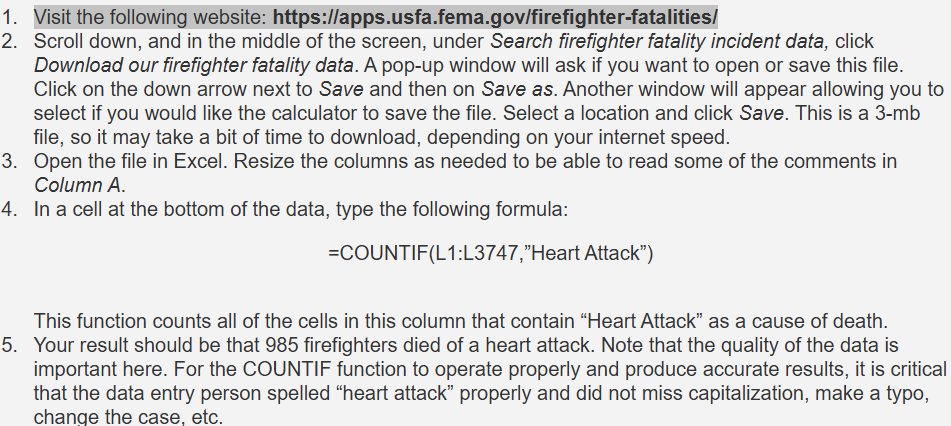
m= Visit the following website: https://apps.usfa.fema.gov/firefighter-fatalities/ . Scroll down, and in the middle of the screen, under Search firefighter fatality incident data, click Download our firefighter fatality data. A pop-up window will ask if you want to open or save this file. Click on the down arrow next to Save and then on Save as. Another window will appear allowing you to select if you would like the calculator to save the file. Select a location and click Save. This is a 3-mb file, so it may take a bit of time to download, depending on your internet speed. Open the file in Excel. Resize the columns as needed to be able to read some of the comments in Column A. In a cell at the bottom of the data, type the following formula: =COUNTIF(L1:L3747,"Heart Attack\") This function counts all of the cells in this column that contain \"Heart Attack\" as a cause of death. Your result should be that 985 firefighters died of a heart attack. Note that the quality of the data is important here. For the COUNTIF function to operate properly and produce accurate results, it is critical that the data entry person spelled \"heart attack\" properly and did not miss capitalization, make a typo, change the case, etc
Step by Step Solution
There are 3 Steps involved in it
1 Expert Approved Answer
Step: 1 Unlock

Question Has Been Solved by an Expert!
Get step-by-step solutions from verified subject matter experts
Step: 2 Unlock
Step: 3 Unlock

Students Have Also Explored These Related Mathematics Questions!