







Question: Calculate the requested performance metrics within your Excel workbook. Do not copy data, use cell references instead. Be sure to appropriately use Absolute vs .
Calculate the requested performance metrics within your Excel workbook. Do not copy
data, use cell references instead. Be sure to appropriately use Absolute vs Relative cell
references to leverage your ability to copypaste formulas. Once you create the
formulas for one company, you should be able to copy the formulas and paste into your
second company.
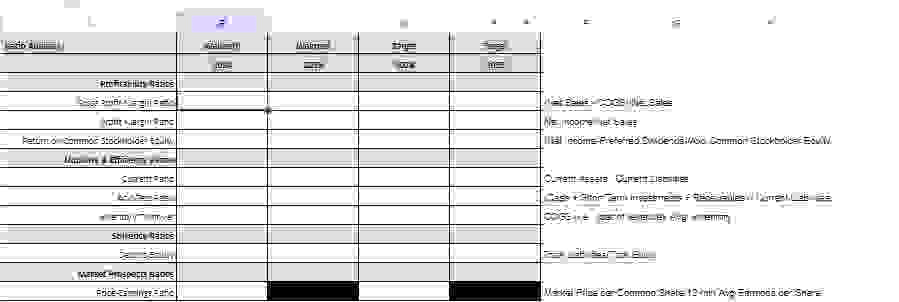
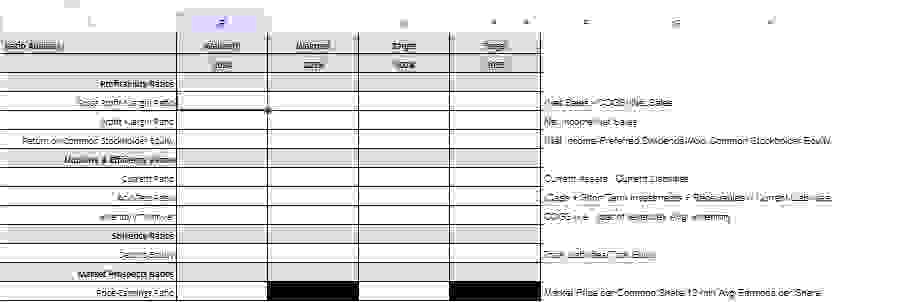
Profitability Metrics Use data from the financial worksheet when you
calculate the ratios.
o Sales Growth Rate Rate of increase of month sales over
month sales.
o Product Gross Profit as a percentage of sales
o Net Income as a percentage of sales
o Return on Equity Net Income as a percentage of Total Stockholders
Equity
Liquidity Metrics Use data from the financial worksheet when you calculate
the ratios.
o Current Ratio Current Assets Current Liabilities
o Acid Test Ratio Current Assets Inventory Current Liabilities
o Inventory Turnover Month Product Cost of Goods Sold
Inventory
Solvency Metrics Use data from the financial worksheet when you calculate
the ratios.
o Debt to Equity Ratio Total Debt Total Stockholders Equity
Market Value Metrics Use data from the financial worksheet when you
calculate the ratios.
o Price Earnings Ratio Current Market Price per Share Month
Earnings per Share
o You can obtain the Current Market Price per Share from Google
Finance, Yahoo Finance, WSJcom or other financial sites.
o Month Earnings per Share Fully Diluted is available on the
Consolidated Statement of Earnings
Step by Step Solution
There are 3 Steps involved in it
1 Expert Approved Answer
Step: 1 Unlock

Question Has Been Solved by an Expert!
Get step-by-step solutions from verified subject matter experts
Step: 2 Unlock
Step: 3 Unlock
 Study Help