



Question: Can anyone solve this for me? Hello, and welcome! Please make sure to read all parts carefully. For homework 02, you will be creating a
Can anyone solve this for me?
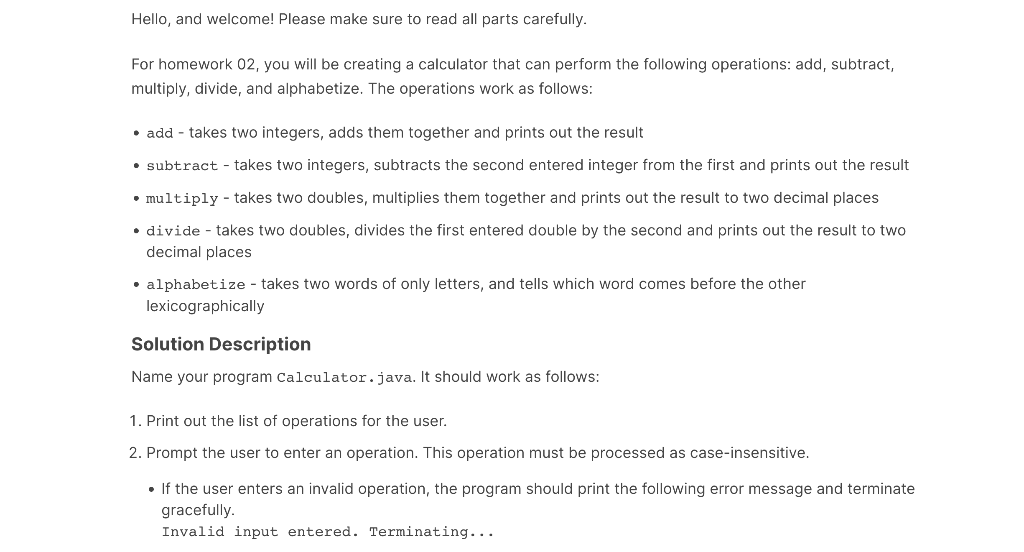
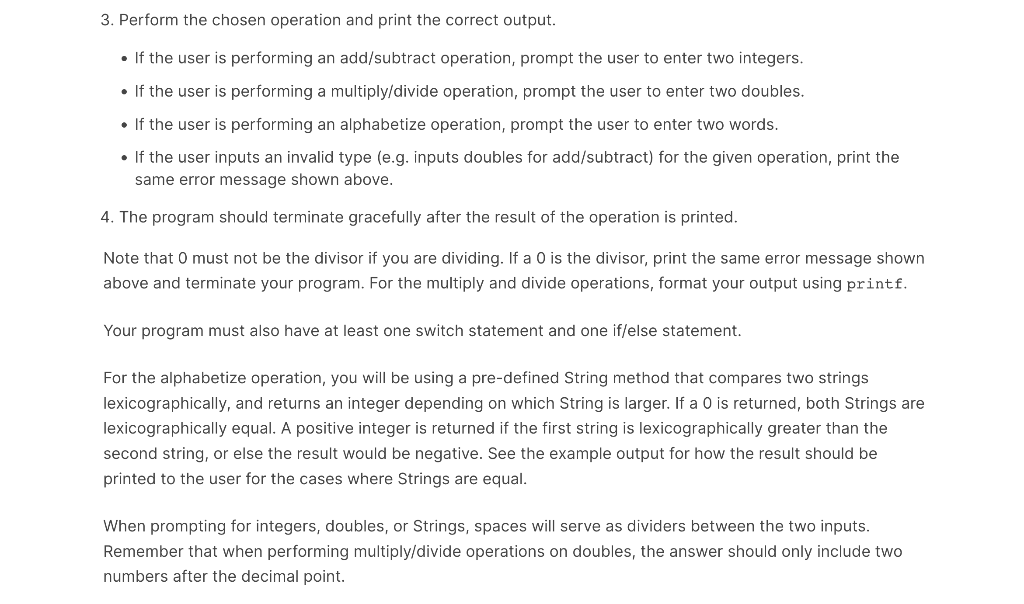
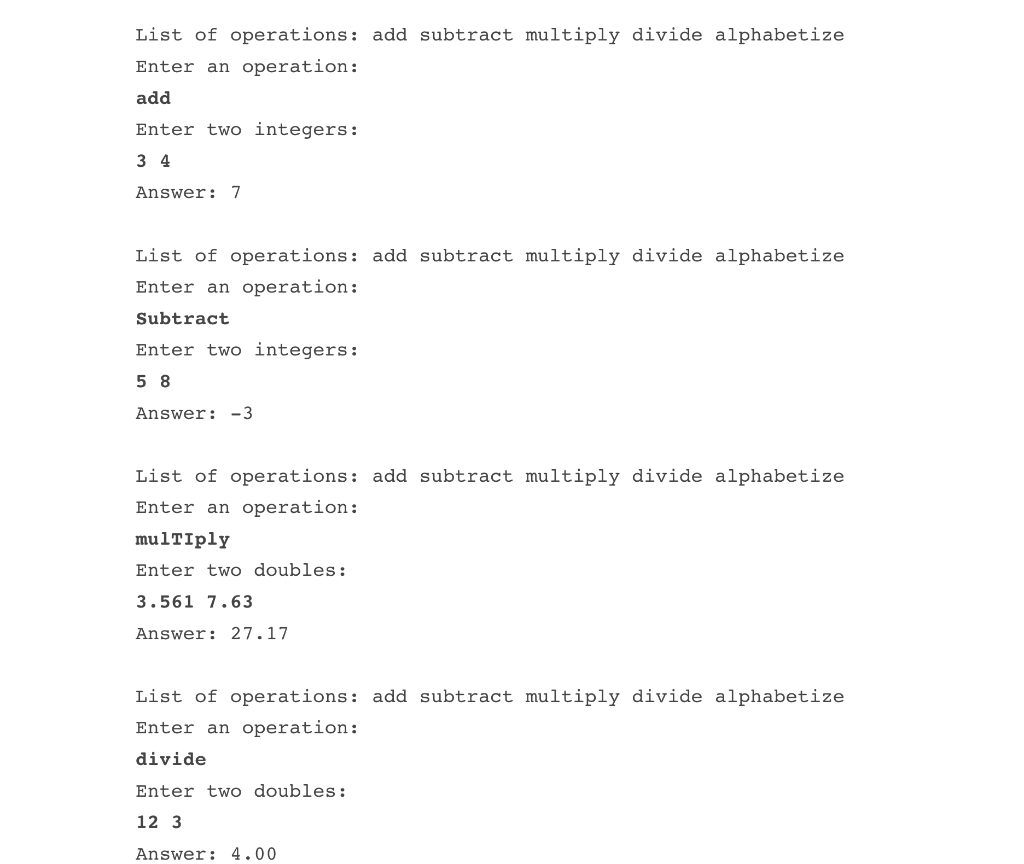
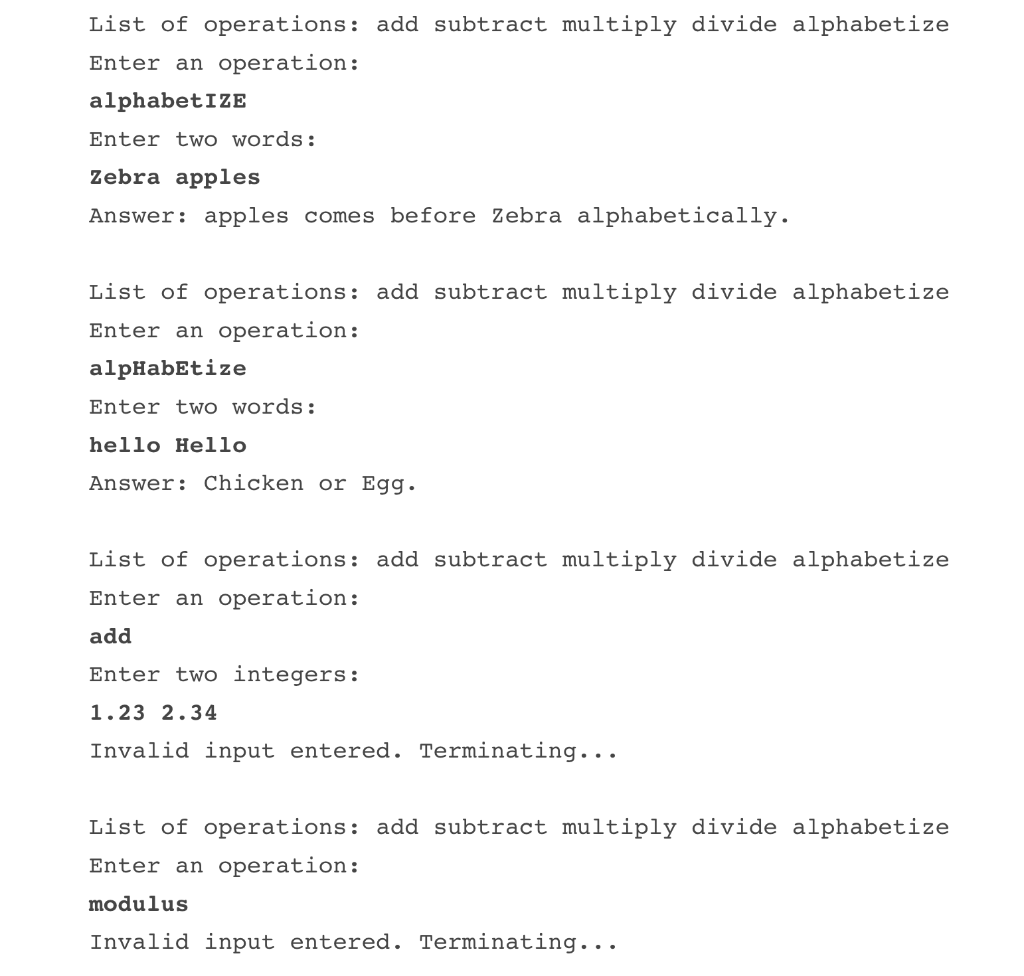
Hello, and welcome! Please make sure to read all parts carefully. For homework 02, you will be creating a calculator that can perform the following operations: add, subtract, multiply, divide, and alphabetize. The operations work as follows: - add - takes two integers, adds them together and prints out the result - subtract - takes two integers, subtracts the second entered integer from the first and prints out the result - multiply - takes two doubles, multiplies them together and prints out the result to two decimal places - divide - takes two doubles, divides the first entered double by the second and prints out the result to two decimal places - alphabetize - takes two words of only letters, and tells which word comes before the other lexicographically Solution Description Name your program Calculator. java. It should work as follows: 1. Print out the list of operations for the user. 2. Prompt the user to enter an operation. This operation must be processed as case-insensitive. - If the user enters an invalid operation, the program should print the following error message and terminate gracefully. Invalid input entered. Terminating... 3. Perform the chosen operation and print the correct output. - If the user is performing an add/subtract operation, prompt the user to enter two integers. - If the user is performing a multiply/divide operation, prompt the user to enter two doubles. - If the user is performing an alphabetize operation, prompt the user to enter two words. - If the user inputs an invalid type (e.g. inputs doubles for add/subtract) for the given operation, print the same error message shown above. 4. The program should terminate gracefully after the result of the operation is printed. Note that 0 must not be the divisor if you are dividing. If a 0 is the divisor, print the same error message shown above and terminate your program. For the multiply and divide operations, format your output using printf. Your program must also have at least one switch statement and one if/else statement. For the alphabetize operation, you will be using a pre-defined String method that compares two strings lexicographically, and returns an integer depending on which String is larger. If a 0 is returned, both Strings are lexicographically equal. A positive integer is returned if the first string is lexicographically greater than the second string, or else the result would be negative. See the example output for how the result should be printed to the user for the cases where Strings are equal. When prompting for integers, doubles, or Strings, spaces will serve as dividers between the two inputs. Remember that when performing multiply/divide operations on doubles, the answer should only include two numbers after the decimal point. List of operations: add subtract multiply divide alphabetize Enter an operation: add Enter two integers: 34 Answer : 7 List of operations: add subtract multiply divide alphabetize Enter an operation: Subtract Enter two integers: 58 Answer: 3 List of operations: add subtract multiply divide alphabetize Enter an operation: muliply Enter two doubles: 3.5617.63 Answer: 27.17 List of operations: add subtract multiply divide alphabetize Enter an operation: divide Enter two doubles: 123 Answer: 4.00 List of operations: add subtract multiply divide alphabetize Enter an operation: alphabetize Enter two words: zebra apples Answer: apples comes before Zebra alphabetically. List of operations: add subtract multiply divide alphabetize Enter an operation: alpHabEtize Enter two words: hello Hello Answer: Chicken or Egg. List of operations: add subtract multiply divide alphabetize Enter an operation: add Enter two integers: 1.232.34 Invalid input entered. Terminating... List of operations: add subtract multiply divide alphabetize Enter an operation: modulus Invalid input entered. Terminating
Step by Step Solution
There are 3 Steps involved in it

Get step-by-step solutions from verified subject matter experts