







Question: can i get help with this code to compare what i got to see where is the mistake Objective: Build a responsive digital resume using
can i get help with this code to compare what i got to see where is the mistake 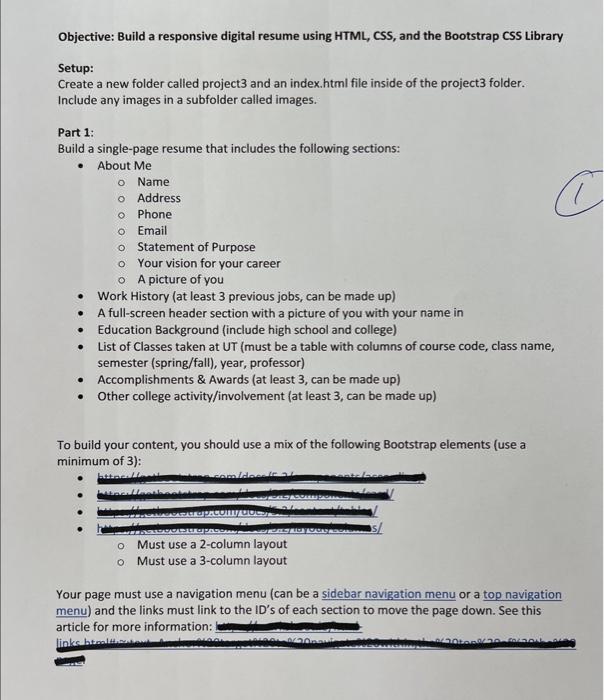
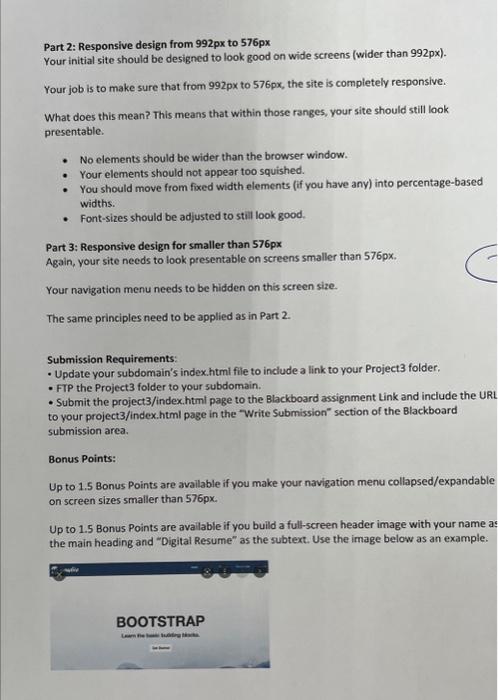
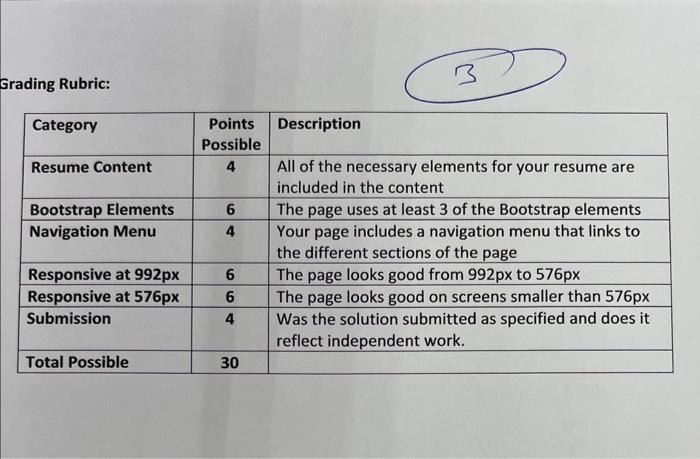
Objective: Build a responsive digital resume using HTML, CSS, and the Bootstrap CSS Library Setup: Create a new folder called project 3 and an index. html file inside of the project3 folder. Include any images in a subfolder called images. Part 1: Build a single-page resume that includes the following sections: - About Me Name Address Phone Email Statement of Purpose Your vision for your career - A picture of you - Work History (at least 3 previous jobs, can be made up) - A full-screen header section with a picture of you with your name in - Education Background (include high school and college) - List of Classes taken at UT (must be a table with columns of course code, class name, semester (spring/fall), year, professor) - Accomplishments \& Awards (at least 3, can be made up) - Other college activity/involvement (at least 3, can be made up) To build your content, you should use a mix of the following Bootstrap elements (use a minimum of 3 ): Your page must use a navigation menu (can be a sidebar navigation menu or a top navigation menu) and the links must link to the ID's of each section to move the page down. See this article for more information: Part 2: Responsive design from 992px to 576px Your initial site should be designed to look good on wide screens (wider than 992px ). Your job is to make sure that from 992p to 576px, the site is completely responsive. What does this mean? This means that within those ranges, your site should still look presentable. - No elements should be wider than the browser window. - Your elements should not appear too squished. - You should move from fixed width elements (if you have any) into percentage-based widths. - Font-sizes should be adjusted to still look good. Grading Rubric: Objective: Build a responsive digital resume using HTML, CSS, and the Bootstrap CSS Library Setup: Create a new folder called project 3 and an index. html file inside of the project3 folder. Include any images in a subfolder called images. Part 1: Build a single-page resume that includes the following sections: - About Me Name Address Phone Email Statement of Purpose Your vision for your career - A picture of you - Work History (at least 3 previous jobs, can be made up) - A full-screen header section with a picture of you with your name in - Education Background (include high school and college) - List of Classes taken at UT (must be a table with columns of course code, class name, semester (spring/fall), year, professor) - Accomplishments \& Awards (at least 3, can be made up) - Other college activity/involvement (at least 3, can be made up) To build your content, you should use a mix of the following Bootstrap elements (use a minimum of 3 ): Your page must use a navigation menu (can be a sidebar navigation menu or a top navigation menu) and the links must link to the ID's of each section to move the page down. See this article for more information: Part 2: Responsive design from 992px to 576px Your initial site should be designed to look good on wide screens (wider than 992px ). Your job is to make sure that from 992p to 576px, the site is completely responsive. What does this mean? This means that within those ranges, your site should still look presentable. - No elements should be wider than the browser window. - Your elements should not appear too squished. - You should move from fixed width elements (if you have any) into percentage-based widths. - Font-sizes should be adjusted to still look good. Grading Rubric Step by Step Solution
There are 3 Steps involved in it
1 Expert Approved Answer
Step: 1 Unlock

Question Has Been Solved by an Expert!
Get step-by-step solutions from verified subject matter experts
Step: 2 Unlock
Step: 3 Unlock
 Study Help