







Question: Can I get some help on tableau? What formula do I use when I create a turnover field? 1. Create a labeled graphic that shows
Can I get some help on tableau? What formula do I use when I create a turnover field?
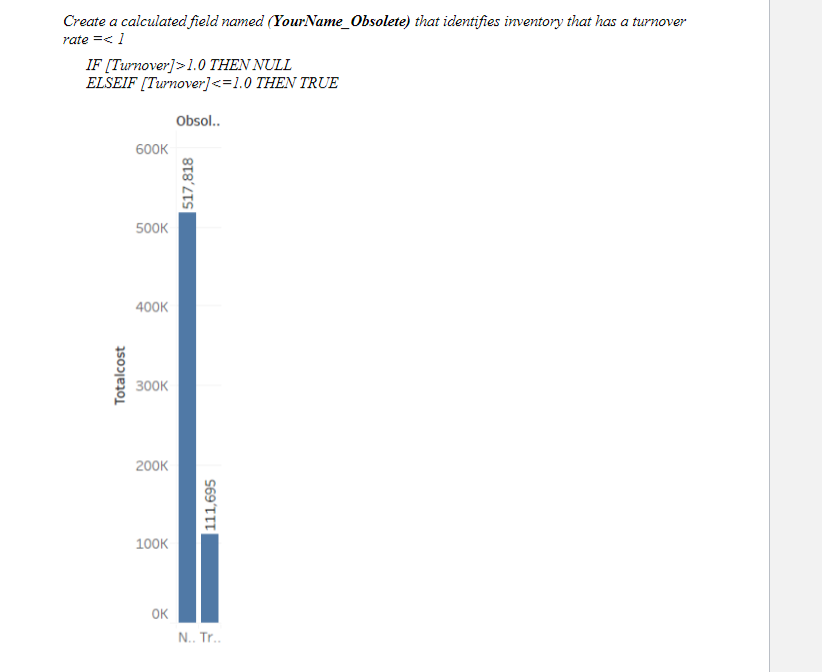
1. Create a labeled graphic that shows the inventory that should be deemed obsolete compared \ to inventory that is not obsolete based on the information above. (3pts) Hint Create a calculated field named YourName_Turnover which shows the inventory turnover rate using the information provided.
Create a calculated field named (YourName_Obsolete) that identifies inventory that has a turnover rate =1.0 THEN NULL ELSEIF [Turnover]
Step by Step Solution
There are 3 Steps involved in it
1 Expert Approved Answer
Step: 1 Unlock

Question Has Been Solved by an Expert!
Get step-by-step solutions from verified subject matter experts
Step: 2 Unlock
Step: 3 Unlock
 Study Help