







Question: Can I have the scripting language as Visual Basic please. SMART HOME MONTHLY ELECTRIC SAVINGS Design a Windows Desktop application and write the code that
Design a Windows Desktop application and write the code that will execute according to the program requirements in Figure 8-100 and the Use Case Definition in Figure 8-101. Before writing the code, create an event-planning document for each event in the program. The completed program is shown in Figure 8-102.
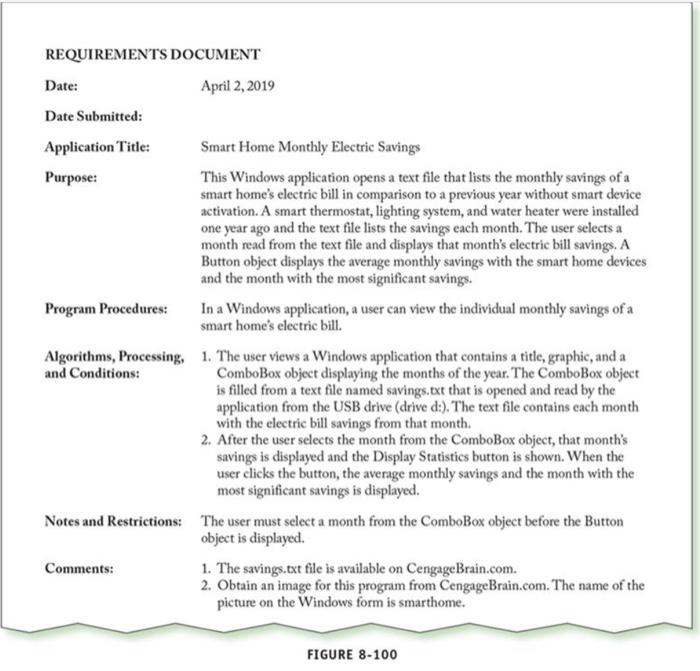
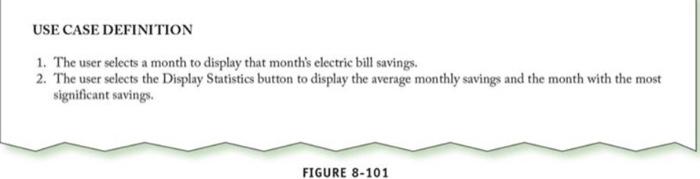
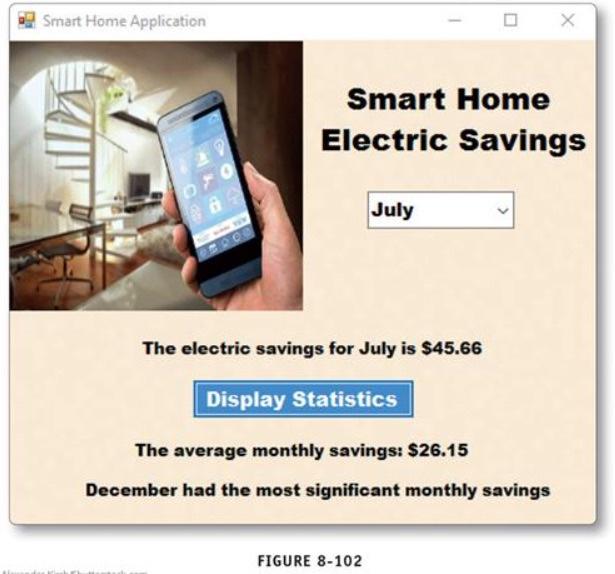
REQUIREMENTS DOCUMENT Date: April 2, 2019 Date Submitted: Application Title: Smart Home Monthly Electric Savings Purpose: This Windows application opens a text file that lists the monthly savings of a smart home's electric bill in comparison to a previous year without smart device activation. A smart thermostat, lighting system, and water heater were installed one year ago and the text file lists the savings each month. The user selects a month read from the text file and displays that month's electric bill savings. A Button object displays the average monthly savings with the smart home devices and the month with the most significant savings. Program Procedures: In a Windows application, a user can view the individual monthly savings of a smart home's electric bill. Algorithms, Processing, 1. The user views a Windows application that contains a title, graphic, and a and Conditions: ComboBox object displaying the months of the year. The ComboBox object is filled from a text file named savings.txt that is opened and read by the application from the USB drive (drive d:). The text file contains each month with the electric bill savings from that month. 2. After the user selects the month from the ComboBox object, that month's savings is displayed and the Display Statistics button is shown. When the user click the button, the average monthly savings and the month with the most significant savings is displayed. Notes and Restrictions: The user must select a month from the ComboBox object before the Button object is displayed Comments: 1. The savings.txt file is available on CengageBrain.com. 2. Obtain an image for this program from CengageBrain.com. The name of the picture on the Windows form is smarthome. FIGURE 8-100 USE CASE DEFINITION 1. The user selects a month to display that month's electric bill savings. 2. The user selects the Display Statistics button to display the average monthly savings and the month with the most significant savings. FIGURE 8-101 Smart Home Application Smart Home Electric Savings July The electric savings for July is $45.66 Display Statistics The average monthly savings: $26.15 December had the most significant monthly savings FIGURE 8-102
Step by Step Solution
There are 3 Steps involved in it

Get step-by-step solutions from verified subject matter experts
 Study Help