







Question: can someone code this in Java? Extending Classes in Java You are to add the following classes to the Point class you created in Assignment
can someone code this in Java?
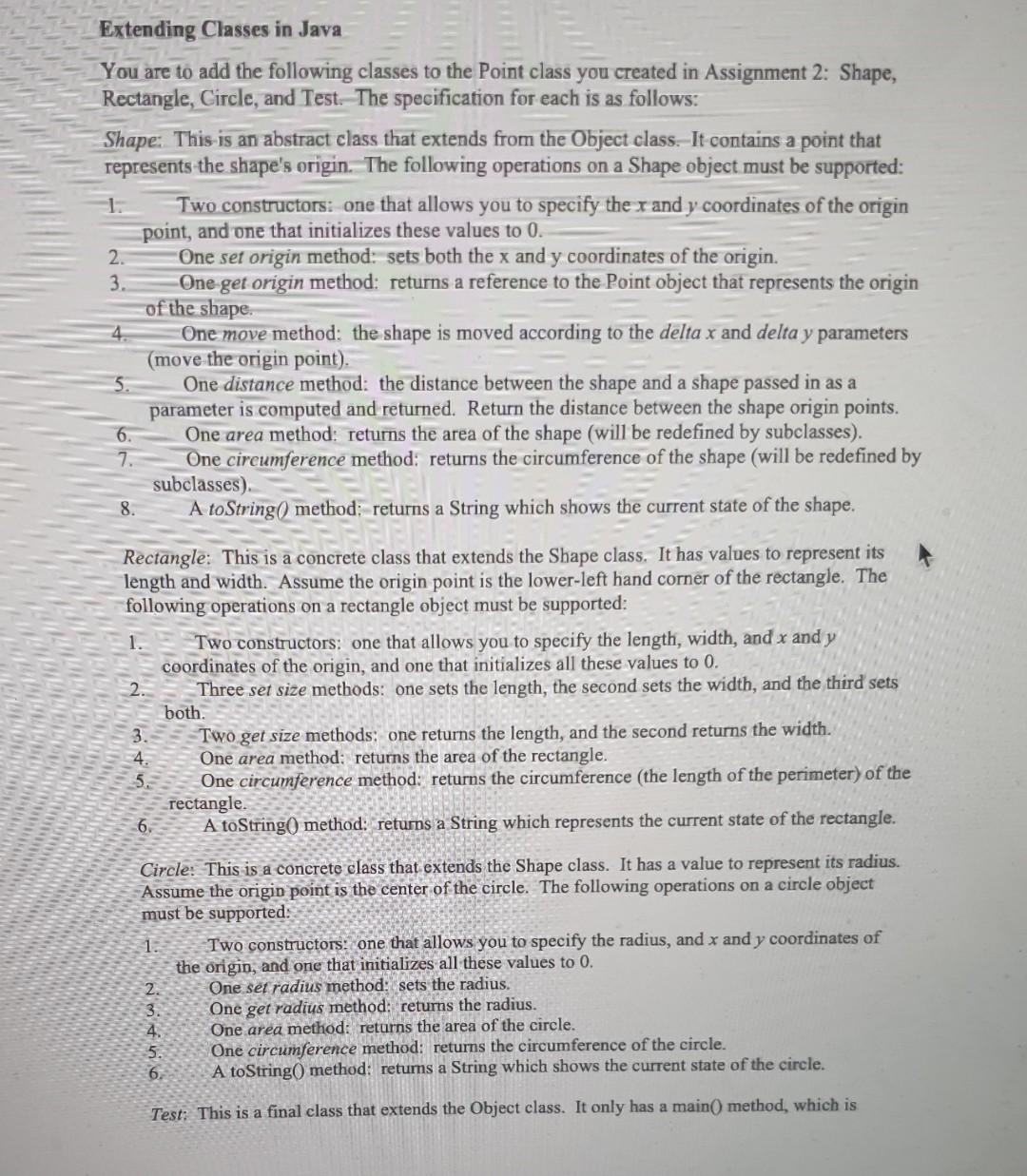
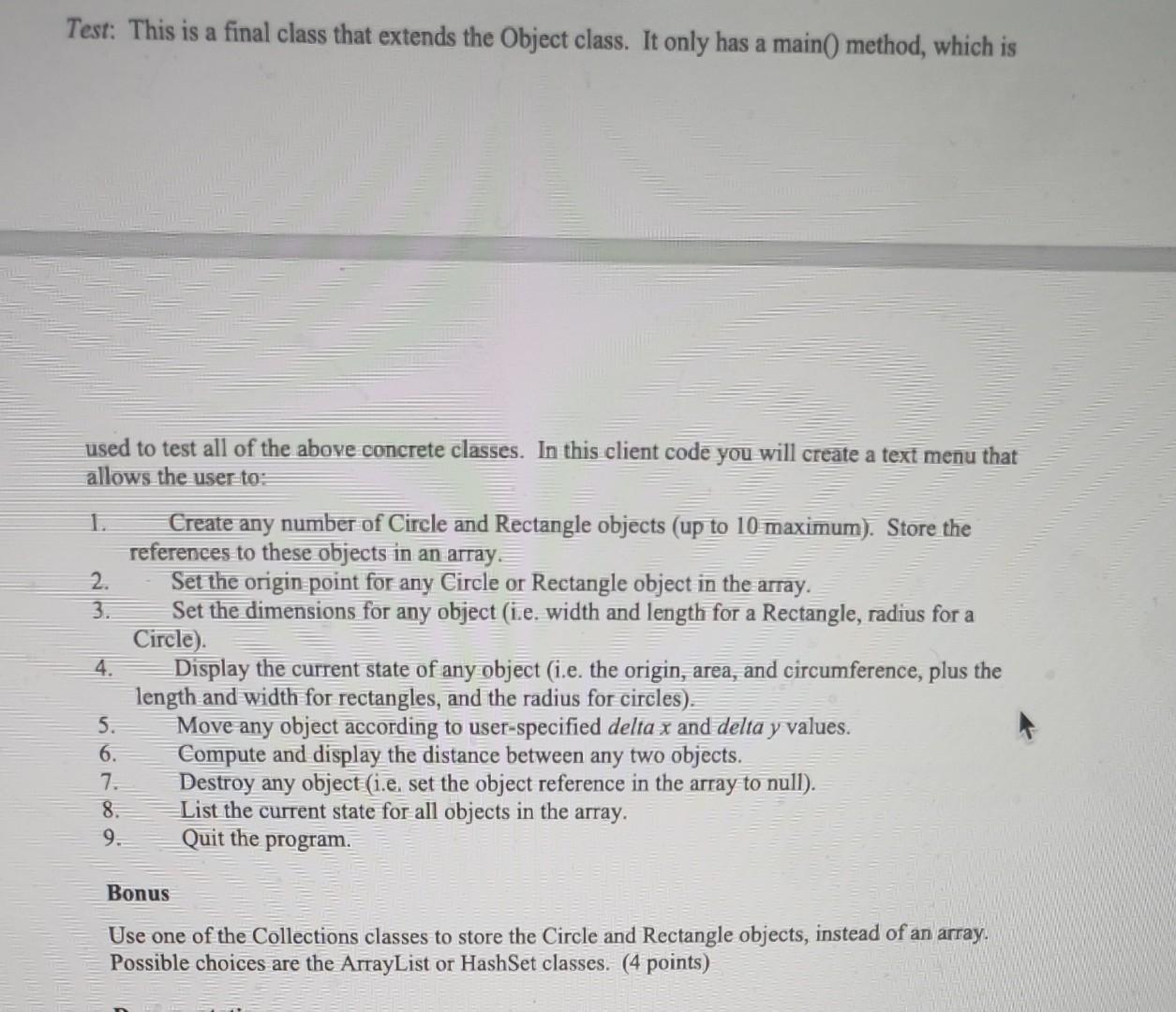
Extending Classes in Java You are to add the following classes to the Point class you created in Assignment 2: Shape, Rectangle, Circle, and Test. The specification for each is as follows: Shape: This is an abstract class that extends from the Object class. It contains a point that represents the shape's origin. The following operations on a Shape object must be supported: Two constructors: one that allows you to specify the x and y coordinates of the origin point, and one that initializes these values to 0 . 2. One set origin method: sets both the x and y coordinates of the origin. 3. One get origin method: returns a reference to the Point object that represents the origin of the shape. 4. One move method: the shape is moved according to the delta x and delta y parameters (move the origin point). 5. One distance method: the distance between the shape and a shape passed in as a parameter is computed and returned. Return the distance between the shape origin points. 6. One area method: returns the area of the shape (will be redefined by subclasses). 7. One circumference method: returns the circumference of the shape (will be redefined by subclasses). 8. A toString Q method:-returns a String which shows the current state of the shape. Rectangle: This is a concrete class that extends the Shape class. It has values to represent its length and width. Assume the origin point is the lower-left hand comer of the rectangle. The following operations on a rectangle object must be supported: 1. Two constructors: one that allows you to specify the length, width, and x and y coordinates of the origin, and one that initializes all these values to 0 . 2. Three set size methods: one sets the length, the second sets the width, and the third sets both. 3. - Two get size methods: one returns the length, and the second returns the width. 4. One area method: returns the area of the rectangle. 5. : One circumference method: returns the circumference (the length of the perimeter) of the rectangle. 6. A toString 0 method: returns a String which represents the current state of the rectangle. Circle: This is a concrete class that extends the Shape class. It has a value to represent its radius. Assume the origin point is the center of the circle. The following operations on a circle object must be supported: 1. Two constructors: one that allows you to specify the radius, and x and y coordinates of the origin, and one that initializes all these values to 0 . 2. One sef radius method sets the radius. 3. One get radius method returns the radius. 4. One area method: returns the area of the circle. 5. One circumference method: returns the circumference of the circle. 6. A toString 0 method: returns a String which shows the current state of the circle. Test. This is a final class that extends the Object class. It only has a main( method, which is Test: This is a final class that extends the Object class. It only has a main() method, which is used to test all of the above concrete classes. In this client code you will create a text menu that allows the user to: 1. Create any number of Circle and Rectangle objects (up to 10 maximum). Store the references to these objects in an array. 2. Set the origin point for any Circle or Rectangle object in the array. 3. Set the dimensions for any object (i.e. width and length for a Rectangle, radius for a Circle). 4. Display the current state of any object (i.e. the origin, area, and circumference, plus the length and width for rectangles, and the radius for circles). 5. Move any object according to user-specified delta x and delta y values. 6. Compute and display the distance between any two objects. 7. Destroy any object (i.e. set the object reference in the array to null). 8. List the current state for all objects in the array. 9. Quit the program. Bonus Use one of the Collections classes to store the Circle and Rectangle objects, instead of an array. Possible choices are the ArrayList or HashSet classes. (4 points)
Step by Step Solution
There are 3 Steps involved in it

Get step-by-step solutions from verified subject matter experts
 Study Help