







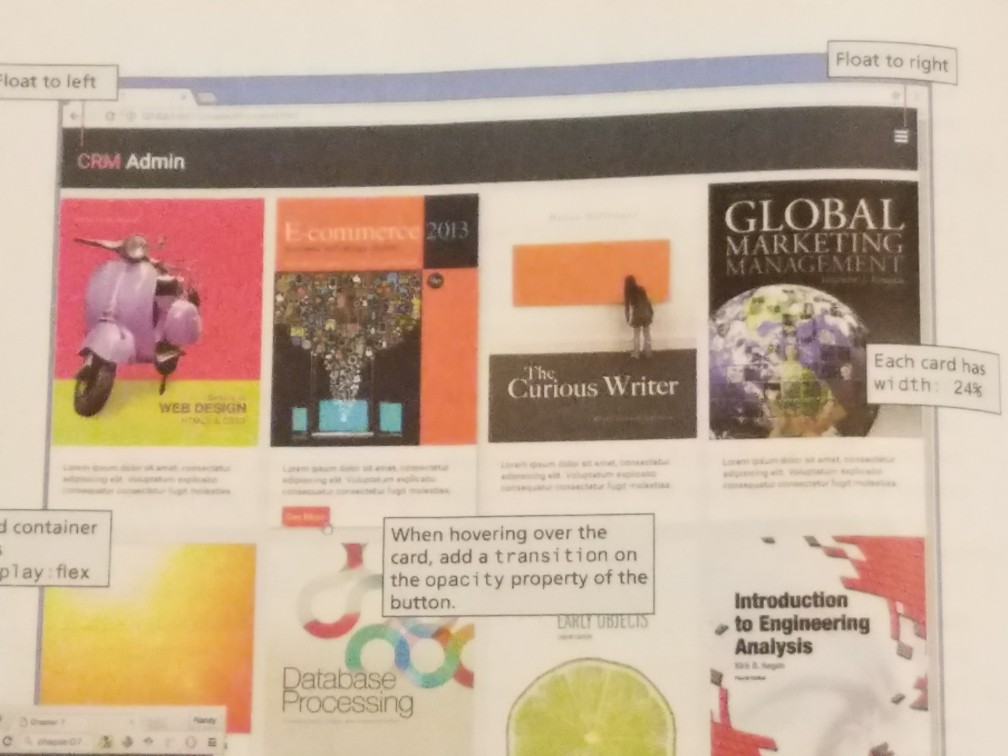
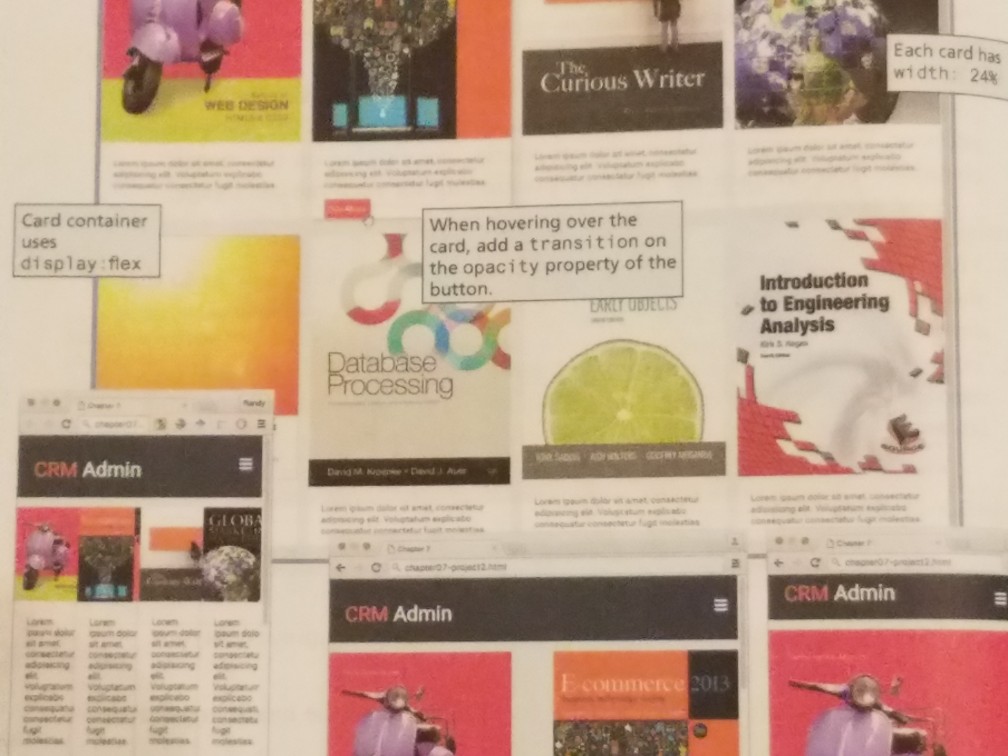
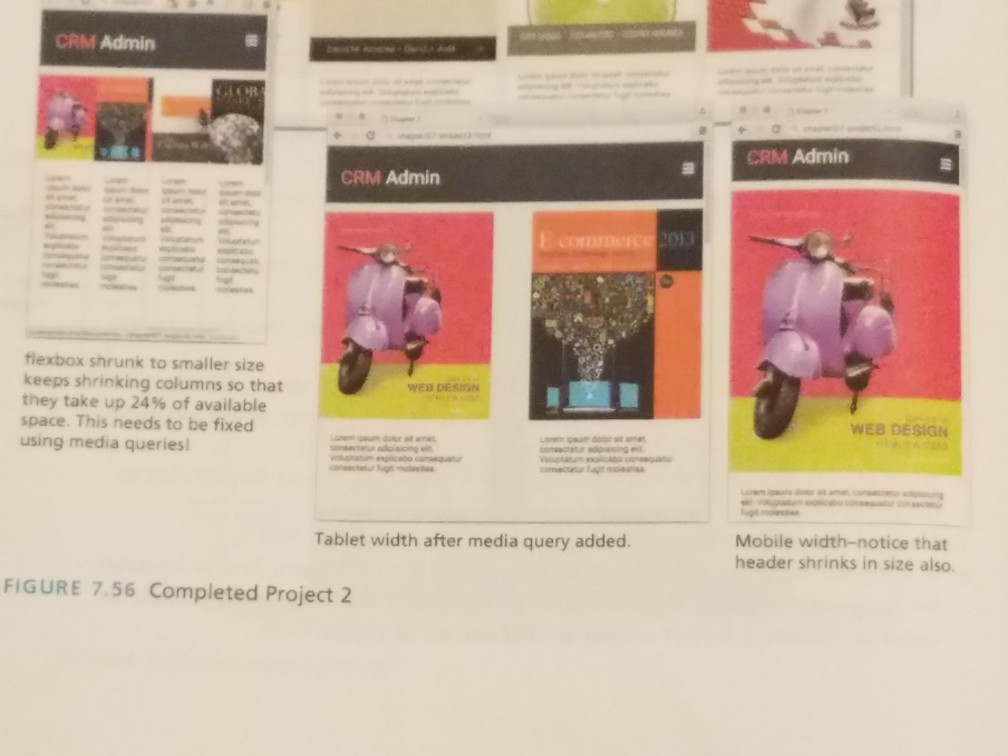
Question: can someone help me adjust my csscode to look like the pics?, normalize- Notepad File Edit Format View Help /*! normalize.css v4.1.1 | MIT License
can someone help me adjust my csscode to look like the pics?,
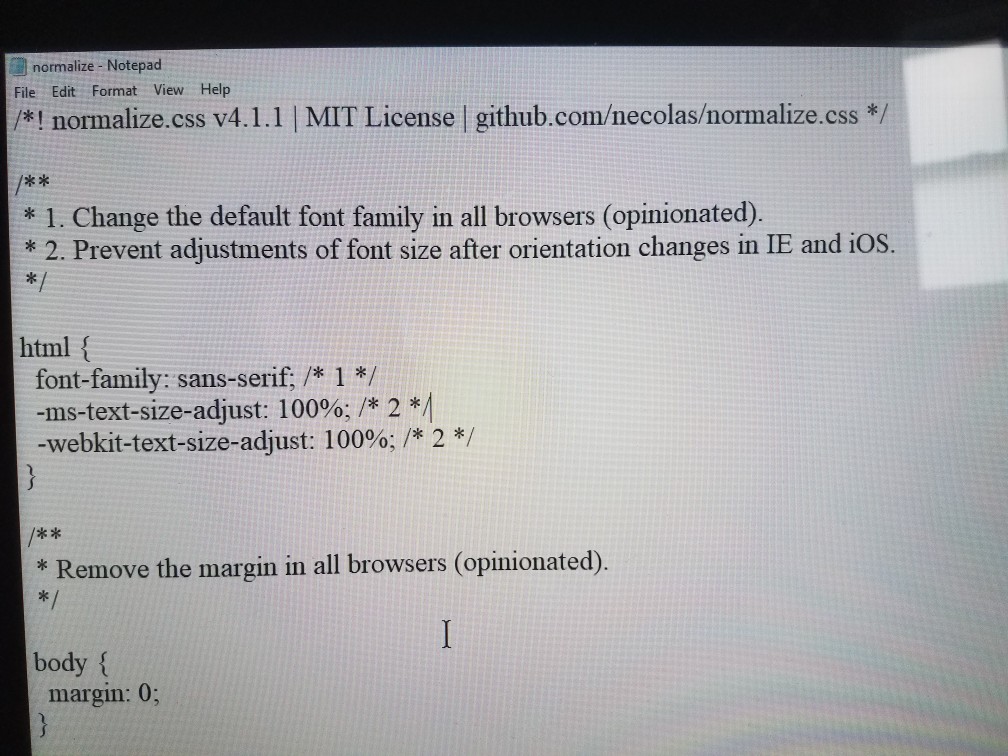
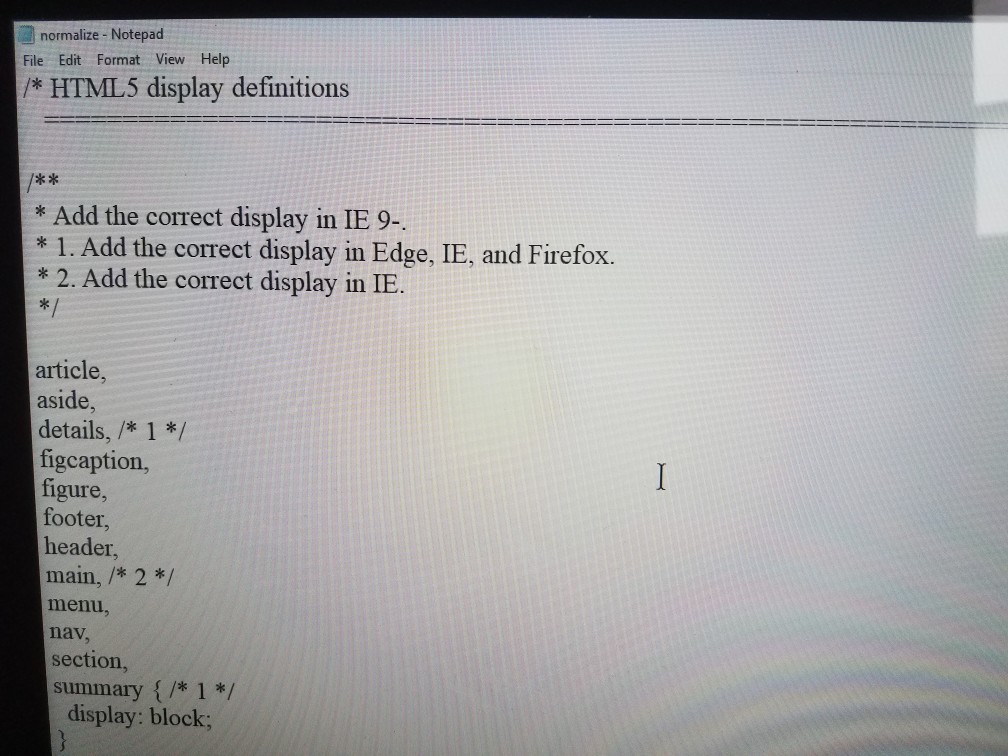
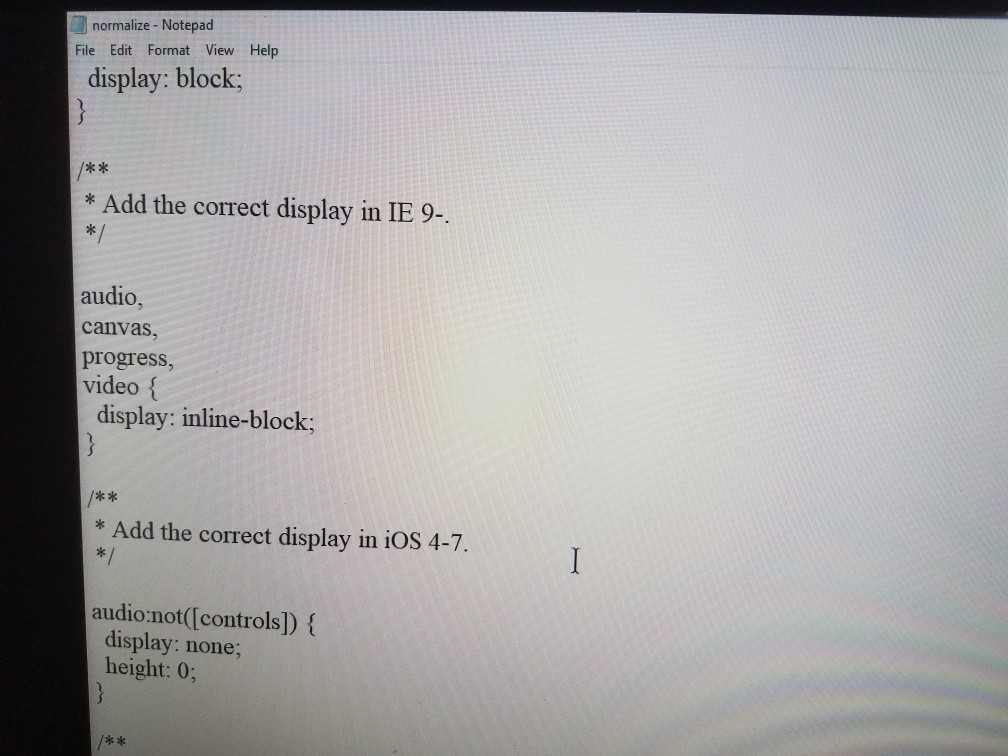
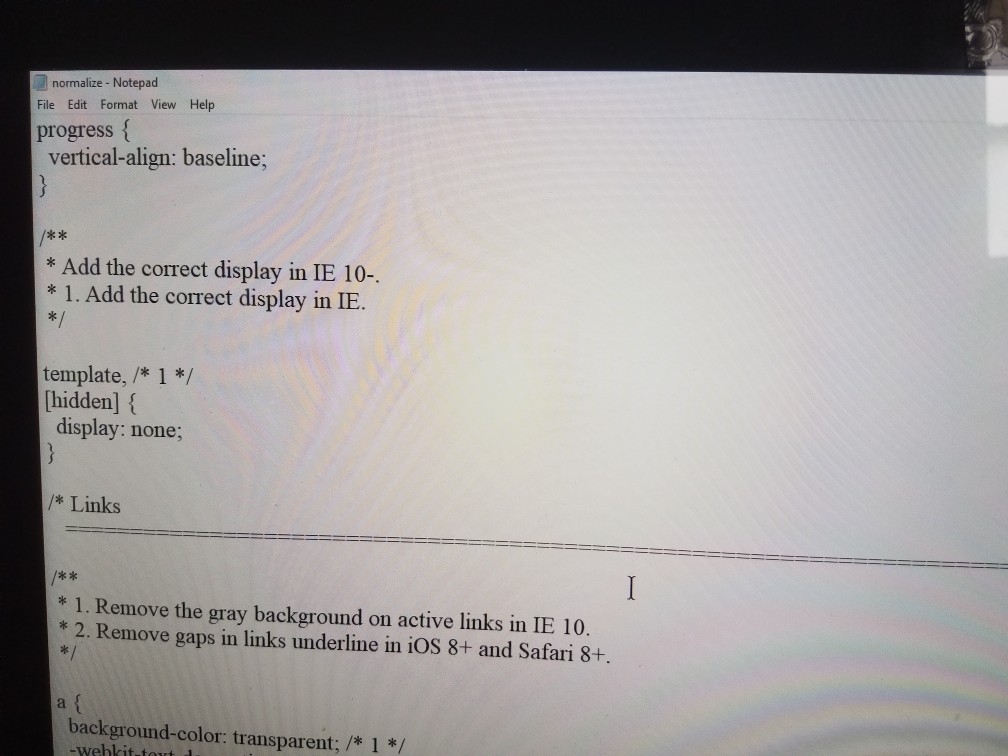
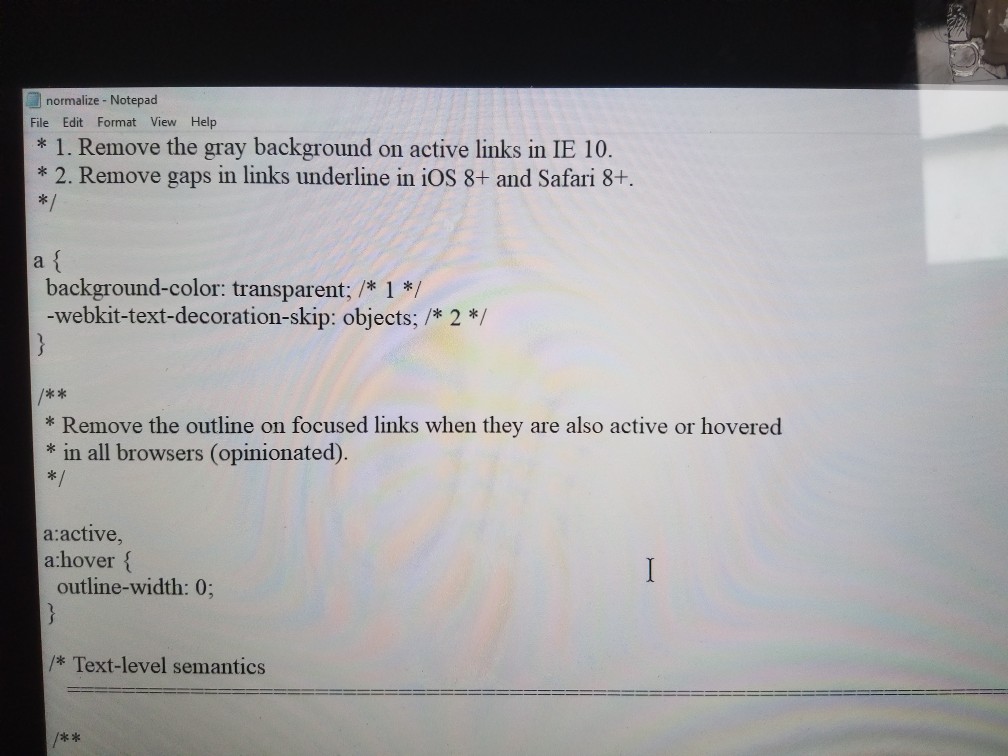
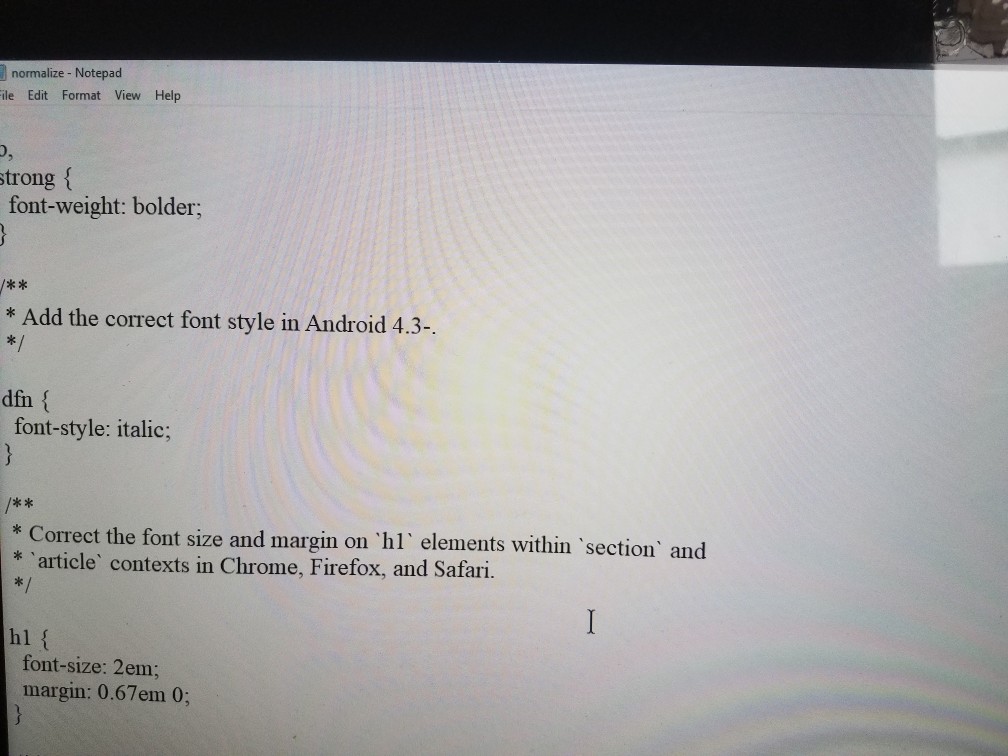
normalize- Notepad File Edit Format View Help /*! normalize.css v4.1.1 | MIT License | github.comecolasormalize.css*/ * 1. Change the default font family in all browsers (opinionated). 2. Prevent adiustments of font size after orientation changes in IE and ios html f font-family: sans-serif, *1*/ -ms-text-size-adjust: 100%; /* 2 *1 -webkit-text-size-adjust: 100%; /* 2 */ * Remove the margin in all browsers (opinionated) body margin: 0; normalize- Notepad File Edit Format View Help /*! normalize.css v4.1.1 | MIT License | github.comecolasormalize.css*/ * 1. Change the default font family in all browsers (opinionated). 2. Prevent adiustments of font size after orientation changes in IE and ios html f font-family: sans-serif, *1*/ -ms-text-size-adjust: 100%; /* 2 *1 -webkit-text-size-adjust: 100%; /* 2 */ * Remove the margin in all browsers (opinionated) body margin: 0
Step by Step Solution
There are 3 Steps involved in it

Get step-by-step solutions from verified subject matter experts
 Study Help