







Question: Can someone help me Lab Program: Follow the instructions below to complete your first working C++ programming. Do not alter any lines of the program
Can someone help me
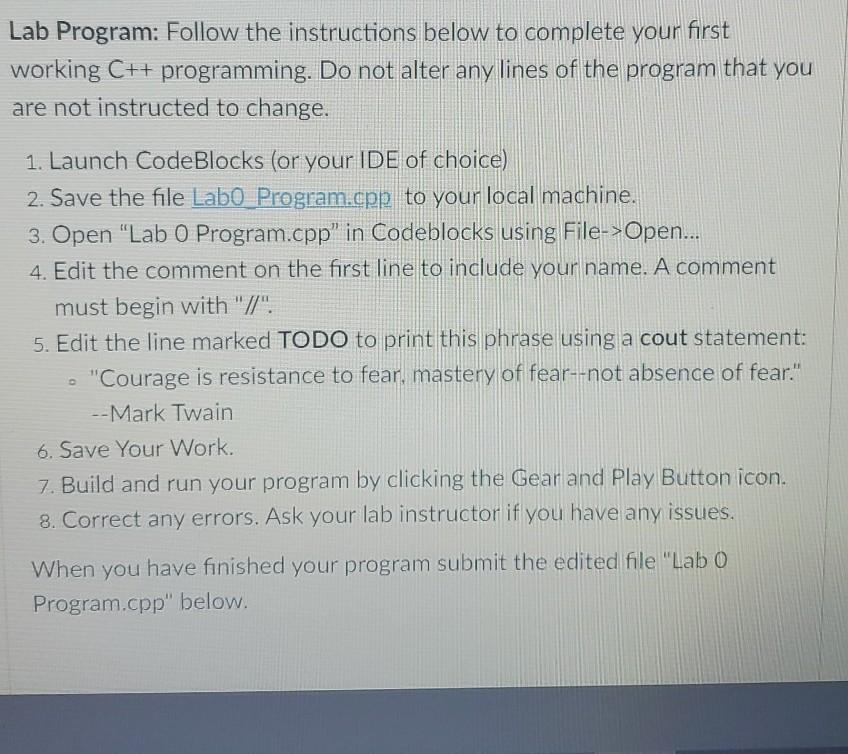
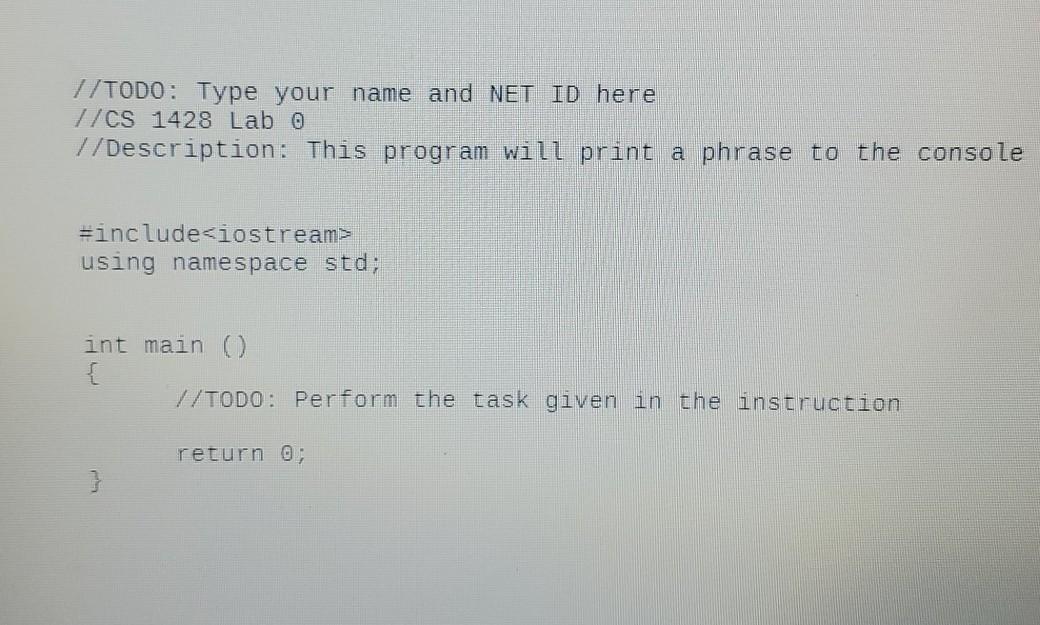
Lab Program: Follow the instructions below to complete your first working C++ programming. Do not alter any lines of the program that you are not instructed to change. 1. Launch CodeBlocks (or your IDE of choice) 2. Save the file Labo Program.cpp to your local machine. 3. Open "Lab O Program.cpp" in Codeblocks using File->Open... 4. Edit the comment on the first line to include your name. A comment must begin with "/". 5. Edit the line marked TODO to print this phrase using a cout statement: "Courage is resistance to fear, mastery of fear--not absence of fear." --Mark Twain 6. Save Your Work. 7. Build and run your program by clicking the Gear and Play Button icon. 8. Correct any errors. Ask your lab instructor if you have any issues. When you have finished your program submit the edited file "Lab 0 Program.cpp" below. //TODO: Type your name and NET ID here //CS 1428 Lab 0 //Description: This program will print a phrase to the console #include
Step by Step Solution
There are 3 Steps involved in it

Get step-by-step solutions from verified subject matter experts
 Study Help