







Question: Can someone help me solve these excel questions for practice? 1. Copy all the data from previous exercise 11 into their respective Columns. Highlight all
Can someone help me solve these excel questions for practice? 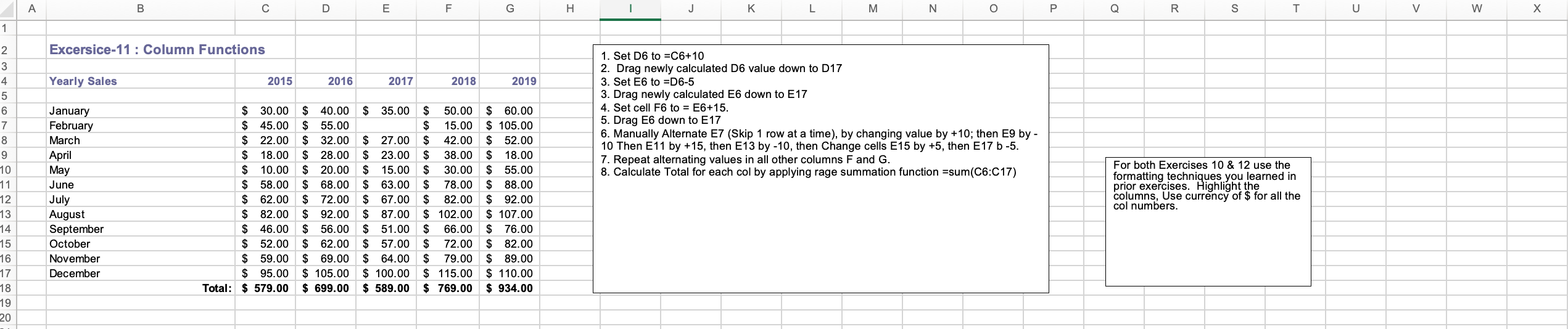
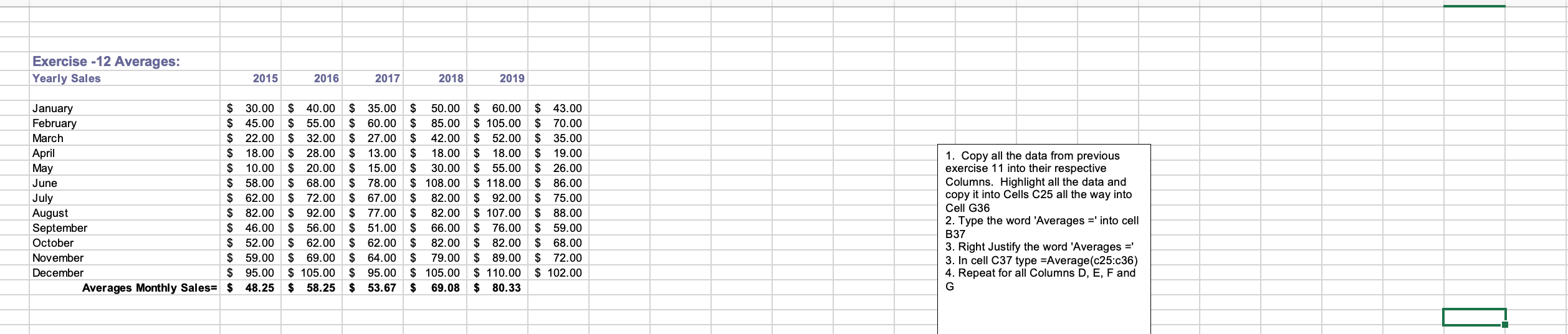
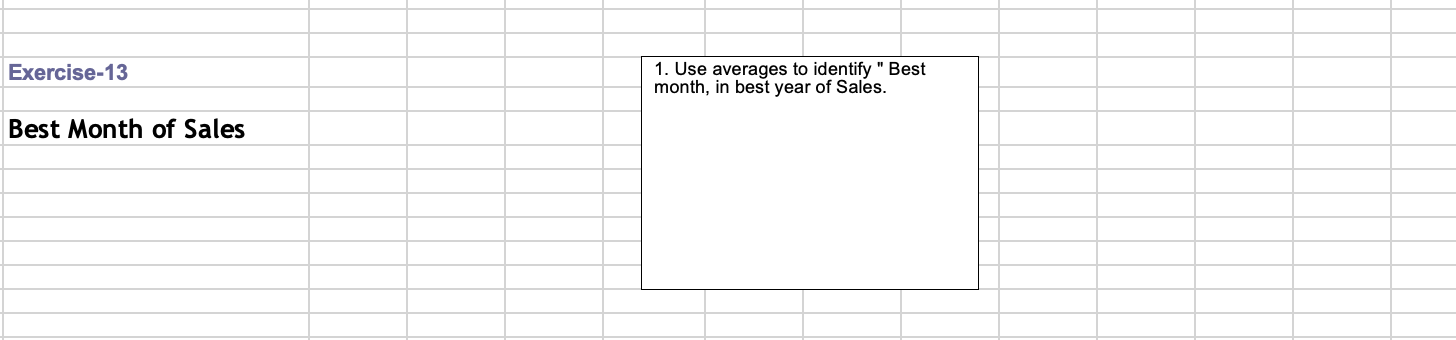

1. Copy all the data from previous exercise 11 into their respective Columns. Highlight all the data and copy it into Cells C25 all the way into Cell G36 2. Type the word 'Averages =' into cell B37 3. Right Justify the word 'Averages = ' 3. In cell C37 type =Average (c25:c36) 4. Repeat for all Columns D, E, F and G Exercise-13 1. Use averages to identify " Best month, in best year of Sales. Best Month of Sales Exercise 14-Add a cell comment 1. Hover the mouse pointer over the red triangle in the cell above to see the associated comment. 2. Enter a value in an empty cell . With that cell selected, choose Insert, Comment from Excel's menus. -Or-right click the cell and choose Insert Comment from the pop-up menu that displays. 3. Enter your comment in the text box provided. * You can also add a comment to an empty cell. 1. Copy all the data from previous exercise 11 into their respective Columns. Highlight all the data and copy it into Cells C25 all the way into Cell G36 2. Type the word 'Averages =' into cell B37 3. Right Justify the word 'Averages = ' 3. In cell C37 type =Average (c25:c36) 4. Repeat for all Columns D, E, F and G Exercise-13 1. Use averages to identify " Best month, in best year of Sales. Best Month of Sales Exercise 14-Add a cell comment 1. Hover the mouse pointer over the red triangle in the cell above to see the associated comment. 2. Enter a value in an empty cell . With that cell selected, choose Insert, Comment from Excel's menus. -Or-right click the cell and choose Insert Comment from the pop-up menu that displays. 3. Enter your comment in the text box provided. * You can also add a comment to an empty cell
Step by Step Solution
There are 3 Steps involved in it

Get step-by-step solutions from verified subject matter experts
 Study Help