







Question: can someone help me with my sas code? im not sure how to separate variables when the delimiter is missing. I have tried to fix
can someone help me with my sas code? im not sure how to separate variables when the delimiter is missing. I have tried to fix it in my input and its not working. it is a .txt file.
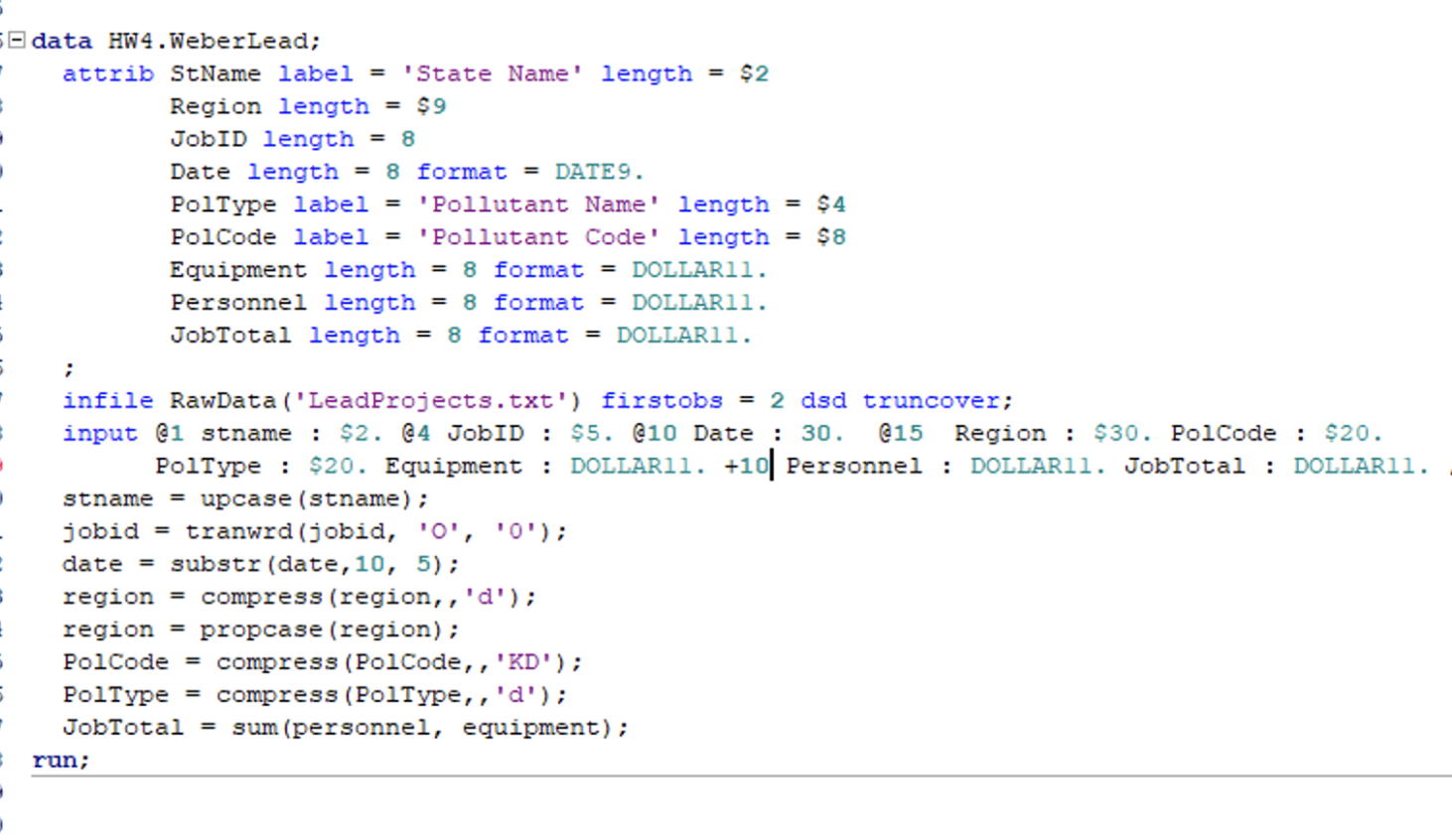
my code that is not working:
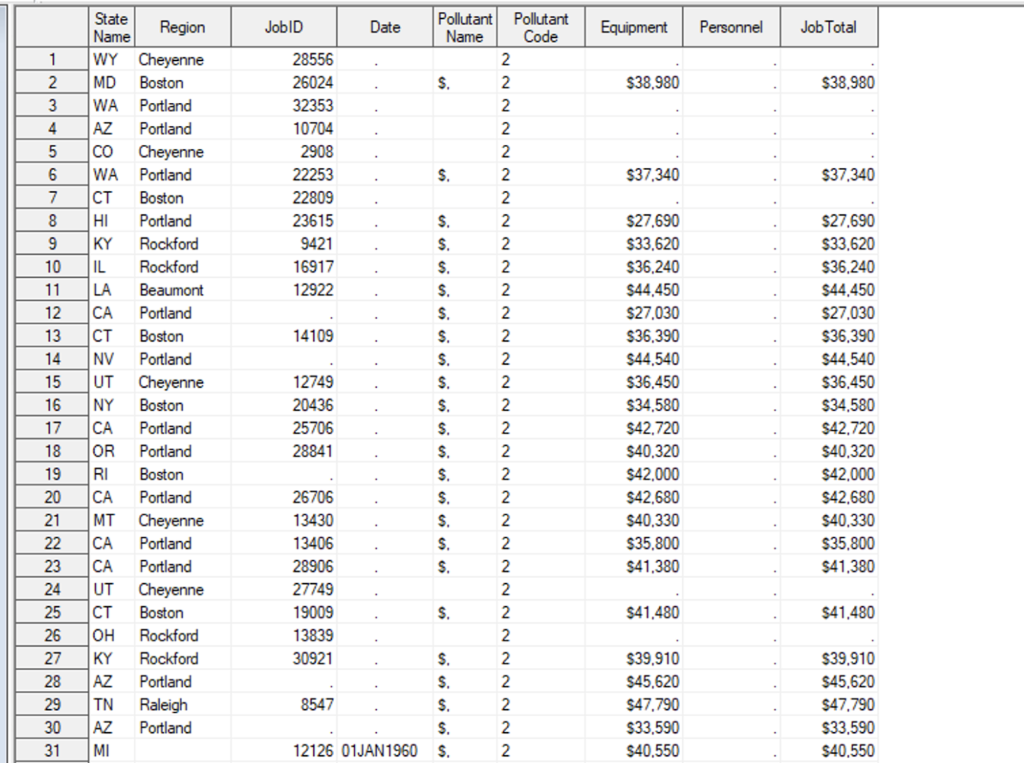
the data that shows up for me:
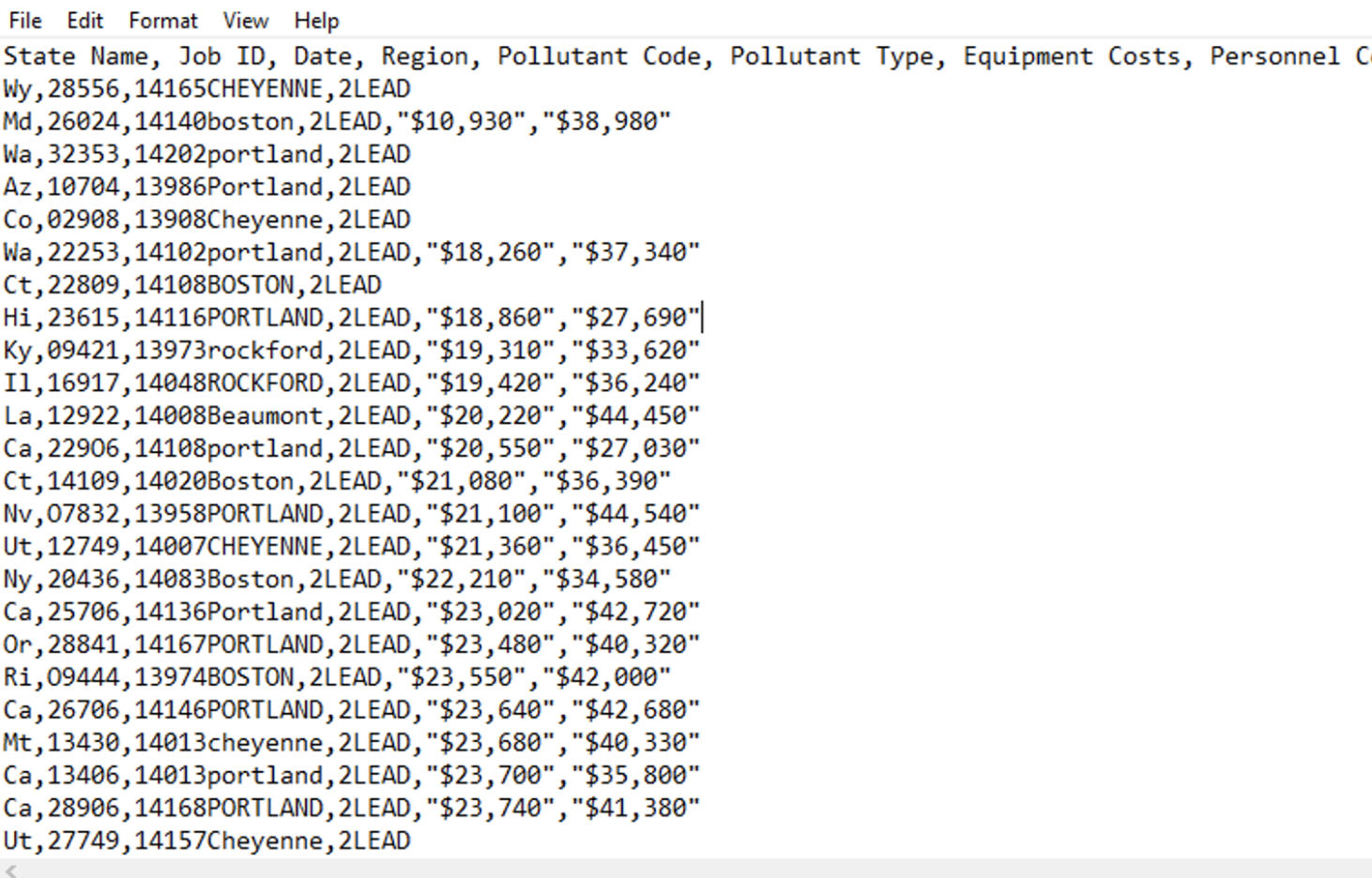
the .txt file:
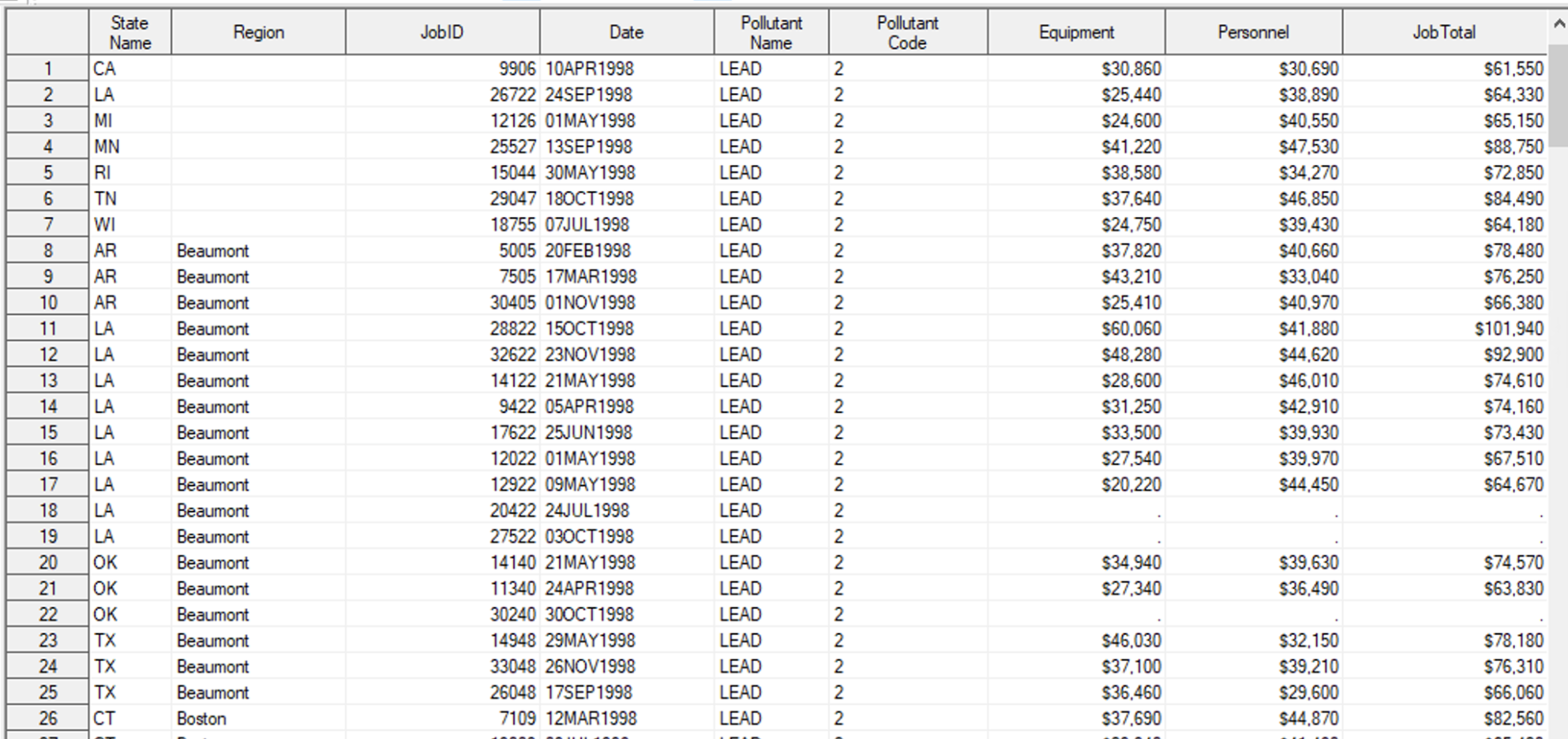
how the table should look:
File Edit Format View Help State Name, Job ID, Date, Region, Pollutant Code, Pollutant Type, Equipment Costs, Personnel Wy , 28556, 14165CHEYENNE, 2LEAD Md, 26024, 14140boston, 2LEAD, "\$10,930", "\$38,980" Wa, 32353, 14202portland, 2LEAD Az,10704,13986 Portland, 2LEAD Co, 02908, 13908Cheyenne, 2LEAD Wa, 22253, 14102portland, 2LEAD, "\$18, 260" , "\$37, 340" Ct, 22809, 14108BOSTON, 2LEAD Hi, 23615, 14116PORTLAND, 2LEAD, "\$18, 860", "\$27,690"| Ky,09421,13973 rockford, 2LEAD, "\$19, 310", "\$33,620" Il, 16917, 14048ROCKFORD, 2LEAD, "\$19, 420", "\$36, 240" La, 12922, 14008Beaumont, 2LEAD, "\$20, 220", "\$44,450" Ca, 22906, 14108portland, 2LEAD, "\$20, 550", "\$27,030" Ct, 14109, 14020Boston, 2LEAD, "\$21, 080", "\$36, 390" Nv , 07832, 13958PORTLAND, 2LEAD, "\$21, 100", "\$44, 540" Ut, 12749, 14007CHEYENNE, 2LEAD, "\$21, 360", "\$36,450" Ny , 20436, 14083Boston, 2LEAD, "\$22, 210", "\$34, 580" Ca, 25706, 14136Portland, 2LEAD, "\$23,020", "\$42, 720" Or, 28841, 14167PORTLAND, 2LEAD, "\$23,480", "\$40,320" Ri, 09444, 13974BOSTON, 2LEAD, "\$23, 550", "\$42,000" Ca,26706,14146 PORTLAND, 2LEAD, "\$23, 640", "\$42, 680" Mt, 13430,14013 cheyenne, 2LEAD, "\$23, 680", "\$40, 330" Ca,13406,14013 portland, 2LEAD, "\$23, 700", "\$35, 800" Ca, 28906, 14168PORTLAND, 2LEAD, "\$23, 740", "\$41, 380" Ut, 27749, 14157Cheyenne, 2LEAD
Step by Step Solution
There are 3 Steps involved in it

Get step-by-step solutions from verified subject matter experts
 Study Help