







Question: . . . can someone help me with this coding assignment? How to Use the Code Editor Select the Run Code button to execute the
can someone help me with this coding assignment?
How to Use the Code Editor
Select the "Run Code" button to execute the program.
Select the "Calculate Grade" button to generate a score based on the completed tasks.
Continue to modify, run, and calculate your code until you are happy with the grade.
Select the "Submit" button to turn in the assignment to your instructor.
Your Tasks
In this lab, you complete a partially prewritten C program that uses a array. The program prompts the user to interactively enter eight batting averages, which the program stores in a array. It should then find the minimum and maximum batting averages stored in the array, as well as the average of the eight batting averages. The data file provided for this lab includes the input statement and some variable initializations. Comments are included in the file to help you write the remainder of the program.
Instructions
Task : Write the C statements as indicated by the comments.
An example of the program is shown below:
Enter a batting average:
Enter a batting average:
Enter a batting average:
Enter a batting average:
Enter a batting average:
Enter a batting average:
Enter a batting average:
Enter a batting average:
averages is:
averages is :
averages is:
averages is:
averages is:
averages is:
averages is:
averages is:
Minimum batting average is
Maximum betting average is
Average batting average is
BattingAverage.cpp
BattingAverage.cpp
#include ;max;
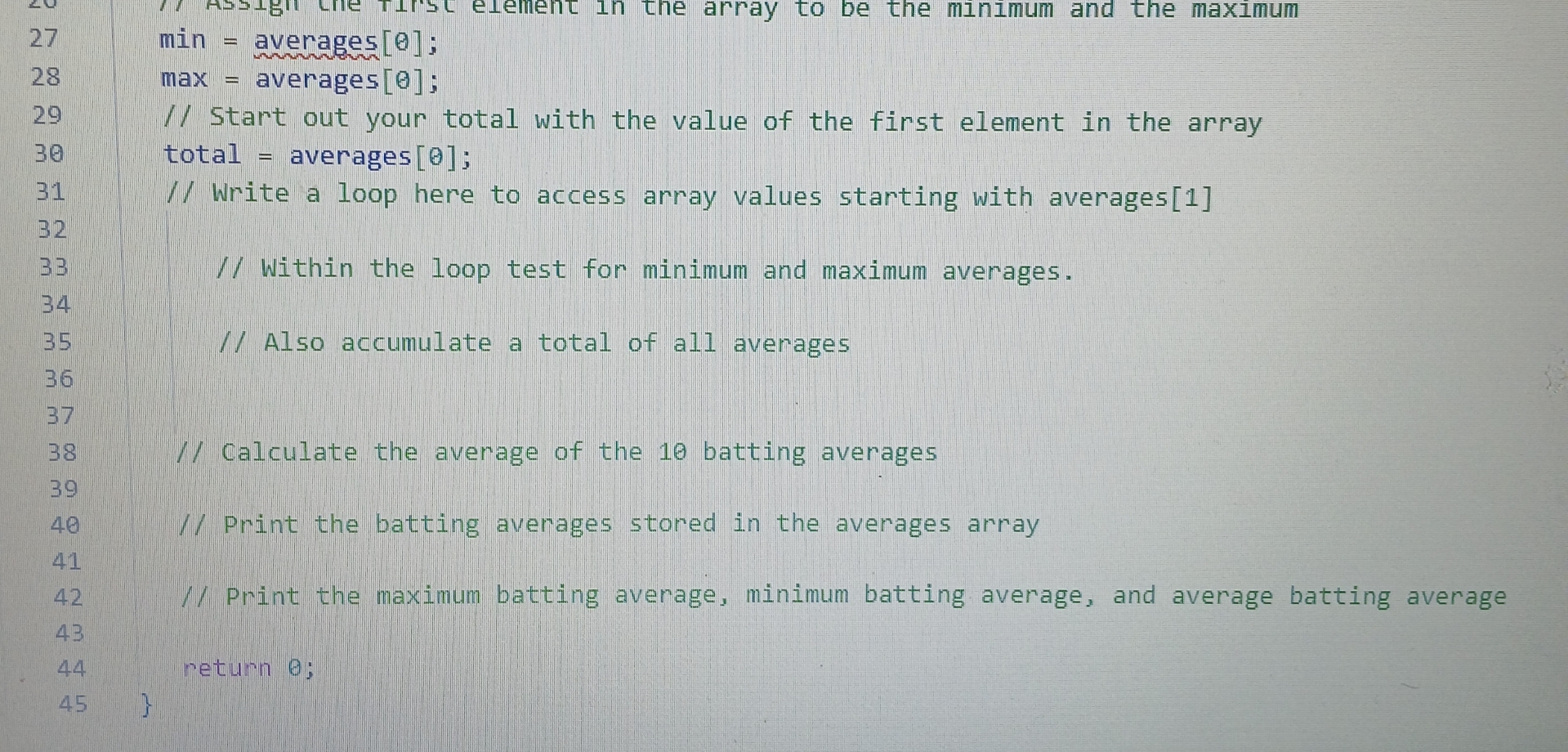
min averages ;
max averages ;
Start out your total with the value of the first element in the array
total averages ;
Write a loop here to access array values starting with averages
Within the loop test for minimum and maximum averages.
Also accumulate a total of all averages
Calculate the average of the batting averages
Print the batting averages stored in the averages array
Print the maximum batting average, minimum batting average, and average batting average
return ;
Step by Step Solution
There are 3 Steps involved in it
1 Expert Approved Answer
Step: 1 Unlock

Question Has Been Solved by an Expert!
Get step-by-step solutions from verified subject matter experts
Step: 2 Unlock
Step: 3 Unlock
 Study Help