







Question: can someone help please matlab asap VI- Functions: Functions are the second type of .m files. Like scripts, they are text files, but they
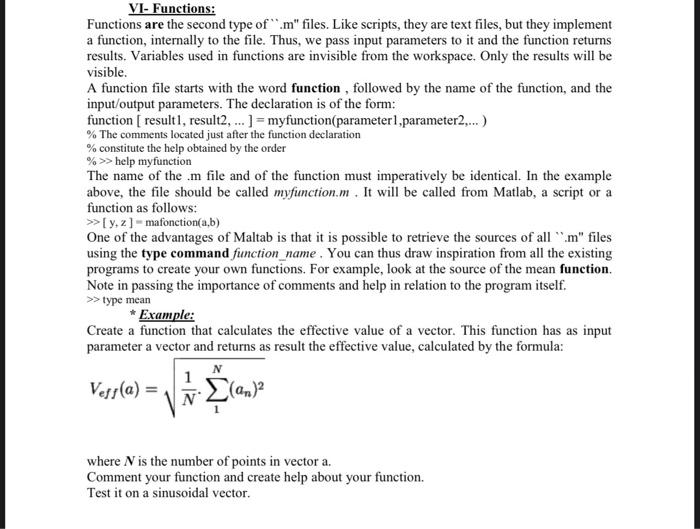
VI- Functions: Functions are the second type of " .m" files. Like scripts, they are text files, but they implement a function, internally to the file. Thus, we pass input parameters to it and the function returns results. Variables used in functions are invisible from the workspace. Only the results will be visible. A function file starts with the word function, followed by the name of the function, and the input/output parameters. The declaration is of the form: function [ result 1 , result 2,]= myfunction(parameter 1 ,parameter 2, ) % The comments located just after the function declaration % constitute the help obtained by the order %>> help myfunction The name of the .m file and of the function must imperatively be identical. In the example above, the file should be called myfunction.m. It will be called from Matlab, a script or a function as follows: [y,z]= mafonction (a,b) One of the advantages of Maltab is that it is possible to retrieve the sources of all " m " files using the type command function name. You can thus draw inspiration from all the existing programs to create your own functions. For example, look at the source of the mean function. Note in passing the importance of comments and help in relation to the program itself. >> type mean * Example: Create a function that calculates the effective value of a vector. This function has as input parameter a vector and returns as result the effective value, calculated by the formula: Veff(a)=N11N(an)2 where N is the number of points in vector a. Comment your function and create help about your function. Test it on a sinusoidal vector
Step by Step Solution
There are 3 Steps involved in it

Get step-by-step solutions from verified subject matter experts
 Study Help