







Question: can someone help with these 5 questions? Professional 6. Cannot Access Network You brought your personal laptop to your place of employment so that you
can someone help with these 5 questions?
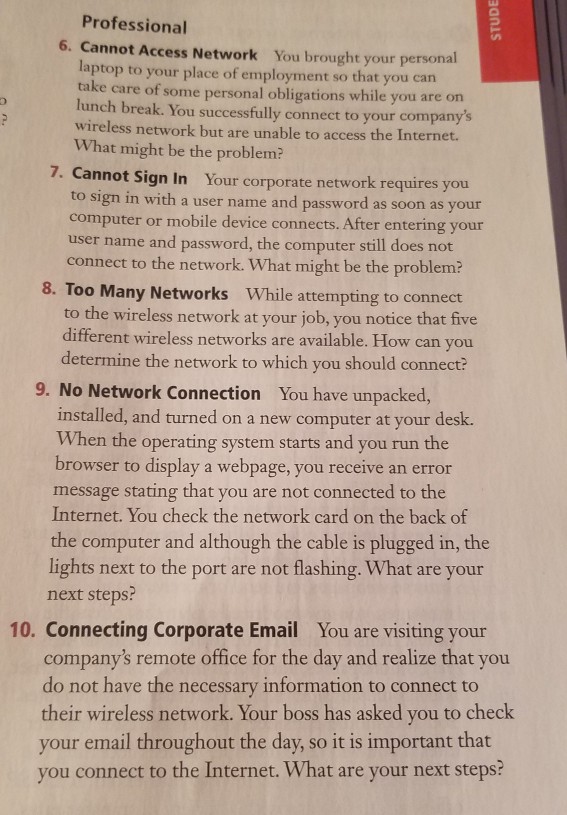
Professional 6. Cannot Access Network You brought your personal laptop to your place of employment so that you can take care of some personal obligations while you are on lunch break. You successfully connect to your company's wireless network but are unable to access the Internet. What might be the problem? 7. Cannot Sign In Your corporate network requires you o sign in with a user name and password as soon as your computer or mobile device connects. After entering your user name and password, the computer still does not connect to the network. What might be the problem? 8. Too Many Networks While attempting to connedt to the wireless network at your job, you notice that five different wireless networks are available. How can you determine the network to which you should connect? 9. No Network Connection You have unpacked, installed, and turned on a new computer at your desk. When the operating system starts and you run the browser to display a webpage, you receive an error message stating that you are not connected to the Internet. You check the network card on the back of the computer and although the cable is plugged in, the lights next to the port are not flashing. What are your next steps? company's remote office for the day and realize that you their wireless network. Your boss has asked you to check 10. Connecting Corporate Email You are visiting your do not have the necessary information to connect to your email throughout the day, so it is important that you connect to the Internet. What are your next steps
Step by Step Solution
There are 3 Steps involved in it

Get step-by-step solutions from verified subject matter experts
 Study Help