







Question: Can someone help with this coding problem? It's C code based on microcontroller. (The figure below is the keypad I am using.) Key A-D Meaning
 Can someone help with this coding problem? It's C code based on microcontroller. (The figure below is the keypad I am using.)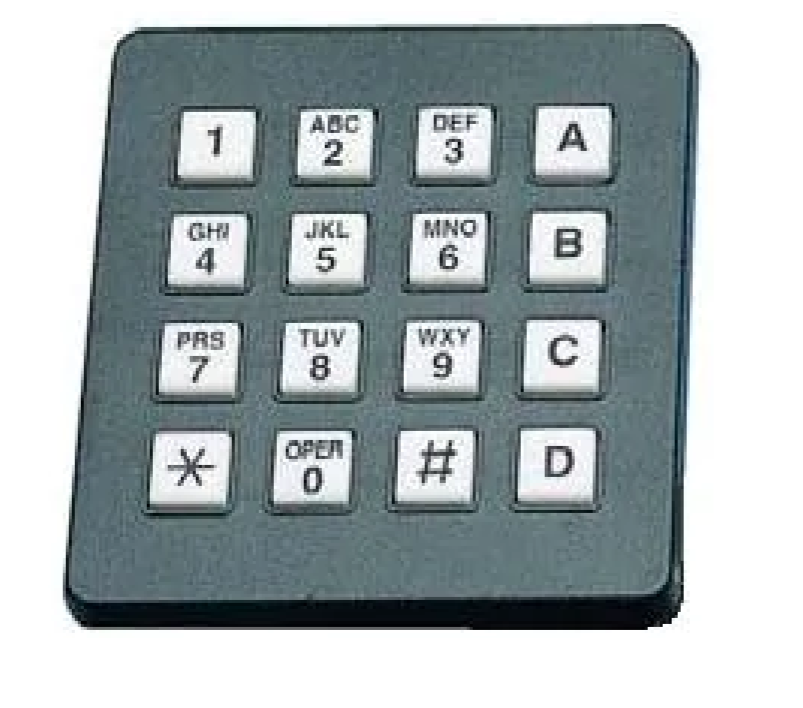
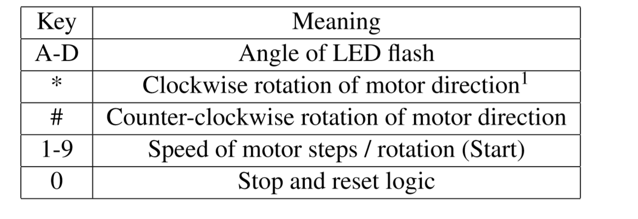
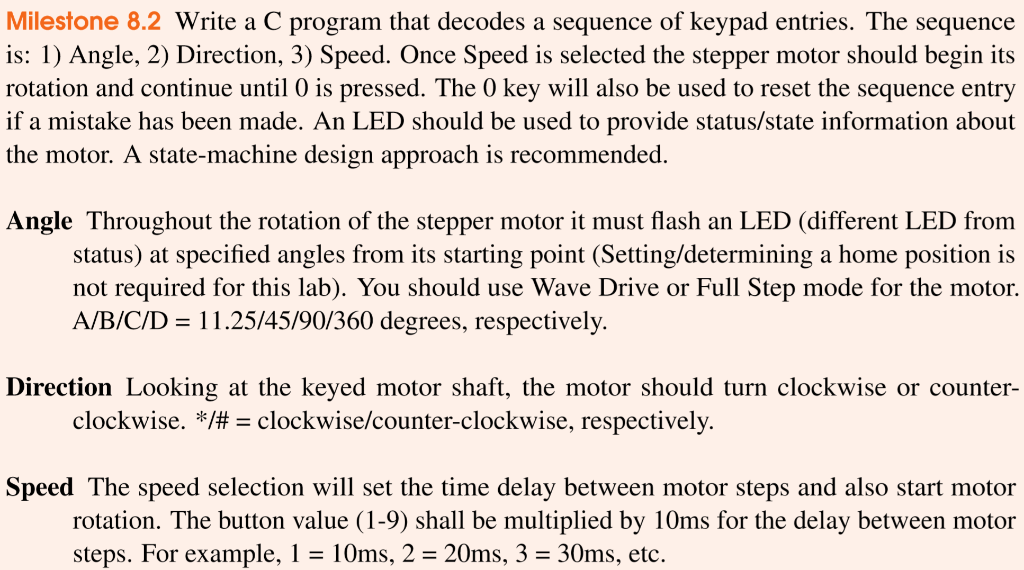
Key A-D Meaning Angle of LED flash Clockwise rotation of motor direction | Counter-clockwise rotation of motor direction Speed of motor steps / rotation (Start) Stop and reset logic 1-9 0 Milestone 8.2 Write a C program that decodes a sequence of keypad entries. The sequence is: 1) Angle, 2) Direction, 3) Speed. Once Speed is selected the stepper motor should begin its rotation and continue until 0 is pressed. The 0 key will also be used to reset the sequence entry if a mistake has been made. An LED should be used to provide status/state information about the motor. A state-machine design approach is recommended. Angle Throughout the rotation of the stepper motor it must flash an LED (different LED from status) at specified angles from its starting point (Setting/determining a home position is not required for this lab). You should use Wave Drive or Full Step mode for the motor. A/B/C/D = 11.25/45/90/360 degrees, respectively. Direction Looking at the keyed motor shaft, the motor should turn clockwise or counter- clockwise. */# = clockwise/counter-clockwise, respectively. Speed The speed selection will set the time delay between motor steps and also start motor rotation. The button value (1-9) shall be multiplied by 10ms for the delay between motor steps. For example, 1 = 10ms, 2 = 20ms, 3 = 30ms, etc. DEF 3
Step by Step Solution
There are 3 Steps involved in it

Get step-by-step solutions from verified subject matter experts
 Study Help