







Question: Can someone please hand-draw the flowchart below for me? I will also post my source code to help. (I have my flowchart but need someone
Can someone please hand-draw the flowchart below for me? I will also post my source code to help.
(I have my flowchart but need someone to draw it for me)
Flowchart:
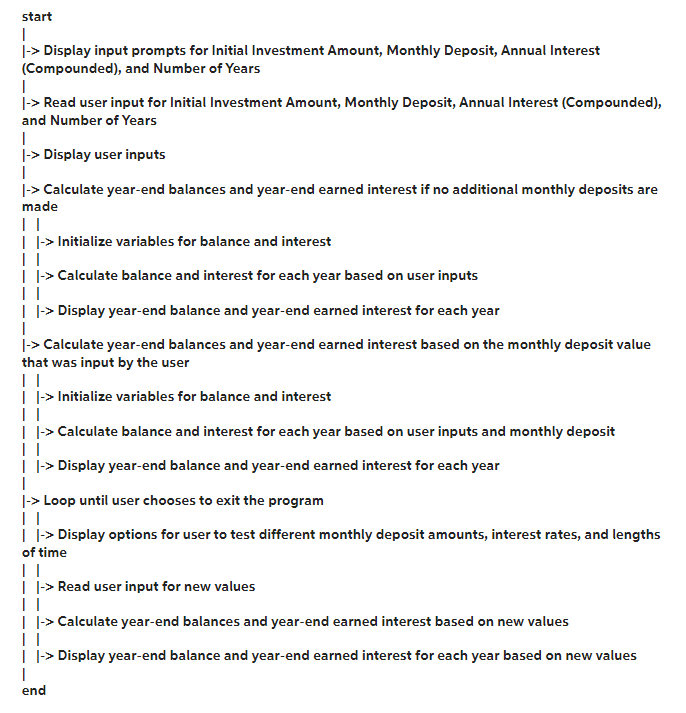
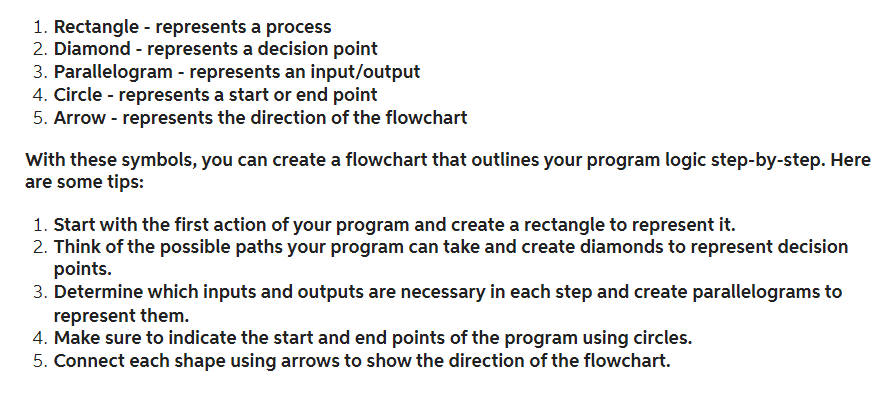
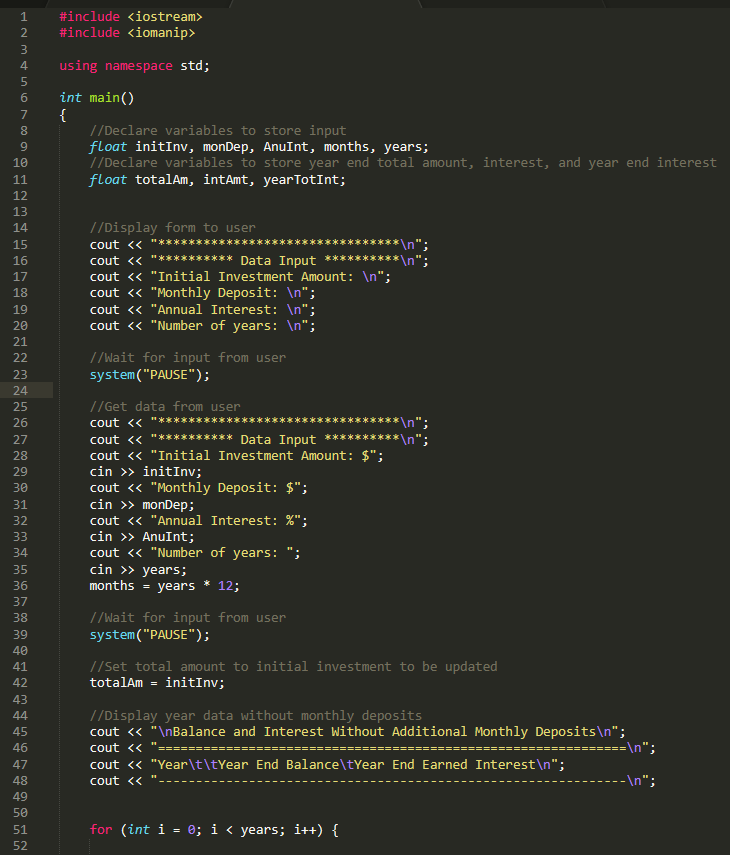
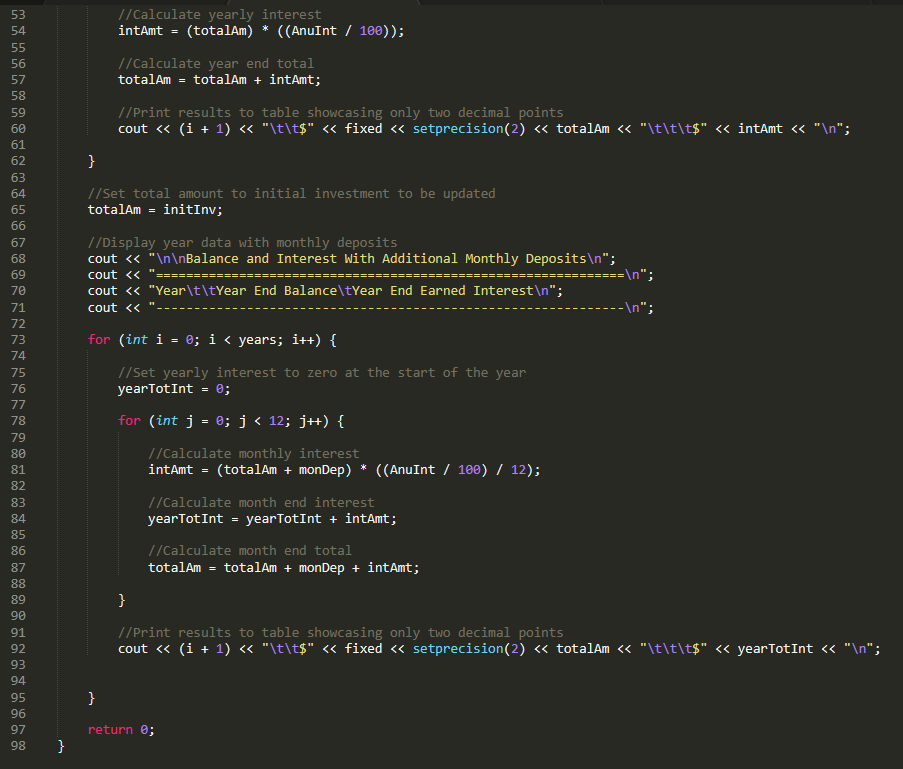
Here is the source code that can help you draw the flowchart:
start 1 > Display input prompts for Initial Investment Amount, Monthly Deposit, Annual Interest (Compounded), and Number of Years 1 > Read user input for Initial Investment Amount, Monthly Deposit, Annual Interest (Compounded), and Number of Years | > Display user inputs 1 > Calculate year-end balances and year-end earned interest if no additional monthly deposits are made |-> Initialize variables for balance and interest > Calculate balance and interest for each year based on user inputs > Display year-end balance and year-end earned interest for each year > Calculate year-end balances and year-end earned interest based on the monthly deposit value that was input by the user 1 > Loop until user chooses to exit the program | |-> Display options for user to test different monthly deposit amounts, interest rates, and lengths of time 1 > Read user input for new values | |-> Calculate year-end balances and year-end earned interest based on new values | |-> Display year-end balance and year-end earned interest for each year based on new values | end 1. Rectangle - represents a process 2. Diamond - represents a decision point 3. Parallelogram - represents an input/output 4. Circle - represents a start or end point 5. Arrow - represents the direction of the flowchart With these symbols, you can create a flowchart that outlines your program logic step-by-step. Here are some tips: 1. Start with the first action of your program and create a rectangle to represent it. 2. Think of the possible paths your program can take and create diamonds to represent decision points. 3. Determine which inputs and outputs are necessary in each step and create parallelograms to represent them. 4. Make sure to indicate the start and end points of the program using circles. 5. Connect each shape using arrows to show the direction of the flowchart
Step by Step Solution
There are 3 Steps involved in it

Get step-by-step solutions from verified subject matter experts
 Study Help