







Question: can someone write the queries on SSMS please create these tables with sql query The demonstration recording must start before you open SSMS. Students must
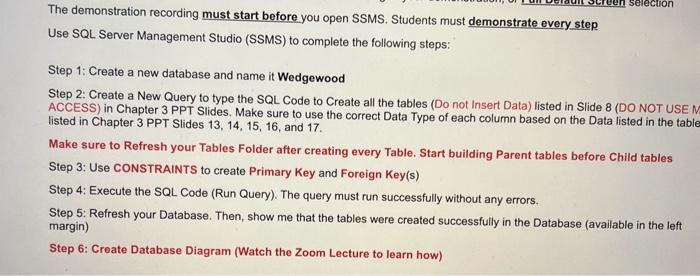
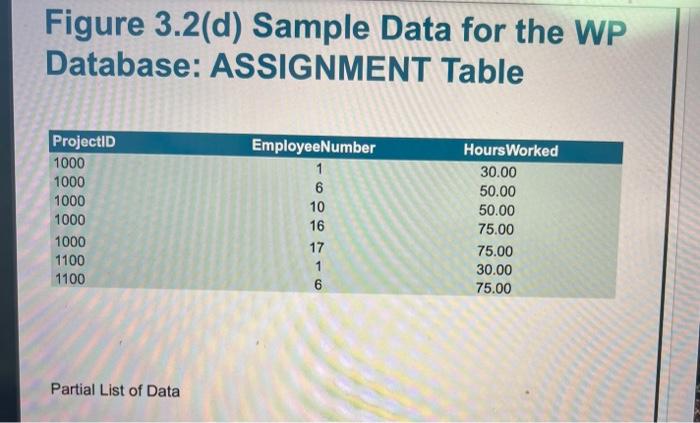
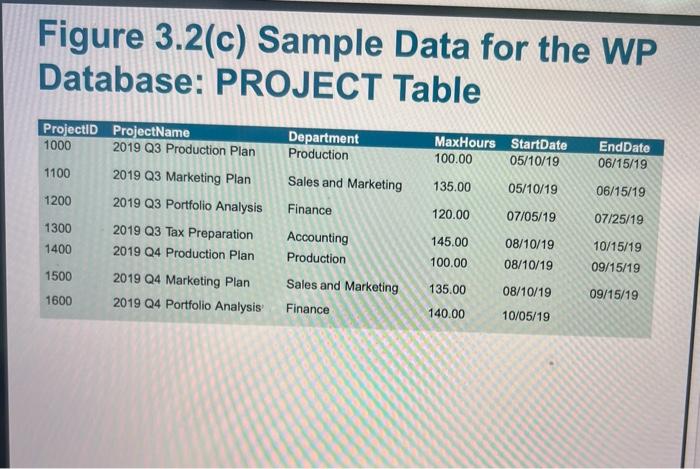
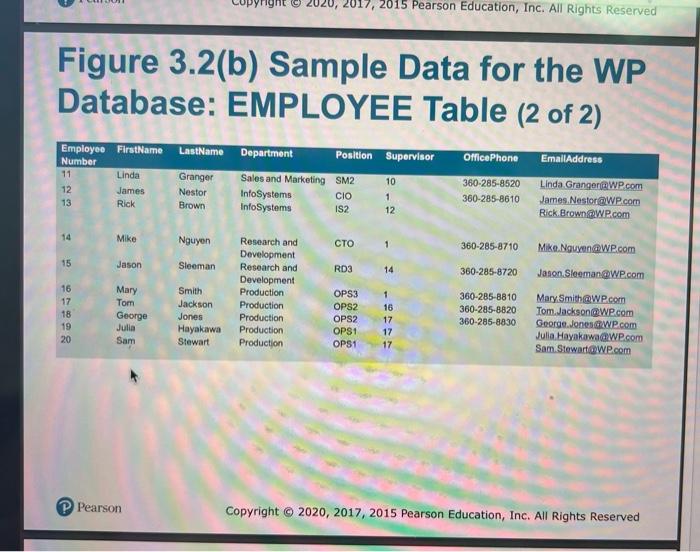
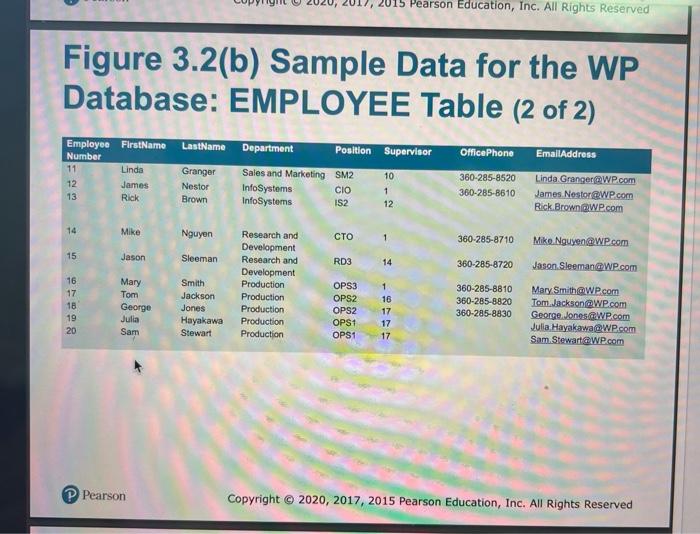
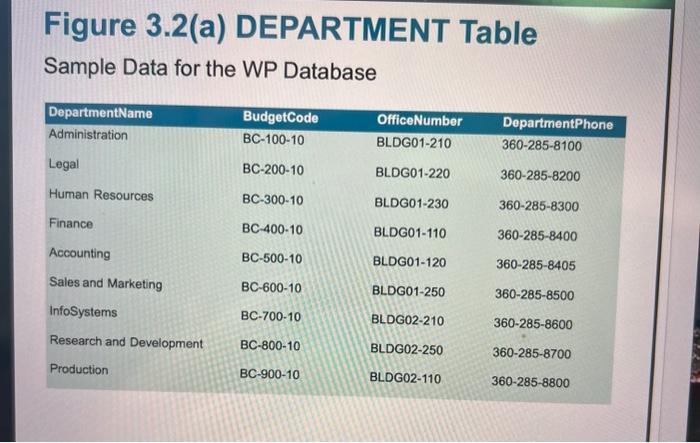
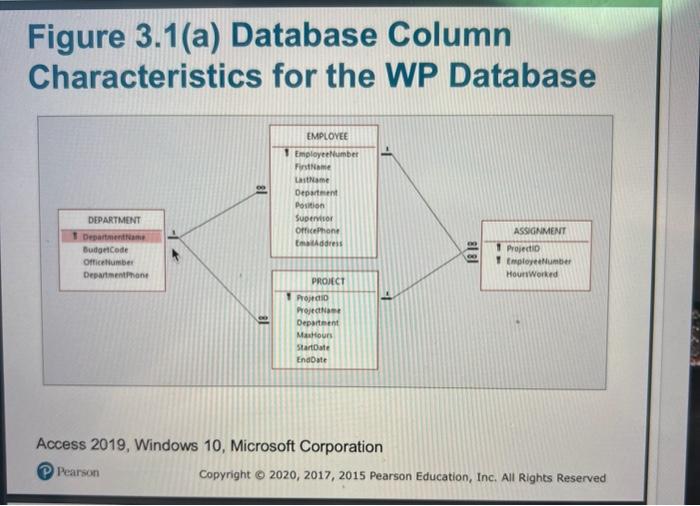
The demonstration recording must start before you open SSMS. Students must demonstrate every step Use SQL Server Management Studio (SSMS) to complete the following steps: Step 1: Create a new database and name it Wedgewood Step 2: Create a New Query to type the SQL Code to Create all the tables (Do not Insert Data) listed in Slide 8 (DO NOT USE ACCESS) in Chapter 3 PPT Slides. Make sure to use the correct Data Type of each column based on the Data listed in the table listed in Chapter 3 PPT Slides 13,14,15,16, and 17. Make sure to Refresh your Tables Folder after creating every Table. Start building Parent tables before Child tables Step 3: Use CONSTRAINTS to create Primary Key and Foreign Key(s) Step 4: Execute the SQL Code (Run Query). The query must run successfully without any errors. Step 5: Refresh your Database. Then, show me that the tables were created successfully in the Database (available in the left margin) Step 6: Create Database Diagram (Watch the Zoom Lecture to learn how) Figure 3.2(d) Sample Data for the WP Database: ASSIGNMENT Table Partial List of Data Figure 3.2(c) Sample Data for the WP Database: PROJECT Table Figure 3.2(b) Sample Data for the WP Database: EMPLOYEE Table (2 of 2) (P Pearson Figure 3.2(b) Sample Data for the WP Database: EMPLOYEE Table (2 of 2) (P) Pearson Sample Data for the WP Database Figure 3.1 (a) Database Column Characteristics for the WP Database Access 2019, Windows 10, Microsoft Corporation (P) Pearson Copyright @ 2020, 2017, 2015 Pearson Education, Inc. All Rights Reserved
Step by Step Solution
There are 3 Steps involved in it

Get step-by-step solutions from verified subject matter experts
 Study Help