







Question: can you explain this code in details please especially the yellow marked lines Form Run Options Window Help import numpy p= numpy.array(34,35,16)) dist=numpy,array([[ISTANBUL, SISLI, BEYOGLU,
can you explain this code in details please especially the yellow marked lines
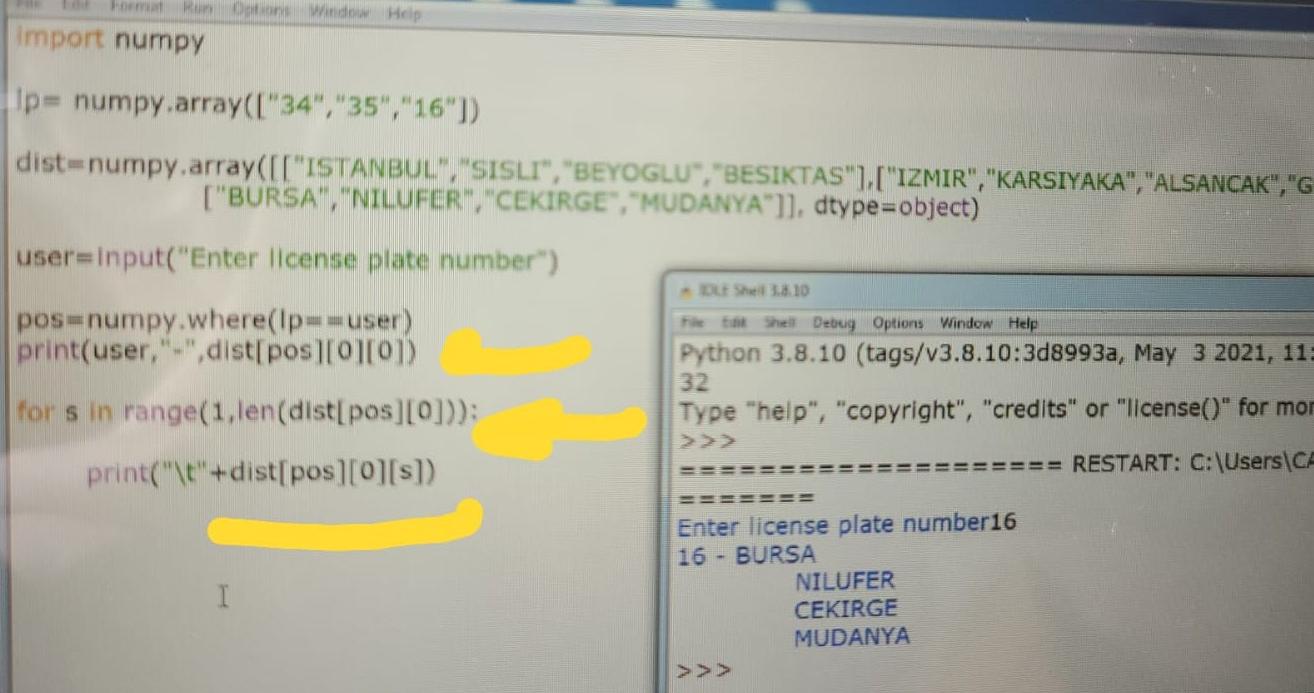
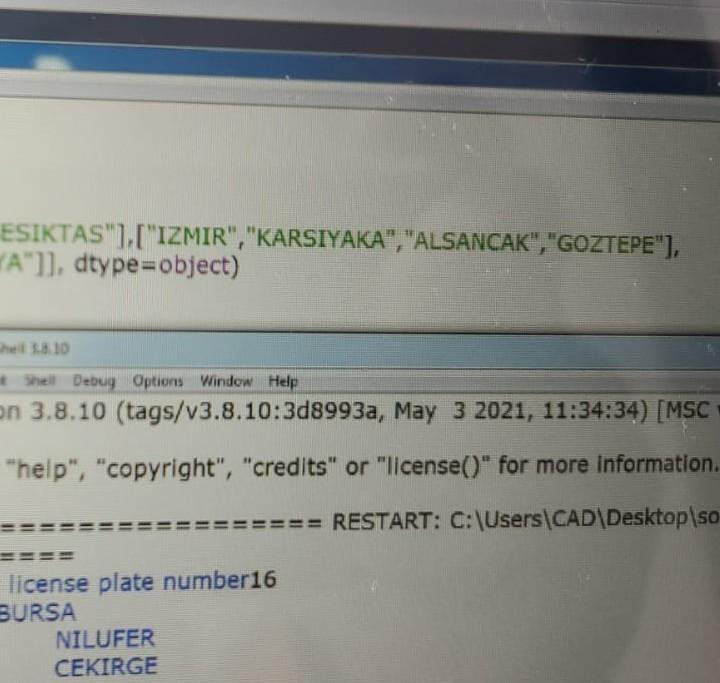
Form Run Options Window Help import numpy p= numpy.array("34","35","16")) dist=numpy,array([["ISTANBUL", "SISLI", "BEYOGLU", "BESIKTAS"],["IZMIR", "KARSIYAKA", "ALSANCAK", "G ["BURSA", "NILUFER", "CEKIRGE", "MUDANYA']], dtype=object) user=input("Enter license plate number") LES 38.10 pos=numpy.where(Ip=-user) print(user, "-",dist[posO][0]) for sin range(1,len(dist[pos][0])): print("\t"+dist[pos][0][s]) tik Shell Debug Options Window Help Python 3.8.10 (tags/v3.8.10:3d8993a, May 3 2021, 11 32 Type "help", "copyright", "credits" or "license(" for mor 22 === RESTART: C:\Users\CA ======= Enter license plate number16 16 - BURSA NILUFER CEKIRGE MUDANYA >>> I ESIKTAS"],["IZMIR","KARSIYAKA", "ALSANCAK", "GOZTEPE"), YA"]], dtype=object) el 10 Shell Debug Options Window Help en 3.8.10 (tags/v3.8.10:3d8993a, May 3 2021, 11:34:34) [MSC "help", "copyright", "credits" or "license()" for more information = RESTART: C:\Users\CAD\Desktop\so license plate number16 BURSA NILUFER CEKIRGE
Step by Step Solution
There are 3 Steps involved in it

Get step-by-step solutions from verified subject matter experts
 Study Help