







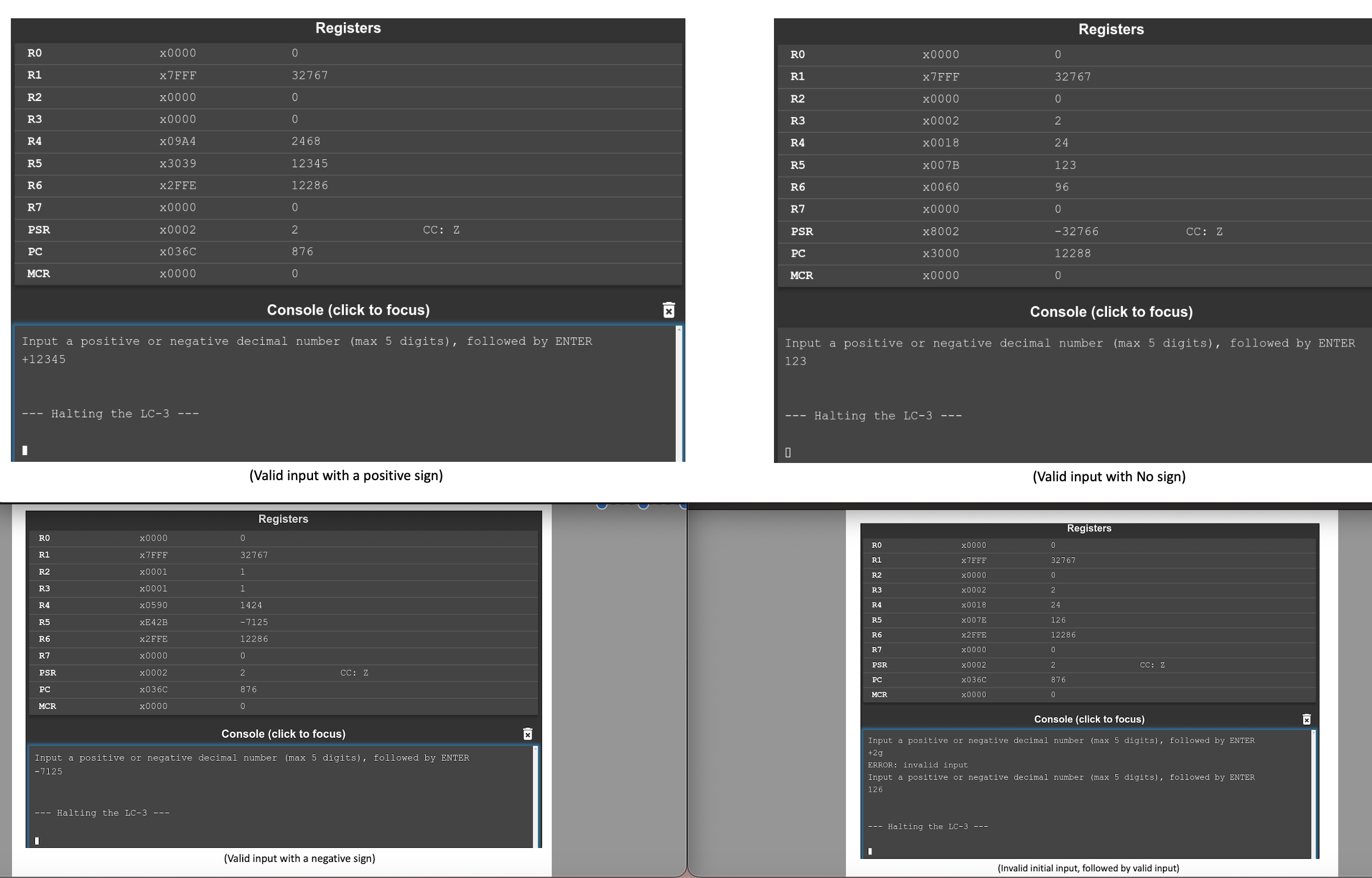
Question: can you fix my code to have the expected outputs, it assemble but does not have the correct outputs or it doesnt work, if possible
can you fix my code to have the expected outputs, it assemble but does not have the correct outputs or it doesnt work, if possible please show me the full corrected code, thank you!
ORIG x
; Output intro prompt
OutputPrompt:
LD R introPromptPtr
PUTS
; Set up flags, counters, accumulators as needed
AND R R #
AND R R #
AND R R #
LD R counter
; Get first character, test for
digitnondigit
GetFirstChar:
GETC
OUT
; Is the very first character
If so just quit no message
LD R newlineCheck
ADD R R R
BRz QuitProg
; Is it If so ignore it go get digits
LD R plusCheck
ADD R R R
BRz GetDigits
; Is it If so set neg flag, go get digits
LD R minusCheck
ADD R R R
BRz SetNegFlag
; Invalid initial character output error message, start over
BR OutputErrorMessage
SetNegFlag:
ADD R R #
BR GetFirstChar ; Jump back to the beginning
GetDigits:
GETC
OUT
; IF NEWLINE, END PROG
LD R newlineCheck
ADD R R R
BRz QuitProg
; Is it If so it is not a digit output error message, start over
LD R zeroCheck
ADD R R R
BRn OutputErrorMessage
; Is it If so it is not a digit output error message, start over
LD R nineCheck
ADD R R R
BRp OutputErrorMessage
; If none of the above, the character is a numeric digit convert it to number & store in target register!
LD R zeroCheck ; ASCII TO DECIMAL
NOT R R
ADD R R #
ADD R R R
LD R multiplyFactor
ADD R R R ; Add the current digit to the accumulated result
ADD R R R ; Multiply the accumulated result by
ADD R R R ; Multiply the accumulated result by
ADD R R R ; Multiply the accumulated result by
ADD R R R ; Add the current digit
ADD R R #
BRz QuitProg
BRnp GetDigits
OutputErrorMessage:
LD R errorMessagePtr
PUTS
BR GetFirstChar ; Jump back to the beginning
QuitProg:
; IF FLAG IS SET TO NEGATIVE, CONVERT TO NEGATIVE
BRn SetNegative
; OUTPUT NEWLINE
LD R newlineCheck
OUT
HALT
SetNegative:
NOT R R
ADD R R #
BR QuitProg
; Program Data
introPromptPtr FILL xB
errorMessagePtr FILL xB
; DATA
counter FILL #
newlineCheck FILL #
plusCheck FILL #
minusCheck FILL #
zeroCheck FILL #
nineCheck FILL #
multiplyFactor FILL #
END
; Remote data
ORIG xB ; intro prompt
STRINGZ "Input a positive or negative decimal number max digits followed by ENTER
END
ORIG xB ; error message
STRINGZ "ERROR: invalid input
END
Step by Step Solution
There are 3 Steps involved in it
1 Expert Approved Answer
Step: 1 Unlock

Question Has Been Solved by an Expert!
Get step-by-step solutions from verified subject matter experts
Step: 2 Unlock
Step: 3 Unlock
 Study Help