







Question: can you help me with this? Install a recent version of Flutter. Create a new Flutter project with name hw1_20170101010 where 20170101010 is the student
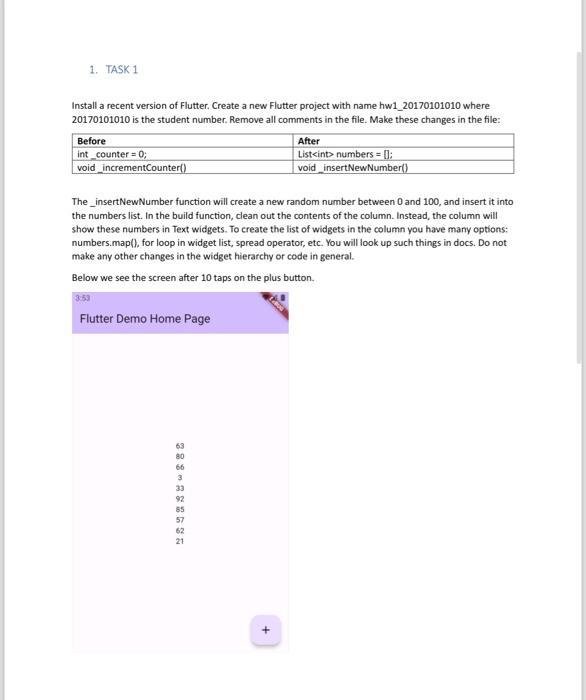
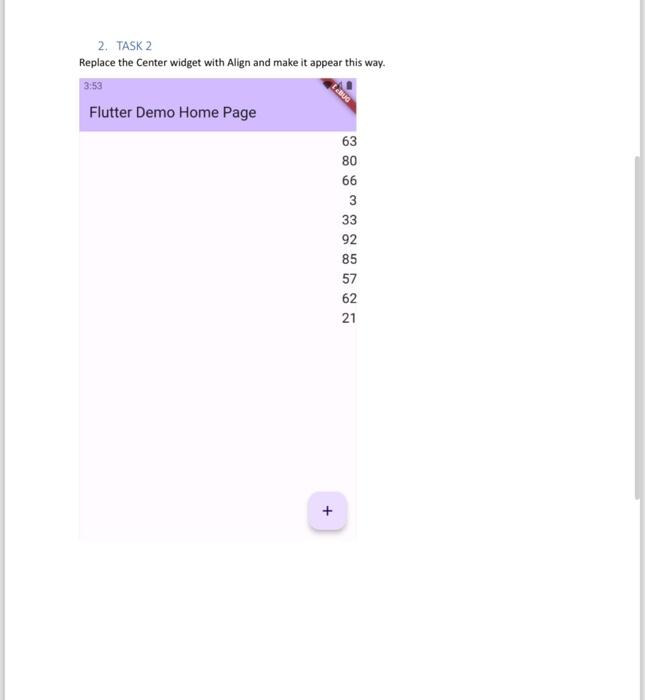
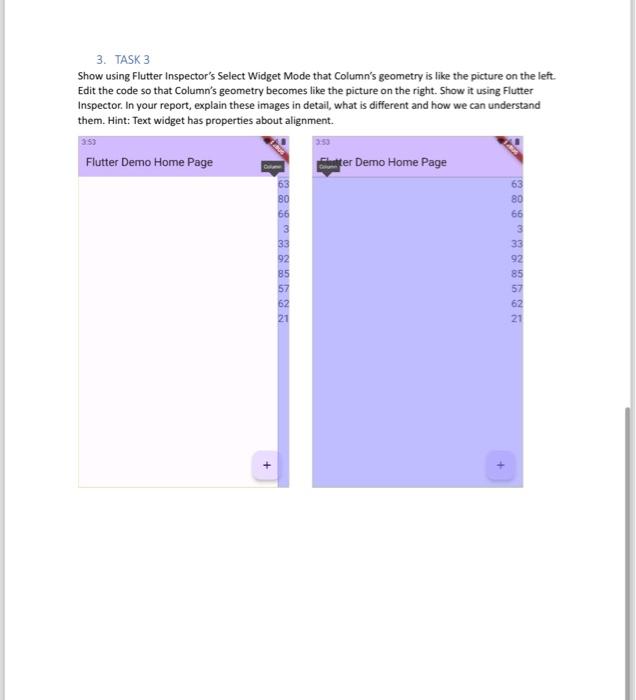
Install a recent version of Flutter. Create a new Flutter project with name hw1_20170101010 where 20170101010 is the student number. Remove all comments in the file. Make these changes in the file: The_insertNewNumber function will create a new random number between 0 and 100 , and insert it into the numbers list. In the build function, clean out the contents of the column. Instead, the column will show these numbers in Text widgets. To create the list of widgets in the column you have many options: numbers.map (), for loop in widget list, spread operator, etc. You will look up such things in docs. Do not make any other changes in the widget hierarchy or code in general. Below we see the screen after 10 taps on the plus button. 2. TASK 2 Replace the Center widget with Align and make it appear this way. 3. TASK 3 Show using Flutter Inspector's Select Widget Mode that Column's geometry is like the picture on the left. Edit the code so that Column's geometry becomes like the picture on the right. Show it using Flutter Inspector. In your report, explain these images in detail, what is different and how we can understand them. Hint: Text widget has properties about alignment
Step by Step Solution
There are 3 Steps involved in it

Get step-by-step solutions from verified subject matter experts
 Study Help