



Question: Can you help see if i'm doing my Case Project 4-4 correctly? If i'm not, can you please correct my code for me? activity_main.xml code
Can you help see if i'm doing my Case Project 4-4 correctly? If i'm not, can you please correct my code for me?
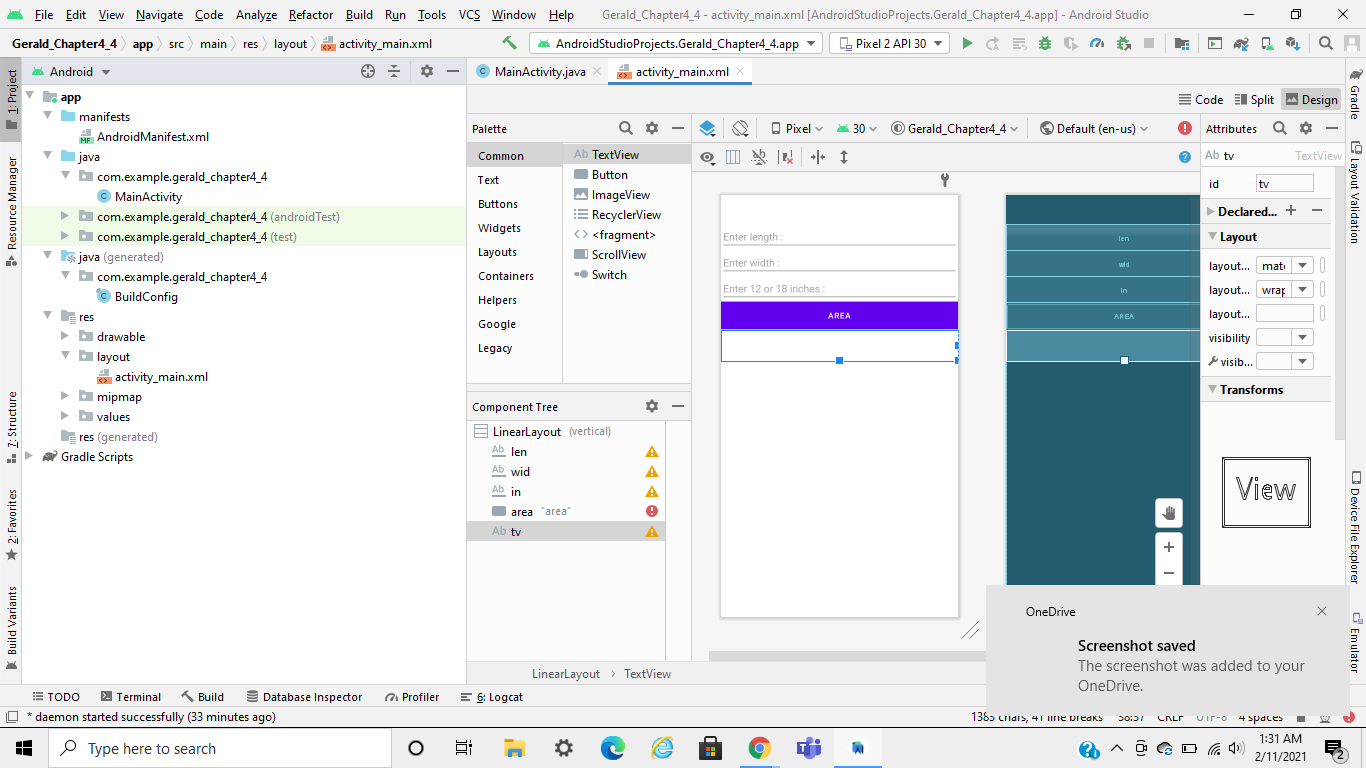
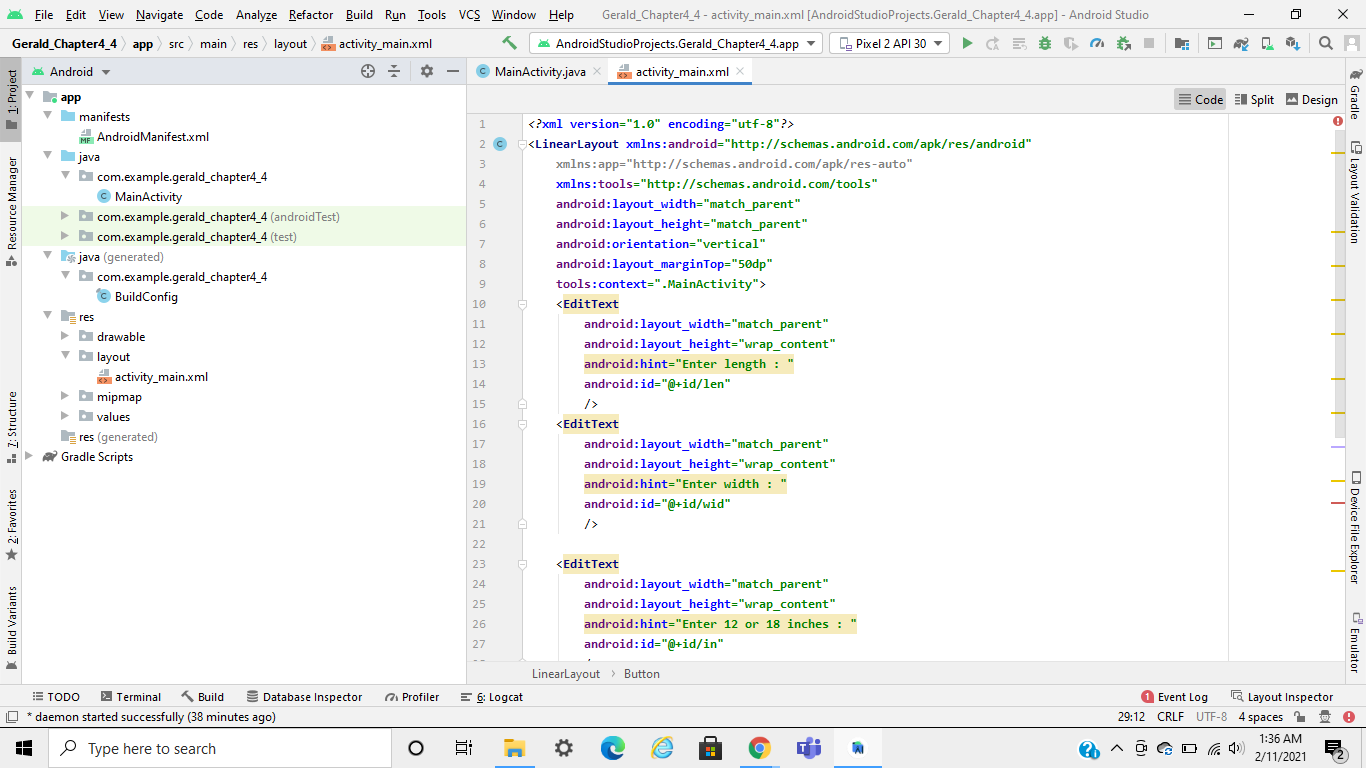
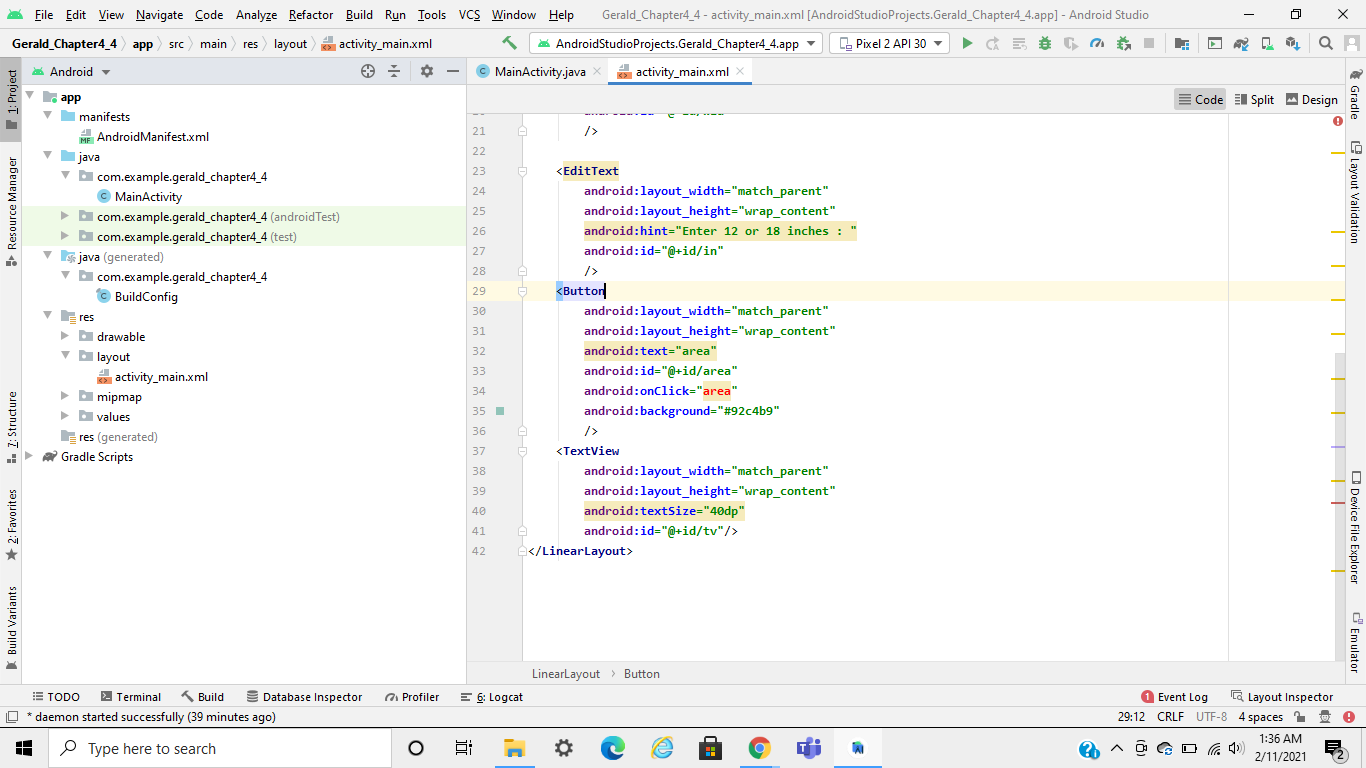
activity_main.xml code
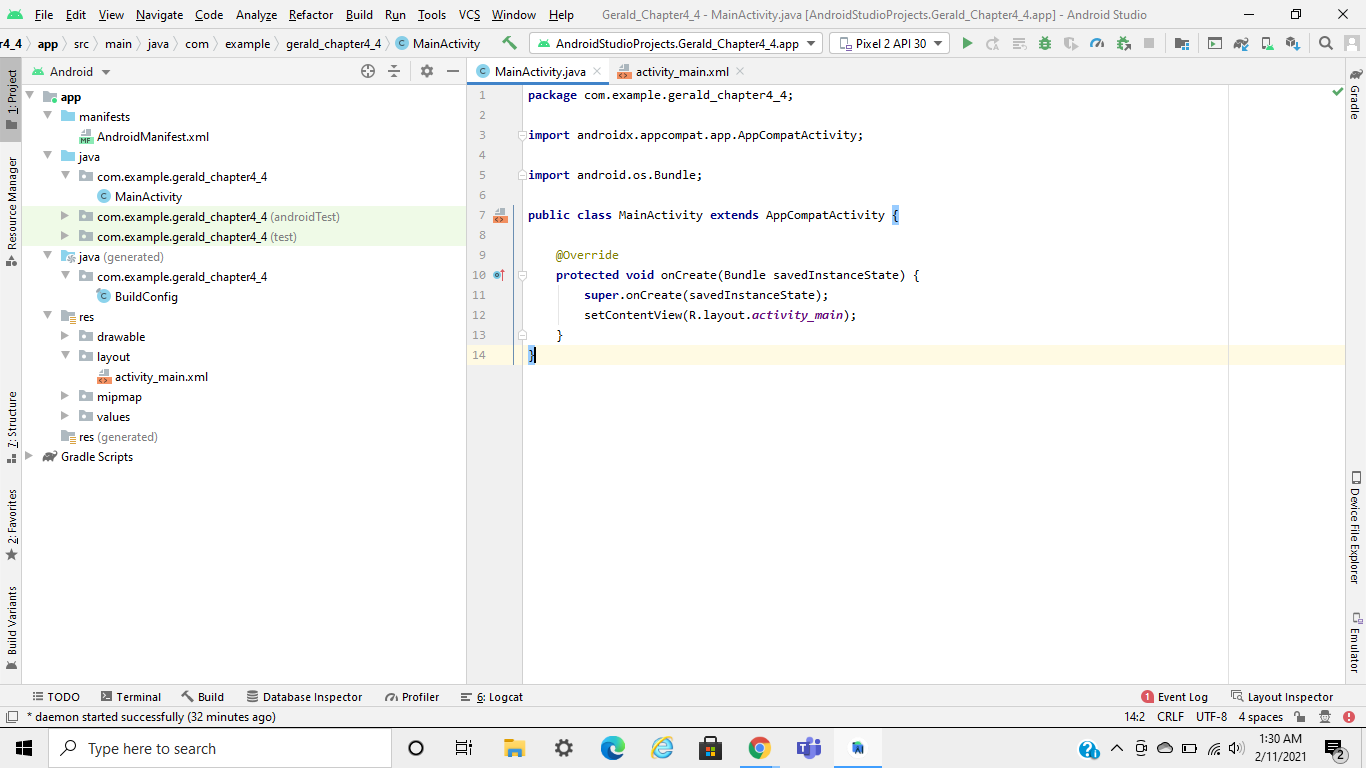
MainActivity.java code
package com.example.gerald_chapter4_4; import androidx.appcompat.app.AppCompatActivity; import android.os.Bundle; public class MainActivity extends AppCompatActivity { @Override protected void onCreate(Bundle savedInstanceState) { super.onCreate(savedInstanceState); setContentView(R.layout.activity_main); } }
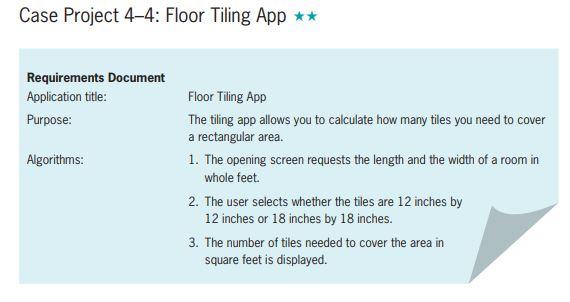
Case Project 44: Floor Tiling App ** Requirements Document Application title: Purpose: Algorithms: Floor Tiling App The tiling app allows you to calculate how many tiles you need to cover a rectangular area. 1. The opening screen requests the length and the width of a room in whole feet 2. The user selects whether the tiles are 12 inches by 12 inches or 18 inches by 18 inches. 3. The number of tiles needed to cover the area in square feet is displayed. File Edit View Navigate Code Analyze Refactor Build Run Tools VCS Window Help Gerald_Chapter4_4 - activity_main.xml [Android Studio Projects. Gerald_Chapter4_4.app] - Android Studio Gerald_Chapter4_4 app src main res layout layout activity_main.xml Android Studio Projects. Gerald_Chapter4_4.app C. Pixel 2 API 30 Android MainActivity.java activity_main.xml QA Code Il Split Design Palette Pixel 30 Gerald_Chapter4_4 Default (en-us) Attributes a Resource Manager T 1: Project Common O, IB + 1 Ab tv TextView Gradle Layout Validation Text 9 id ty Buttons Ab TextView Button ImageView RecyclerView
Step by Step Solution
There are 3 Steps involved in it

Get step-by-step solutions from verified subject matter experts