







Question: can you please help me answer these question in python please and thanks can you hep me answer this please Objective: Use conditional statements Use
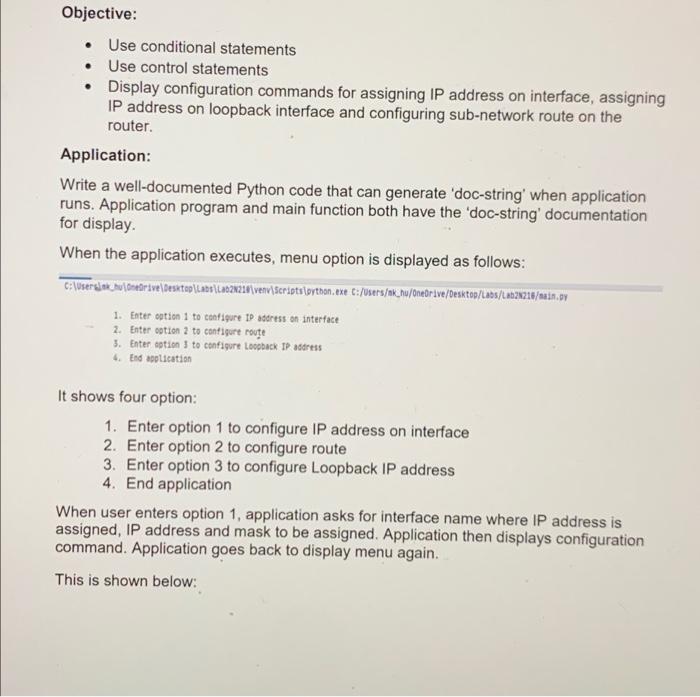
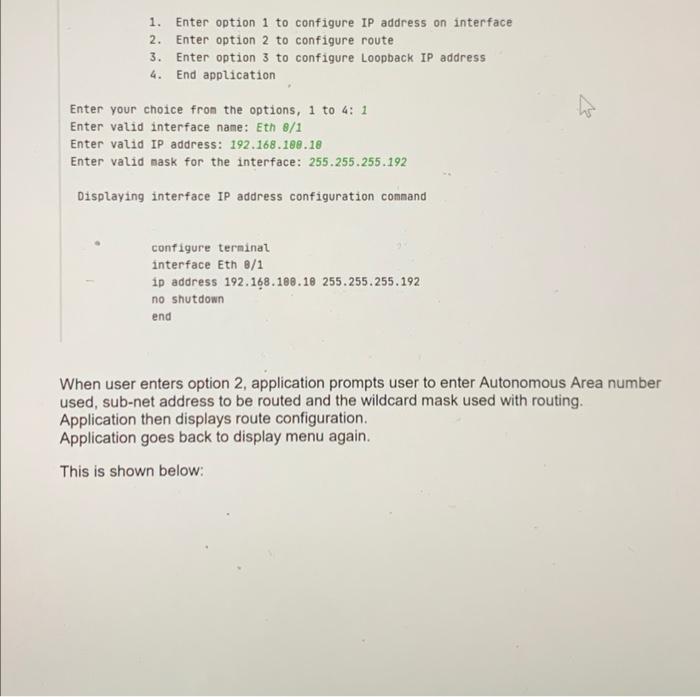
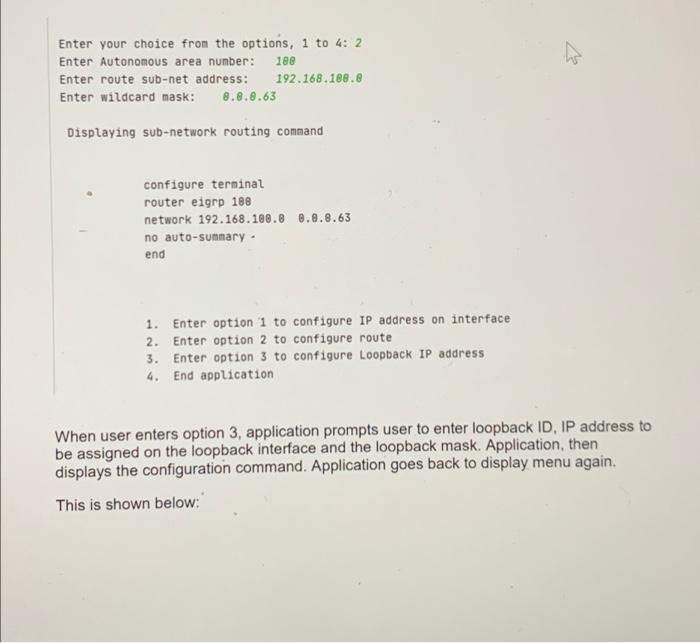
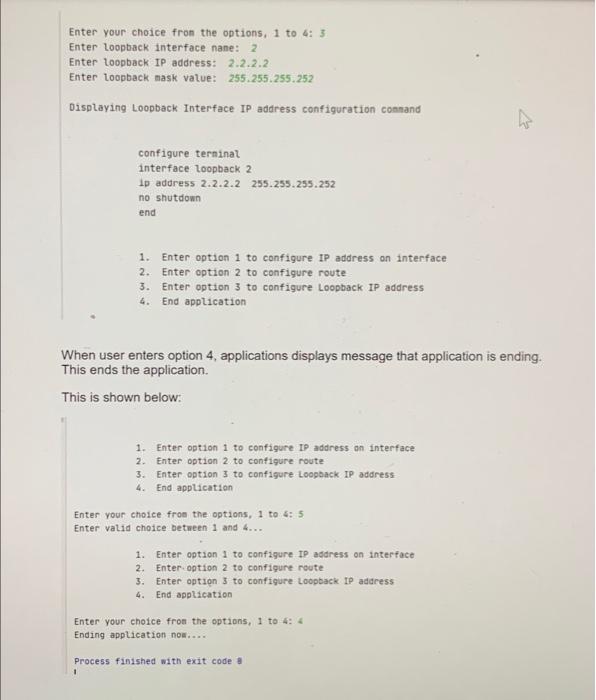
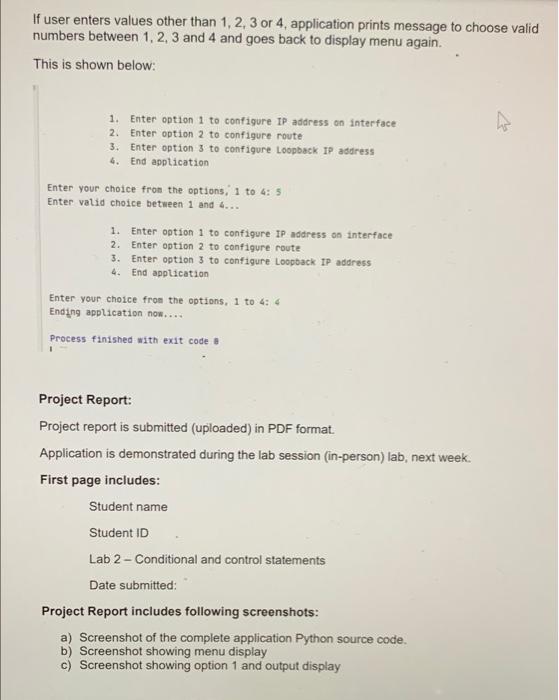
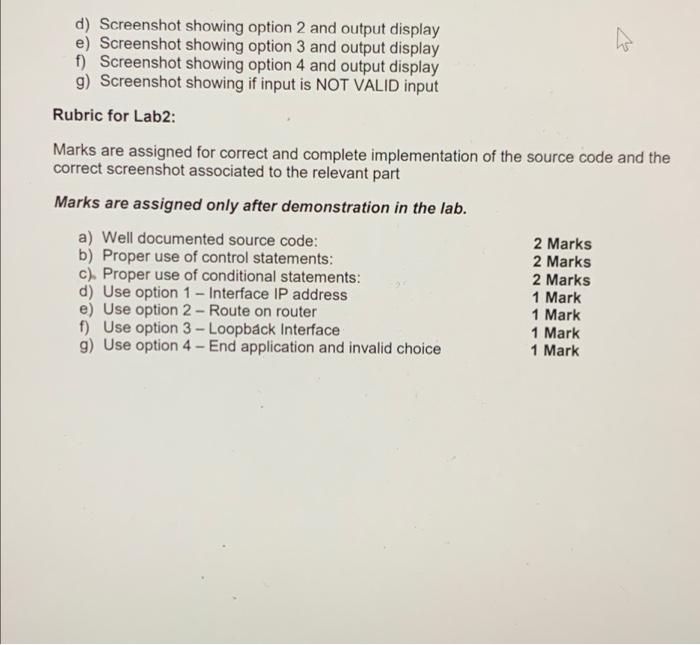
Objective: Use conditional statements Use control statements Display configuration commands for assigning IP address on interface, assigning IP address on loopback interface and configuring sub-network route on the router. Application: Write a well-documented Python code that can generate 'doc-string' when application runs. Application program and main function both have the 'doc-string' documentation for display When the application executes, menu option is displayed as follows: C:\Usersion du Gretrive\Desktop\LADS\La021214\venv\scriptsipython, exe C:/Users/ok_nu/Onedrive/Desktop/Laos/LR02218/main.py 1. Enter option 1 to configure IP address on interface 2. Enter option 2 to configure rouge 3. Enter option to configure Loopback IP address 4. End aplication It shows four option: 1. Enter option 1 to configure IP address on interface 2. Enter option 2 to configure route 3. Enter option 3 to configure Loopback IP address 4. End application When user enters option 1, application asks for interface name where IP address is assigned, IP address and mask to be assigned. Application then displays configuration command. Application goes back to display menu again. This is shown below: 1. Enter option 1 to configure IP address on interface 2. Enter option 2 to configure route 3. Enter option 3 to configure Loopback IP address 4. End application Enter your choice from the options, 1 to 4: 1 Enter valid interface name: Eth 8/1 Enter valid IP address: 192.168.180.18 Enter valid mask for the interface: 255.255.255.192 Displaying interface IP address configuration command configure terminal interface Eth 8/1 ip address 192.168.108.18 255.255.255.192 no shutdown end When user enters option 2, application prompts user to enter Autonomous Area number used, sub-net address to be routed and the wildcard mask used with routing. Application then displays route configuration. Application goes back to display menu again. This is shown below: w Enter your choice from the options, 1 to 4: 2 Enter Autonomous area number: 188 Enter route sub-net address: 192.168.188.8 Enter wildcard mask: 8.8.8.63 Displaying sub-network routing command configure terminal router eigrp 188 network 192.168.188.8 8.8.8.63 no auto-summary - end 1. Enter option 1 to configure IP address on interface 2. Enter option 2 to configure route 3. Enter option 3 to configure Loopback IP address 4. End application When user enters option 3, application prompts user to enter loopback ID, IP address to be assigned on the loopback interface and the loopback mask. Application, then displays the configuration command. Application goes back to display menu again. This is shown below: Enter your choice fron the options, 1 to 4:3 Enter Loopback interface nane: 2 Enter loopback IP address: 2.2.2.2 Enter Loopback mask value: 255.255.255.252 Displaying Loopback Interface IP address configuration command configure terminal interface loopback 2 1p address 2.2.2.2 255.255.255.252 no shutdown end 1. Enter option 1 to configure IP address on interface 2. Enter option 2 to configure route 3. Enter option 3 to configure Loopback IP address 4. End application When user enters option 4, applications displays message that application is ending. This ends the application. This is shown below: 1. Enter option 1 to configure IP address on interface 2. Enter option 2 to configure route 3. Enter options to configure Loopback IP address 4. End application Enter your choice from the options, 1 to 4: 5 Enter valid choice between 1 and 4... 1. Enter option 1 to configure IP address on interface 2. Enter option 2 to configure route 3. Enter options to configure Loopback IP address 4. End application Enter your choice from the options, 1 to 4: 4 Ending application now.... Process finished with exit code If user enters values other than 1, 2, 3 or 4, application prints message to choose valid numbers between 1, 2, 3 and 4 and goes back to display menu again. This is shown below: - 1. Enter option 1 to configure IP address on interface 2. Enter option 2 to configure route 3. Enter option 3 to configure Loopback IP address 4. End application Enter your choice from the options, 1 to 4: 5 Enter valid choice between 1 and 4... 1. Enter option 1 to configure IP address on interface 2. Enter option 2 to configure route 3. Enter option 3 to configure Loopback IP address 4. End application Enter your choice from the options, 1 to 4:4 Ending application no.... Process finished with exit code 8 Project Report: Project report is submitted (uploaded) in PDF format Application is demonstrated during the lab session (in-person) lab, next week. First page includes: Student name Student ID Lab 2 - Conditional and control statements Date submitted: Project Report includes following screenshots: a) Screenshot of the complete application Python source code. b) Screenshot showing menu display c) Screenshot showing option 1 and output display d) Screenshot showing option 2 and output display e) Screenshot showing option 3 and output display f) Screenshot showing option 4 and output display g) Screenshot showing if input is NOT VALID input Rubric for Lab2: Marks are assigned for correct and complete implementation of the source code and the correct screenshot associated to the relevant part Marks are assigned only after demonstration in the lab. a) Well documented source code: 2 Marks b) Proper use of control statements: 2 Marks c). Proper use of conditional statements: 2 Marks d) Use option 1 - Interface IP address 1 Mark e) Use option 2 - Route on router 1 Mark f) Use option 3 - Loopback Interface 1 Mark g) Use option 4 - End application and invalid choice 1 Mark
Step by Step Solution
There are 3 Steps involved in it

Get step-by-step solutions from verified subject matter experts
 Study Help