







Question: CAN YOU PLEASE HELP ME WITH 2 AND 3 Step 2 - In the Modified Commission Rate column, put the formula to change any commission
CAN YOU PLEASE HELP ME WITH 2 AND 3
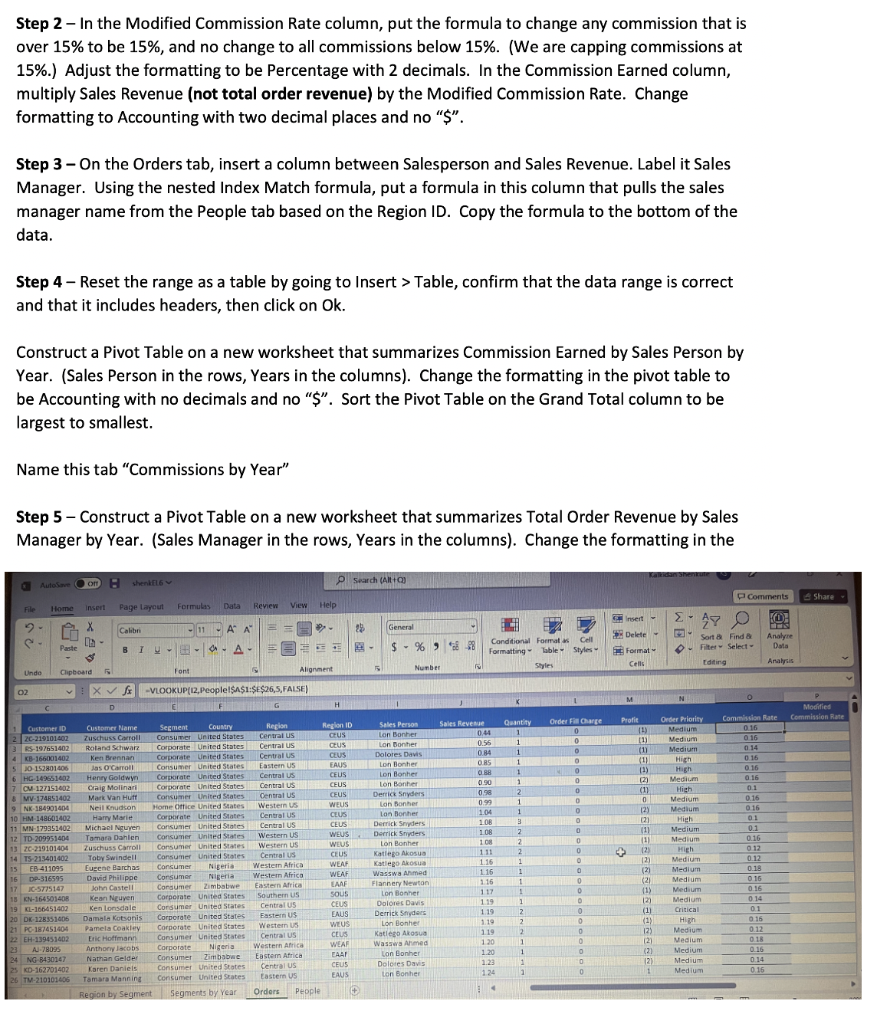
Step 2 - In the Modified Commission Rate column, put the formula to change any commission that is over 15% to be 15%, and no change to all commissions below 15%. (We are capping commissions at 15\%.) Adjust the formatting to be Percentage with 2 decimals. In the Commission Earned column, multiply Sales Revenue (not total order revenue) by the Modified Commission Rate. Change formatting to Accounting with two decimal places and no "\$". Step 3 - On the Orders tab, insert a column between Salesperson and Sales Revenue. Label it Sales Manager. Using the nested Index Match formula, put a formula in this column that pulls the sales manager name from the People tab based on the Region ID. Copy the formula to the bottom of the data. Step 4 - Reset the range as a table by going to Insert > Table, confirm that the data range is correct and that it includes headers, then click on Ok. Construct a Pivot Table on a new worksheet that summarizes Commission Earned by Sales Person by Year. (Sales Person in the rows, Years in the columns). Change the formatting in the pivot table to be Accounting with no decimals and no "\$". Sort the Pivot Table on the Grand Total column to be largest to smallest. Name this tab "Commissions by Year" Step 5 - Construct a Pivot Table on a new worksheet that summarizes Total Order Revenue by Sales Manager by Year. (Sales Manager in the rows, Years in the columns). Change the formatting in theStep by Step Solution
There are 3 Steps involved in it
1 Expert Approved Answer
Step: 1 Unlock

Question Has Been Solved by an Expert!
Get step-by-step solutions from verified subject matter experts
Step: 2 Unlock
Step: 3 Unlock
 Study Help