







Question: can you write a code in python? I can not upload the tr_cities.txt file. In this homework assignment, you will work on text files. First
can you write a code in python? I can not upload the tr_cities.txt file.
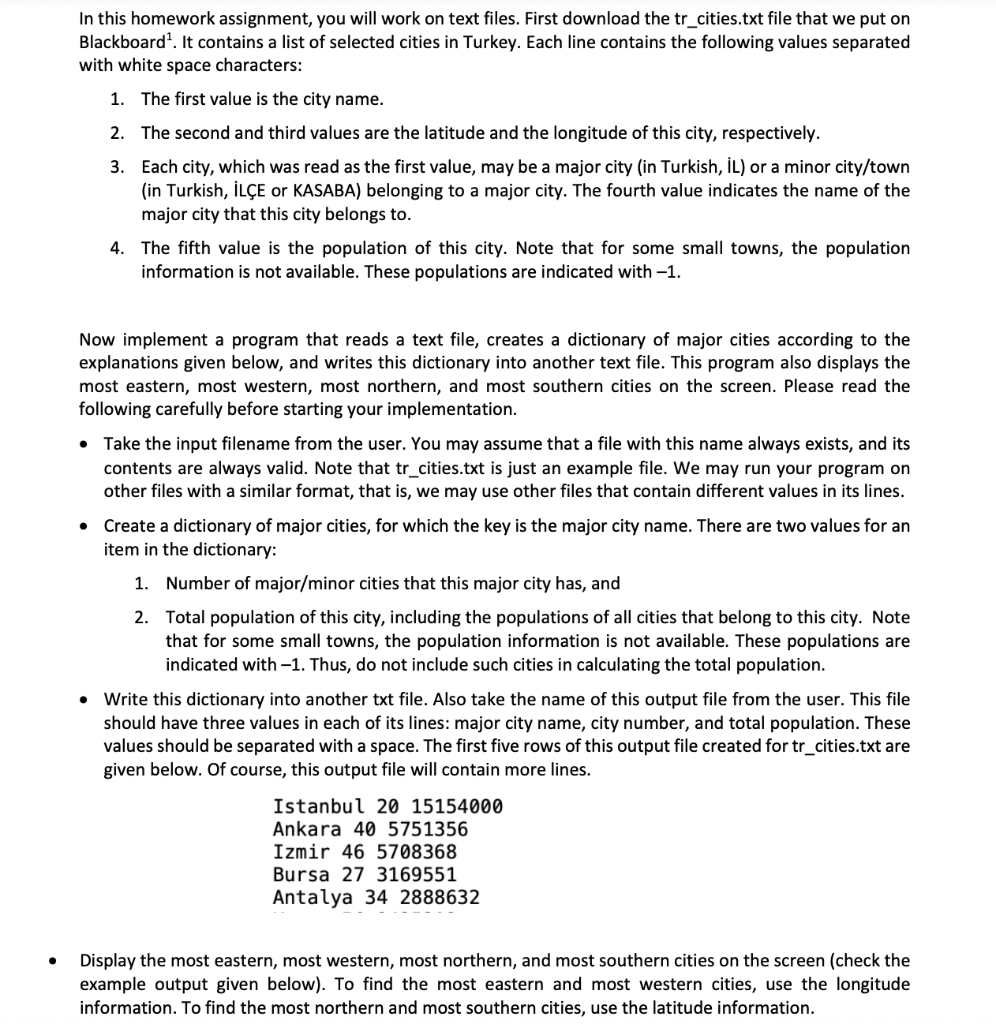
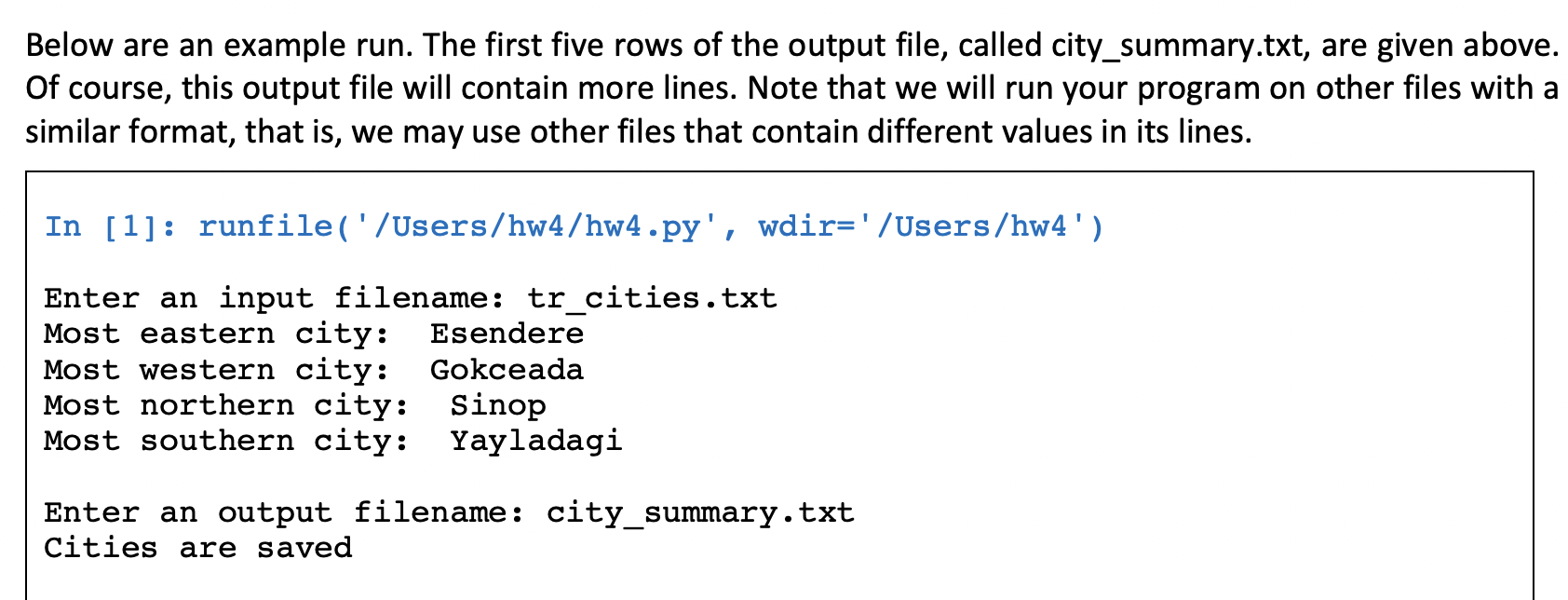
In this homework assignment, you will work on text files. First download the tr_cities.txt file that we put on Blackboard 1. It contains a list of selected cities in Turkey. Each line contains the following values separated with white space characters: 1. The first value is the city name. 2. The second and third values are the latitude and the longitude of this city, respectively. 3. Each city, which was read as the first value, may be a major city (in Turkish, IL ) or a minor city/town (in Turkish, ILE or KASABA) belonging to a major city. The fourth value indicates the name of the major city that this city belongs to. 4. The fifth value is the population of this city. Note that for some small towns, the population information is not available. These populations are indicated with 1. Now implement a program that reads a text file, creates a dictionary of major cities according to the explanations given below, and writes this dictionary into another text file. This program also displays the most eastern, most western, most northern, and most southern cities on the screen. Please read the following carefully before starting your implementation. - Take the input filename from the user. You may assume that a file with this name always exists, and its contents are always valid. Note that tr_cities.txt is just an example file. We may run your program on other files with a similar format, that is, we may use other files that contain different values in its lines. - Create a dictionary of major cities, for which the key is the major city name. There are two values for an item in the dictionary: 1. Number of major/minor cities that this major city has, and 2. Total population of this city, including the populations of all cities that belong to this city. Note that for some small towns, the population information is not available. These populations are indicated with 1. Thus, do not include such cities in calculating the total population. - Write this dictionary into another txt file. Also take the name of this output file from the user. This file should have three values in each of its lines: major city name, city number, and total population. These values should be separated with a space. The first five rows of this output file created for tr_cities.txt are given below. Of course, this output file will contain more lines. IstanbulAnkaraIzmirBursaAntalya2040462734151540005751356570836831695512888632 Display the most eastern, most western, most northern, and most southern cities on the screen (check the example output given below). To find the most eastern and most western cities, use the longitude information. To find the most northern and most southern cities, use the latitude information. Below are an example run. The first five rows of the output file, called city_summary.txt, are given above. Of course, this output file will contain more lines. Note that we will run your program on other files with a similar format, that is, we may use other files that contain different values in its lines. In [1]: runfile('/Users/hw4/hw4.py', wdir='/Users/hw4') Enter an input filename: tr_cities.txt Most eastern city: Esendere Most western city: Gokceada Most northern city: Sinop Most southern city: Yayladagi Enter an output filename: city_summary.txt Cities are saved
Step by Step Solution
There are 3 Steps involved in it

Get step-by-step solutions from verified subject matter experts
 Study Help