







Question: cancel Data table statement ove the gray low the gray ot meant to rect answers e following pi your work sp Goods Comp in to
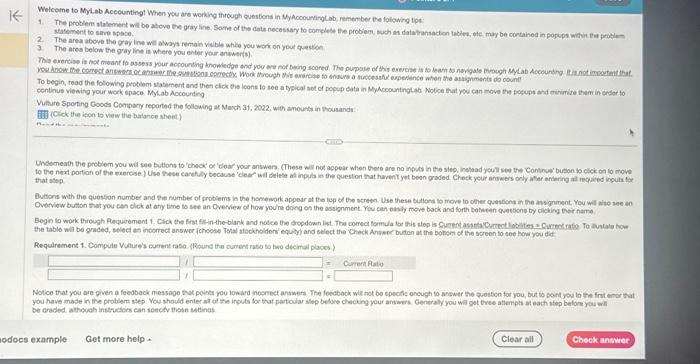
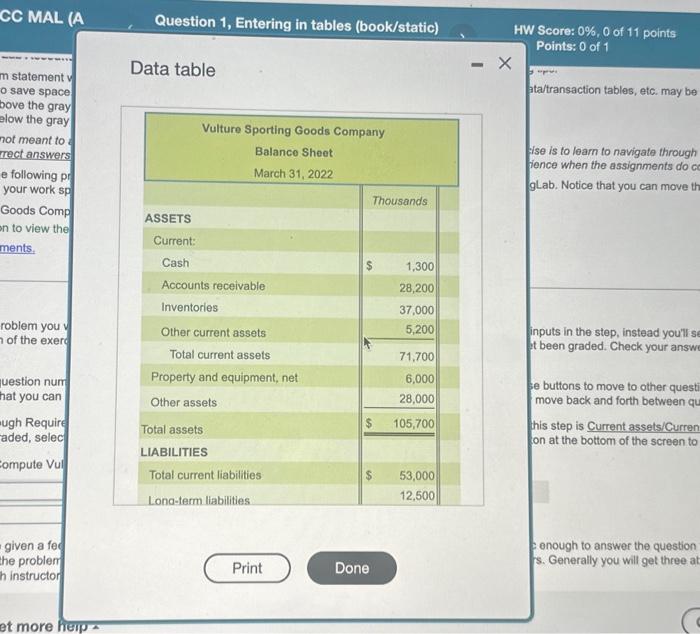
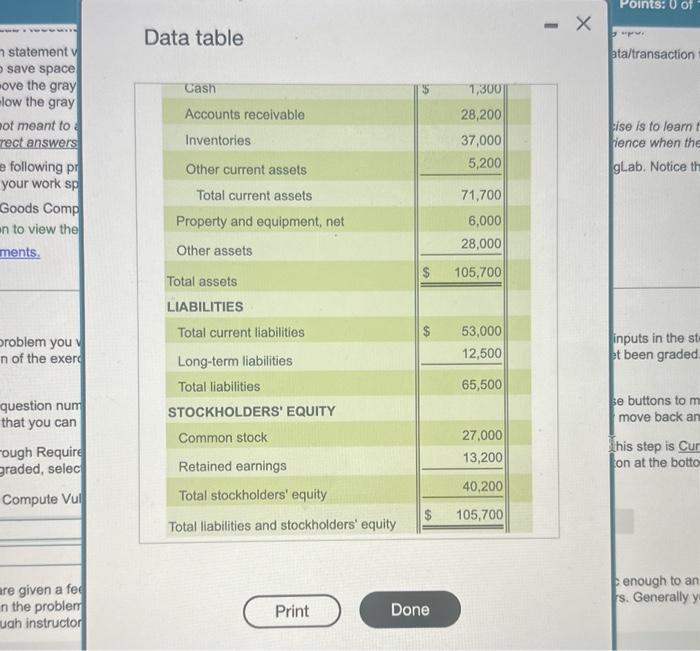
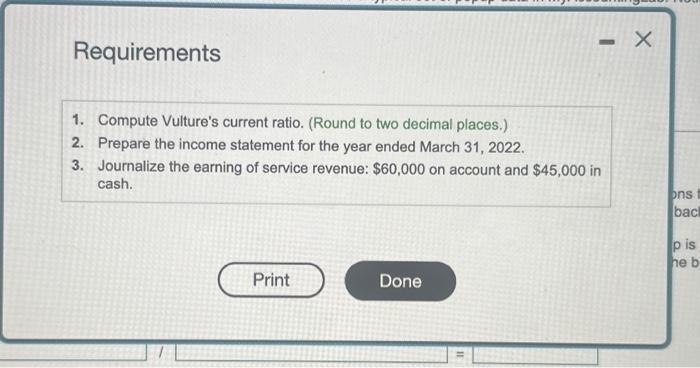
Data table statement ove the gray low the gray ot meant to rect answers e following pi your work sp Goods Comp in to view the ments. n of the exerc question num that you can ough Require graded, selec Compute Vui re given a fee n the problem uah instructor Requirements 1. Compute Vulture's current ratio. (Round to two decimal places.) 2. Prepare the income statement for the year ended March 31, 2022. 3. Journalize the earning of service revenue: $60,000 on account and $45,000 in cash. Weiceme to MyLab Accountingt When you are working throuph questions in MyAcoountinglab, remember He following tpt: statement to sarve space. 2. The area above the gray ine will always remain vis ble whice you wark on you gestoe 3 . The area below the gray line in where you enter your anwista). continue vievizg your work space Mylab Accounting that step. be craded athouch instructors can seectv those settinas. Data table ta/transaction tables, etc. may be ise is to learn to navigate through fience when the assignments do c gLab. Notice that you can move th your work sp Goods Comp on to view the ments. roblem you of the exerd inputs in the step, instead you'll s t been graded. Check your answ se buttons to move to other questi move back and forth between qu his step is Current assets/Curren on at the bottom of the screen to enough to answer the question s. Generally you will get three at Data table statement ove the gray low the gray ot meant to rect answers e following pi your work sp Goods Comp in to view the ments. n of the exerc question num that you can ough Require graded, selec Compute Vui re given a fee n the problem uah instructor Requirements 1. Compute Vulture's current ratio. (Round to two decimal places.) 2. Prepare the income statement for the year ended March 31, 2022. 3. Journalize the earning of service revenue: $60,000 on account and $45,000 in cash. Weiceme to MyLab Accountingt When you are working throuph questions in MyAcoountinglab, remember He following tpt: statement to sarve space. 2. The area above the gray ine will always remain vis ble whice you wark on you gestoe 3 . The area below the gray line in where you enter your anwista). continue vievizg your work space Mylab Accounting that step. be craded athouch instructors can seectv those settinas. Data table ta/transaction tables, etc. may be ise is to learn to navigate through fience when the assignments do c gLab. Notice that you can move th your work sp Goods Comp on to view the ments. roblem you of the exerd inputs in the step, instead you'll s t been graded. Check your answ se buttons to move to other questi move back and forth between qu his step is Current assets/Curren on at the bottom of the screen to enough to answer the question s. Generally you will get three at
Step by Step Solution
There are 3 Steps involved in it

Get step-by-step solutions from verified subject matter experts
 Study Help