







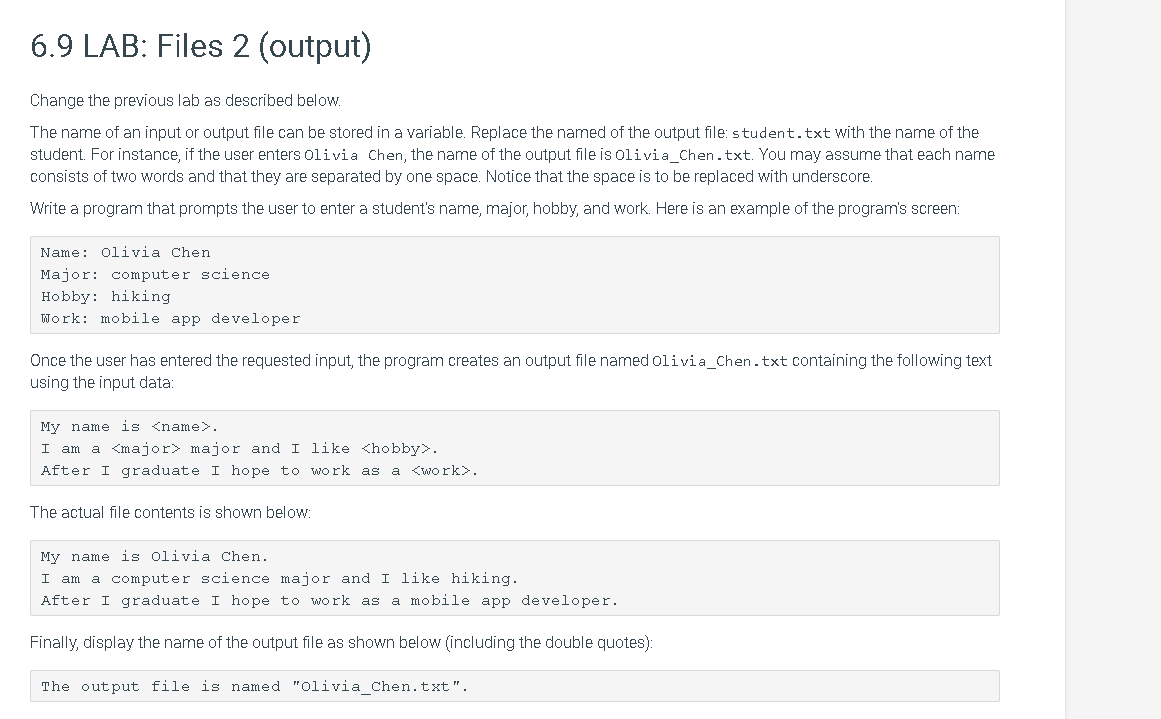
Question: cannot add any #include.In C++. 6.9 LAB: Files 2 (output) Change the previous lab as described below. The name of an input or output file
 cannot add any #include.In C++.
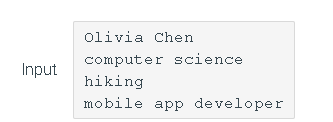
6.9 LAB: Files 2 (output) Change the previous lab as described below. The name of an input or output file can be stored in a variable. Replace the named of the output file: student.txt with the name of the student. For instance, if the user enters Olivia Chen, the name of the output file is Olivia_Chen.txt. You may assume that each name consists of two words and that they are separated by one space. Notice that the space is to be replaced with underscore. Write a program that prompts the user to enter a student's name, major, hobby, and work. Here is an example of the program's screen: Name: Olivia Chen Major: computer science Hobby: hiking Work: mobile app developer Once the user has entered the requested input, the program creates an output file named Olivia_Chen.txt containing the following text using the input data: My name is
Step by Step Solution
There are 3 Steps involved in it

Get step-by-step solutions from verified subject matter experts
 Study Help