







Question: Car.java File package lab04; public class Car { // class fields private String manufacturer; private String model; private int year; private double price; private String
![string containinig data separated by comma String[] items = carInfo.split(","); manufacturer =](https://dsd5zvtm8ll6.cloudfront.net/si.experts.images/questions/2024/09/66f4f3b0ec435_20066f4f3b06dce3.jpg)
Car.java File
package lab04; public class Car { // class fields private String manufacturer; private String model; private int year; private double price; private String color; // construtors // default constructor public Car() { manufacturer = "Toyota"; model = "Rav4"; year = 2023; price = 25000; color = "Black"; } // non-default constructor #1 public Car(String manufacturer, String model, int year, double price, String color) { this.manufacturer = manufacturer; this.model = model; this.year = year; this.price = price; this.color = color; } // non-default constructor #2 public Car(String carInfo) { // carInfo is a single string containinig data separated by comma String[] items = carInfo.split(","); manufacturer = items[0].trim(); model = items[1].trim(); year = Integer.parseInt(items[2].trim()); price = Double.parseDouble(items[3].trim()); color = items[4].trim(); } public String getManufacturer() { return manufacturer; } public void setManufacturer(String manufacturer) { String[] listOfManufactures = { "Toyota", "Ford", "Nissan" }; boolean isValidManufacturer = false; for (String currentManufacturer : listOfManufactures) { if (manufacturer.equalsIgnoreCase(currentManufacturer)) { isValidManufacturer = true; } } if (isValidManufacturer) { this.manufacturer = manufacturer; } else { System.out.println("This company does not work with " + manufacturer); System.out.println("Allowed Manufacturers: Toyota, Ford, and Nissan"); }
} public String getModel() { return model; } public void setModel(String model) { this.model = model; } public int getYear() { return year; } public void setYear(int year) { int minimumYear = 2015; int maximumYear = 2023; if (year >= minimumYear && year = 20000 && price
// class method public String carInfo() { String info = "========== car info =========" + "manufacturer: " + manufacturer + " model: " + model + " year: " + year + " price: " + price + " color: " + color; return info; } }
Main Application File
package lab04; // Note: replace PBF with your name initials public class MidTermProject_PBF { public static void main(String[] args) { new MidTermProject_PBF(); } public MidTermProject_PBF() { // creating a default car Car myCar = new Car(); String information = myCar.carInfo(); System.out.println("information"); // creating a non-default car using the first non-default constructor Car yourCar = new Car("Nissan", "montero", 2018, 27000, "Red"); System.out.println(yourCar.carInfo()); // creating another car object using the second non-default constructor Car daughterCar = new Car("Ford, Bronce, 2023, 45000, Black"); System.out.println(daughterCar.carInfo()); // changing car properties via setter methods myCar.setColor("Cyan"); System.out.println(myCar.carInfo()); myCar.setColor("Gray"); System.out.println(myCar.carInfo()); // do the same thing with other car properties... } }package lab04; // Note: replace PBF with your name initials public class MidTermProject_PBF { public static void main(String[] args) { new MidTermProject_PBF(); } public MidTermProject_PBF() { // creating a default car Car myCar = new Car(); String information = myCar.carInfo(); System.out.println("information"); // creating a non-default car using the first non-default constructor Car yourCar = new Car("Nissan", "montero", 2018, 27000, "Red"); System.out.println(yourCar.carInfo()); // creating another car object using the second non-default constructor Car daughterCar = new Car("Ford, Bronce, 2023, 45000, Black"); System.out.println(daughterCar.carInfo()); // changing car properties via setter methods myCar.setColor("Cyan"); System.out.println(myCar.carInfo()); myCar.setColor("Gray"); System.out.println(myCar.carInfo()); // do the same thing with other car properties... } }
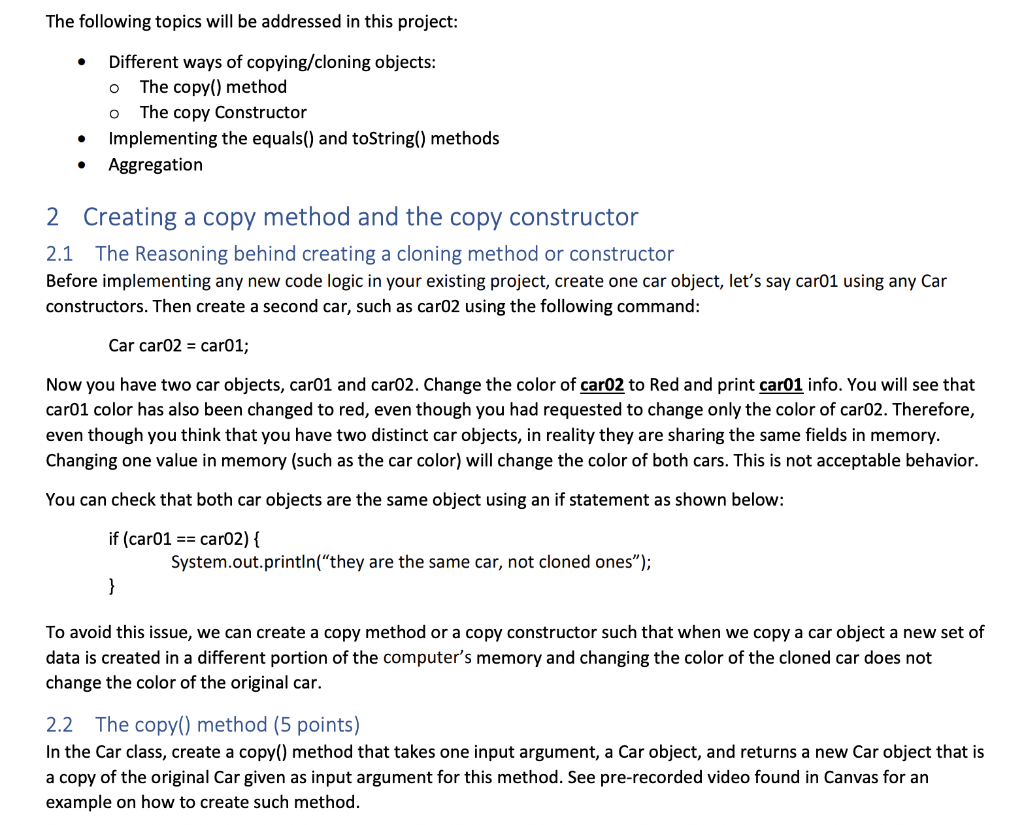
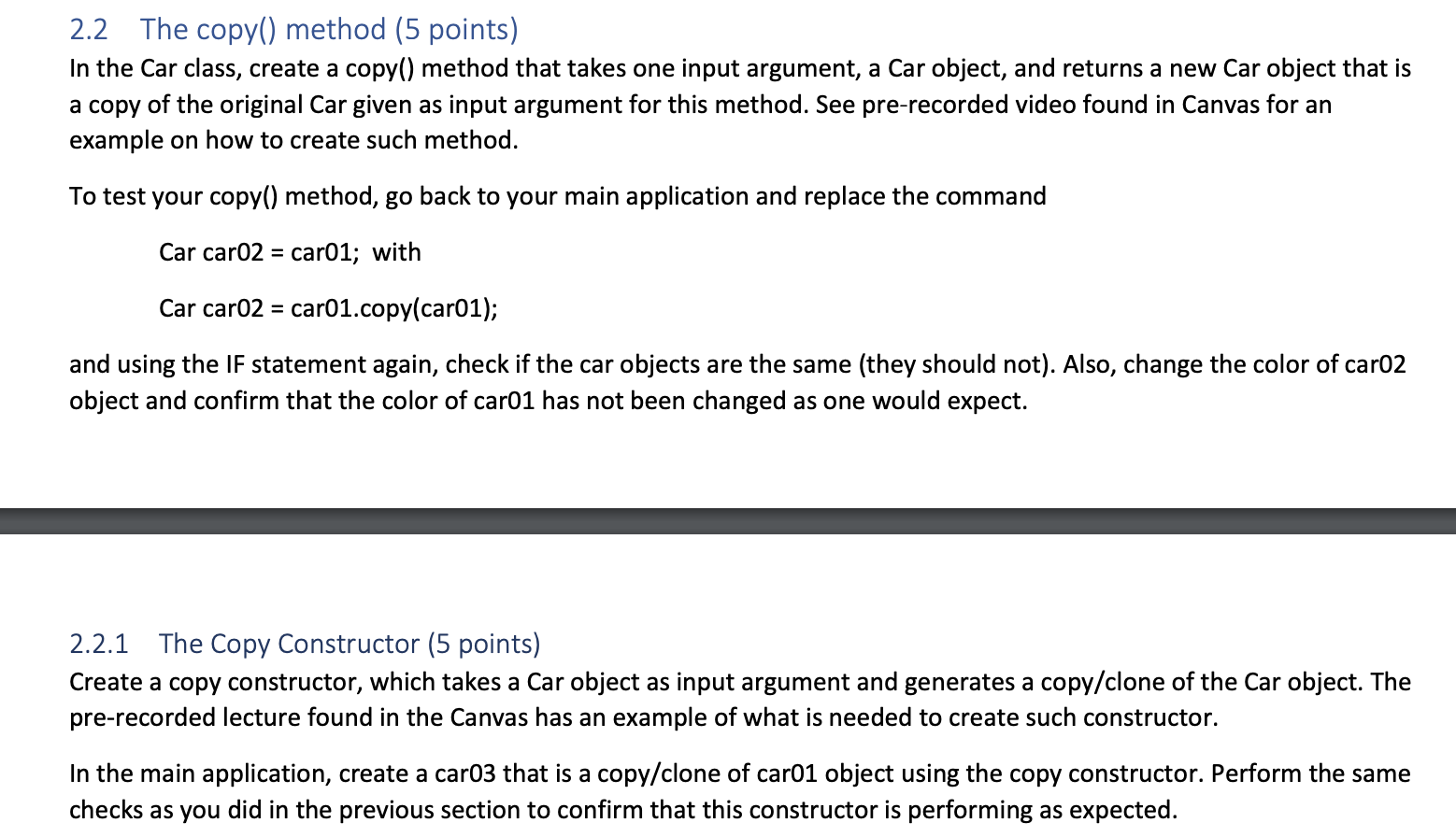
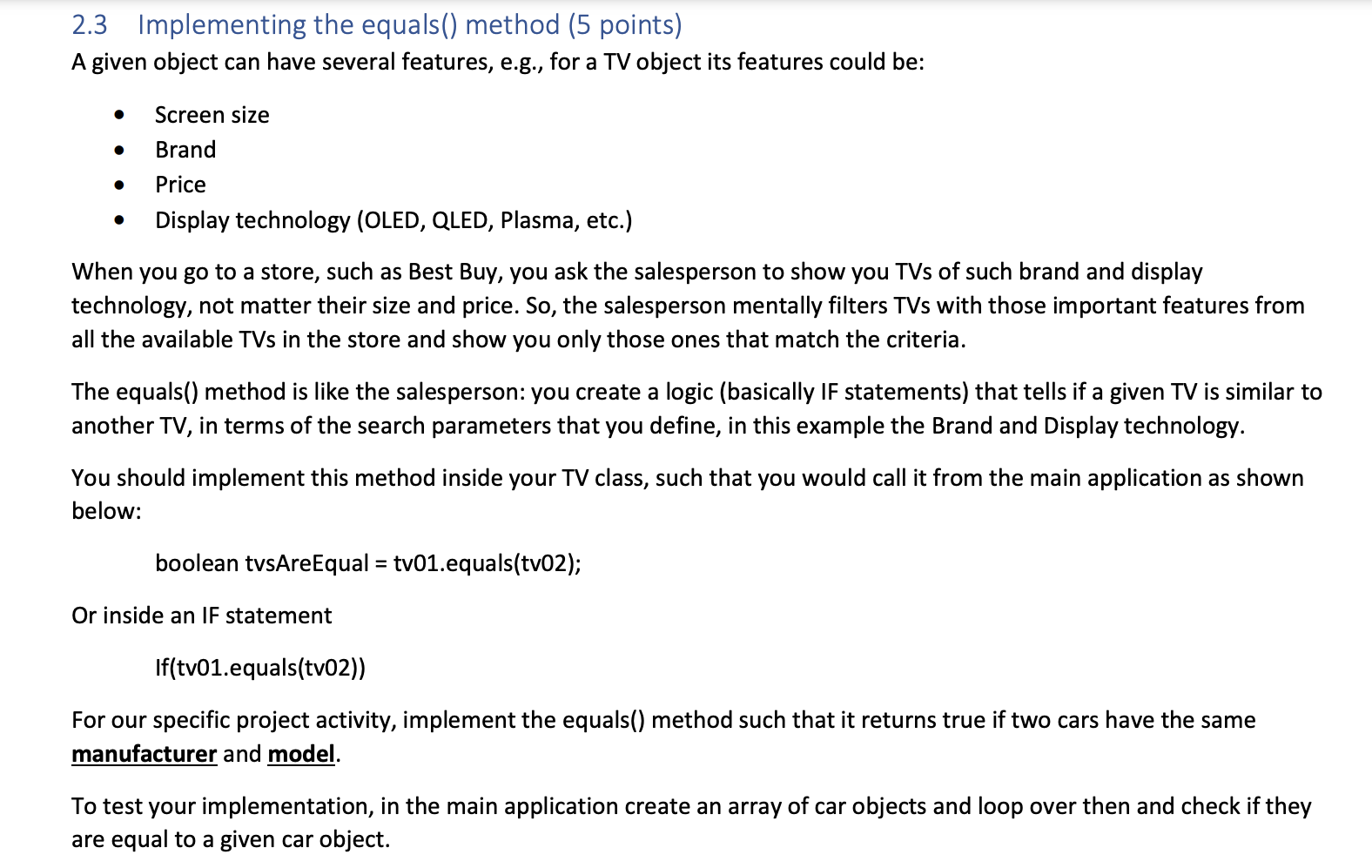
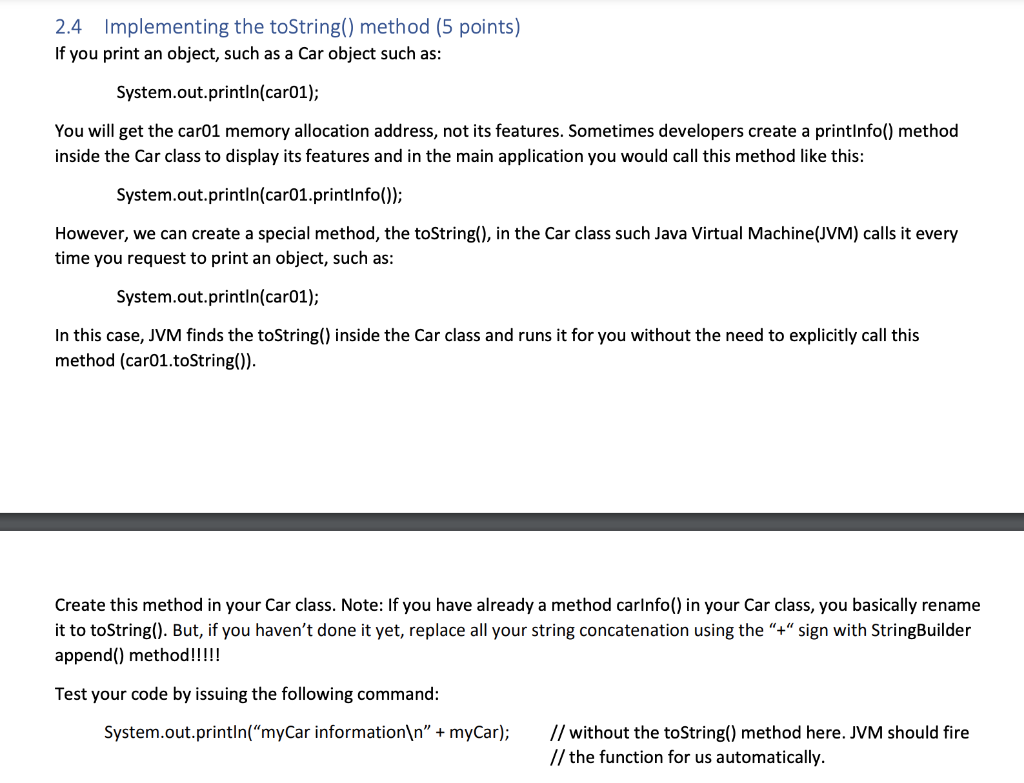
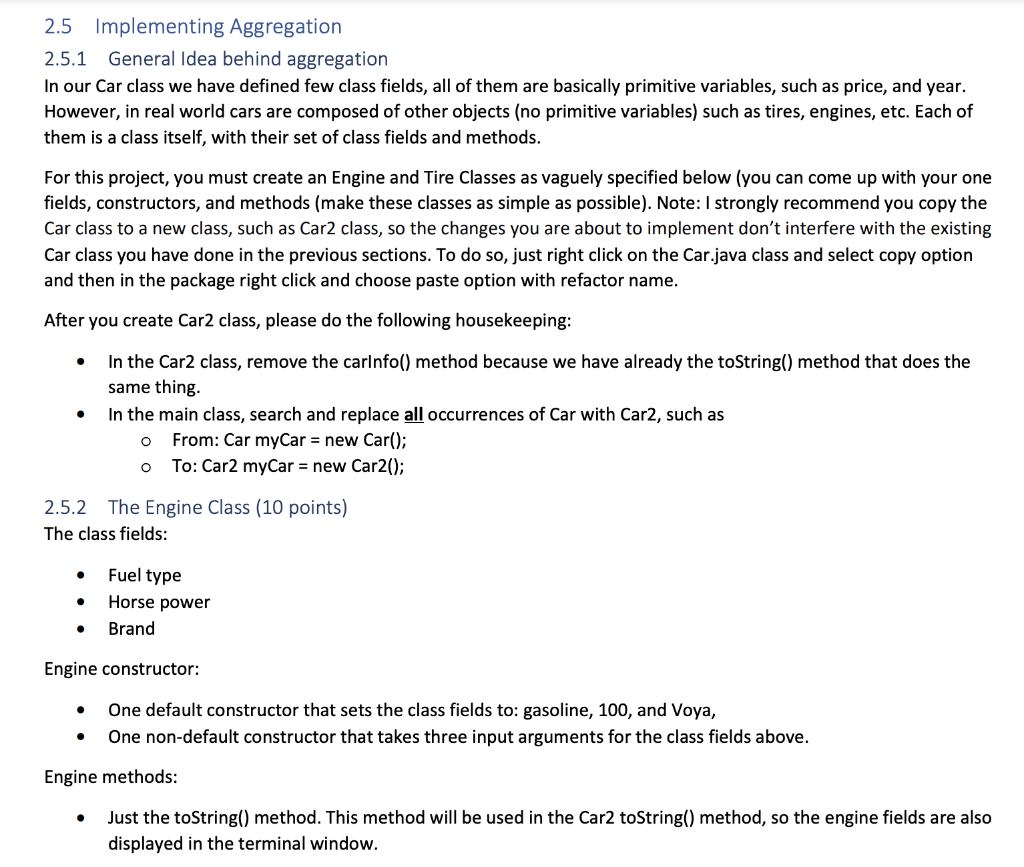
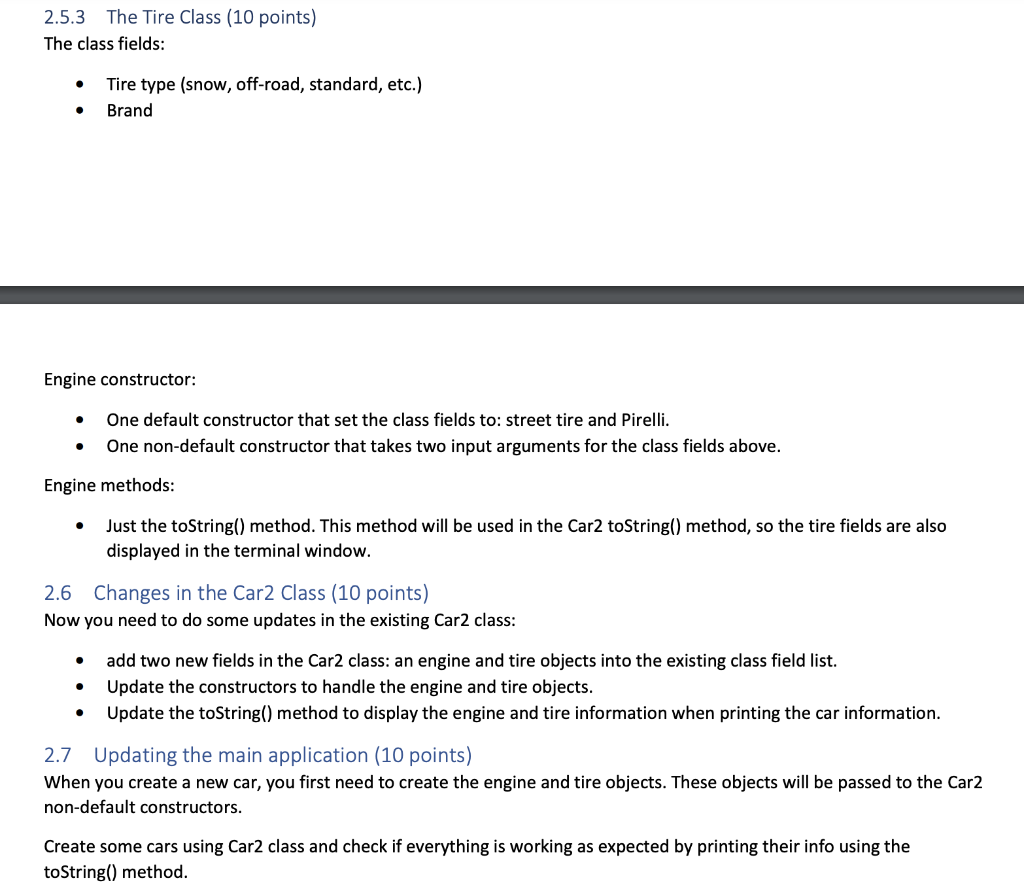
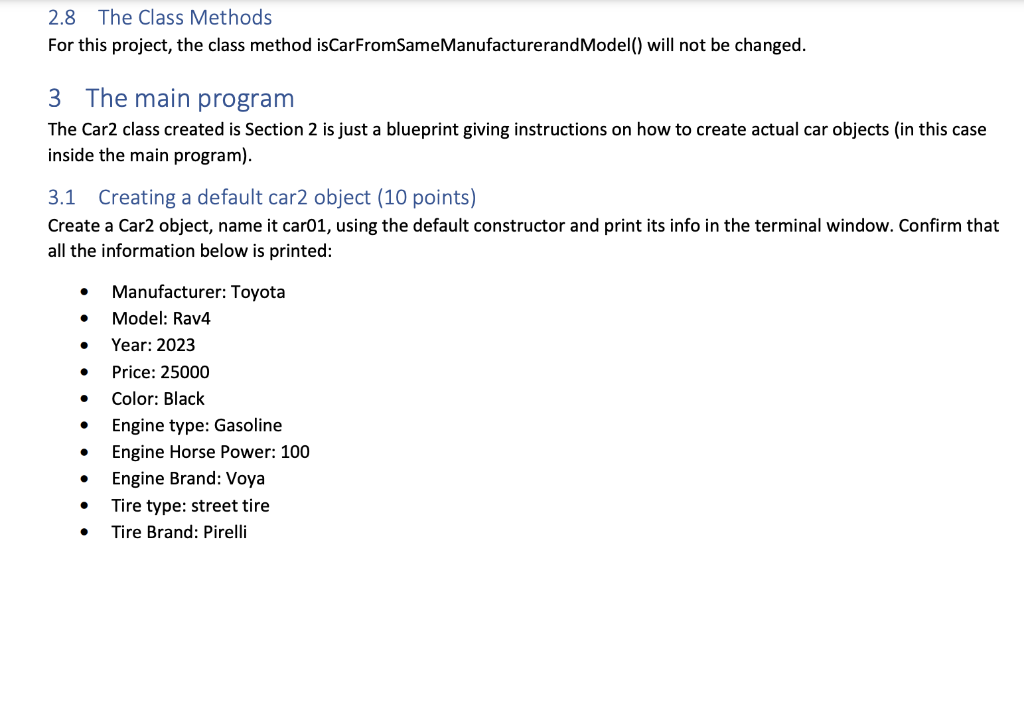
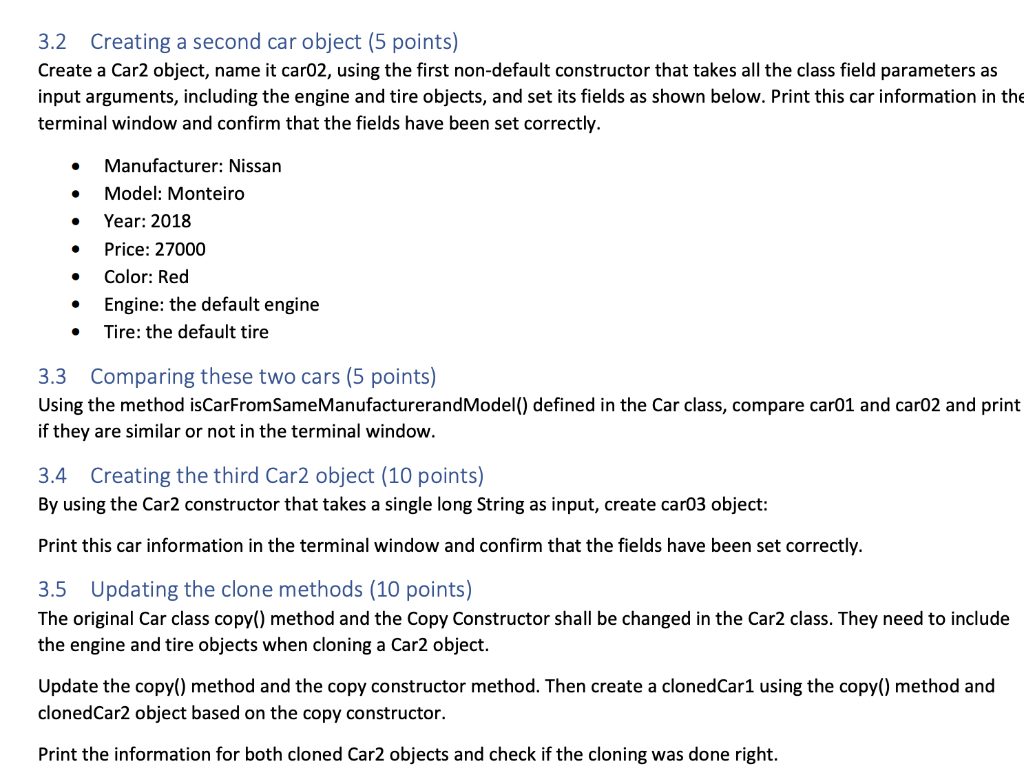
The following topics will be addressed in this project: - Different ways of copying/cloning objects: - The copy() method - The copy Constructor - Implementing the equals() and toString() methods - Aggregation 2 Creating a copy method and the copy constructor 2.1 The Reasoning behind creating a cloning method or constructor Before implementing any new code logic in your existing project, create one car object, let's say car01 using any Car constructors. Then create a second car, such as car02 using the following command: Car car02 = car01; Now you have two car objects, car01 and car02. Change the color of car02 to Red and print car01 info. You will see that car01 color has also been changed to red, even though you had requested to change only the color of car02. Therefore, even though you think that you have two distinct car objects, in reality they are sharing the same fields in memory. Changing one value in memory (such as the car color) will change the color of both cars. This is not acceptable behavior. You can check that both car objects are the same object using an if statement as shown below: if(car01==car02){ System.out.println("they are the same car, not cloned ones"); \} To avoid this issue, we can create a copy method or a copy constructor such that when we copy a car object a new set of data is created in a different portion of the computer's memory and changing the color of the cloned car does not change the color of the original car. 2.2 The copy() method (5 points) In the Car class, create a copy() method that takes one input argument, a Car object, and returns a new Car object that is a copy of the original Car given as input argument for this method. See pre-recorded video found in Canvas for an example on how to create such method. 2.2 The copy() method (5 points) In the Car class, create a copy() method that takes one input argument, a Car object, and returns a new Car object that is a copy of the original Car given as input argument for this method. See pre-recorded video found in Canvas for an example on how to create such method. To test your copy() method, go back to your main application and replace the command Car car02 = car01; with Car car02 = car01.copy(car01); and using the IF statement again, check if the car objects are the same (they should not). Also, change the color of car02 object and confirm that the color of car01 has not been changed as one would expect. 2.2.1 The Copy Constructor ( 5 points) Create a copy constructor, which takes a Car object as input argument and generates a copy/clone of the Car object. The pre-recorded lecture found in the Canvas has an example of what is needed to create such constructor. In the main application, create a car03 that is a copy/clone of car01 object using the copy constructor. Perform the same checks as you did in the previous section to confirm that this constructor is performing as expected. 2.3 Implementing the equals() method (5 points) A given object can have several features, e.g., for a TV object its features could be: - Screen size - Brand - Price - Display technology (OLED, QLED, Plasma, etc.) When you go to a store, such as Best Buy, you ask the salesperson to show you TVs of such brand and display technology, not matter their size and price. So, the salesperson mentally filters TVs with those important features from all the available TVs in the store and show you only those ones that match the criteria. The equals() method is like the salesperson: you create a logic (basically IF statements) that tells if a given TV is similar to another TV, in terms of the search parameters that you define, in this example the Brand and Display technology. You should implement this method inside your TV class, such that you would call it from the main application as shown below: boolean tvsAreEqual = tv01.equals(tv02); Or inside an IF statement If(tv01.equals(tv02)) For our specific project activity, implement the equals() method such that it returns true if two cars have the same manufacturer and model. To test your implementation, in the main application create an array of car objects and loop over then and check if they are equal to a given car object. 2.4 Implementing the toString() method (5 points) If you print an object, such as a Car object such as: System.out.println(car01); You will get the car01 memory allocation address, not its features. Sometimes developers create a printInfo() method inside the Car class to display its features and in the main application you would call this method like this: System.out.println(car01.printInfo()); However, we can create a special method, the toString(), in the Car class such Java Virtual Machine(JVM) calls it every time you request to print an object, such as: System.out.println(car01); In this case, JVM finds the toString() inside the Car class and runs it for you without the need to explicitly call this method (car01.toString()). Create this method in your Car class. Note: If you have already a method carInfo() in your Car class, you basically rename it to toString(). But, if you haven't done it yet, replace all your string concatenation using the " + " sign with StringBuilder append() method!!!!! Test your code by issuing the following command: System.out.println("myCar information " + myCar); // without the toString() method here. JVM should fire // the function for us automatically. 2.5.1 General Idea behind aggregation In our Car class we have defined few class fields, all of them are basically primitive variables, such as price, and year. However, in real world cars are composed of other objects (no primitive variables) such as tires, engines, etc. Each of them is a class itself, with their set of class fields and methods. For this project, you must create an Engine and Tire Classes as vaguely specified below (you can come up with your one fields, constructors, and methods (make these classes as simple as possible). Note: I strongly recommend you copy the Car class to a new class, such as Car2 class, so the changes you are about to implement don't interfere with the existing Car class you have done in the previous sections. To do so, just right click on the Car.java class and select copy option and then in the package right click and choose paste option with refactor name. After you create Car2 class, please do the following housekeeping: - In the Car2 class, remove the carInfo() method because we have already the toString() method that does the same thing. - In the main class, search and replace all occurrences of Car with Car2, such as - From: Car myCar = new Car(); - To: Car2 myCar = new Car2(); 2.5.2 The Engine Class ( 10 points) The class fields: - Fuel type - Horse power - Brand Engine constructor: - One default constructor that sets the class fields to: gasoline, 100, and Voya, - One non-default constructor that takes three input arguments for the class fields above. Engine methods: - Just the toString() method. This method will be used in the Car2 toString() method, so the engine fields are also 2.5.3 The Tire Class ( 10 points) The class fields: - Tire type (snow, off-road, standard, etc.) - Brand Engine constructor: - One default constructor that set the class fields to: street tire and Pirelli. - One non-default constructor that takes two input arguments for the class fields above. Engine methods: - Just the toString() method. This method will be used in the Car2 toString() method, so the tire fields are also displayed in the terminal window. 2.6 Changes in the Car2 Class (10 points) Now you need to do some updates in the existing Car2 class: - add two new fields in the Car2 class: an engine and tire objects into the existing class field list. - Update the constructors to handle the engine and tire objects. - Update the toString() method to display the engine and tire information when printing the car information. 2.7 Updating the main application (10 points) When you create a new car, you first need to create the engine and tire objects. These objects will be passed to the Car2 non-default constructors. Create some cars using Car2 class and check if everything is working as expected by printing their info using the toString() method. 2.8 The Class Methods For this project, the class method isCarFromSameManufacturerandModel() will not be changed. 3 The main program The Car2 class created is Section 2 is just a blueprint giving instructions on how to create actual car objects (in this case inside the main program). 3.1 Creating a default car2 object (10 points) Create a Car2 object, name it car01, using the default constructor and print its info in the terminal window. Confirm that all the information below is printed: - Manufacturer: Toyota - Model: Rav4 - Year: 2023 - Price: 25000 - Color: Black - Engine type: Gasoline - Engine Horse Power: 100 - Engine Brand: Voya - Tire type: street tire - Tire Brand: Pirelli 3.2 Creating a second car object (5 points) Create a Car2 object, name it car02, using the first non-default constructor that takes all the class field parameters as input arguments, including the engine and tire objects, and set its fields as shown below. Print this car information in the terminal window and confirm that the fields have been set correctly. - Manufacturer: Nissan - Model: Monteiro - Year: 2018 - Price: 27000 - Color: Red - Engine: the default engine - Tire: the default tire 3.3 Comparing these two cars (5 points) Using the method isCarFromSameManufacturerandModel() defined in the Car class, compare car01 and car02 and print if they are similar or not in the terminal window. 3.4 Creating the third Car2 object (10 points) By using the Car2 constructor that takes a single long String as input, create car03 object: Print this car information in the terminal window and confirm that the fields have been set correctly. 3.5 Updating the clone methods (10 points) The original Car class copy() method and the Copy Constructor shall be changed in the Car2 class. They need to include the engine and tire objects when cloning a Car2 object. Update the copy() method and the copy constructor method. Then create a clonedCar1 using the copy() method and clonedCar2 object based on the copy constructor. Print the information for both cloned Car2 objects and check if the cloning was done right. 4 Example of the Program Output Below is an example of what you would get in your terminal window when running your project: run: car01 information ========= car info ==:====== manufacturer: Toyota model: Rav4 year: 2023 price: 25000.0 color: Black Engine Info Fuel Type: Gasoline Horse Power: 100.0 Brand: Voya Tires information Type: street tire Brand: Pirelli car02 information ========= car info ======== manufacturer: Nissan
Step by Step Solution
There are 3 Steps involved in it

Get step-by-step solutions from verified subject matter experts
 Study Help