







Question: case Tech Job Fair (continued) USE CASE DEFINITION .displaying the name of the event and a message stating that ll students are welco 1. The
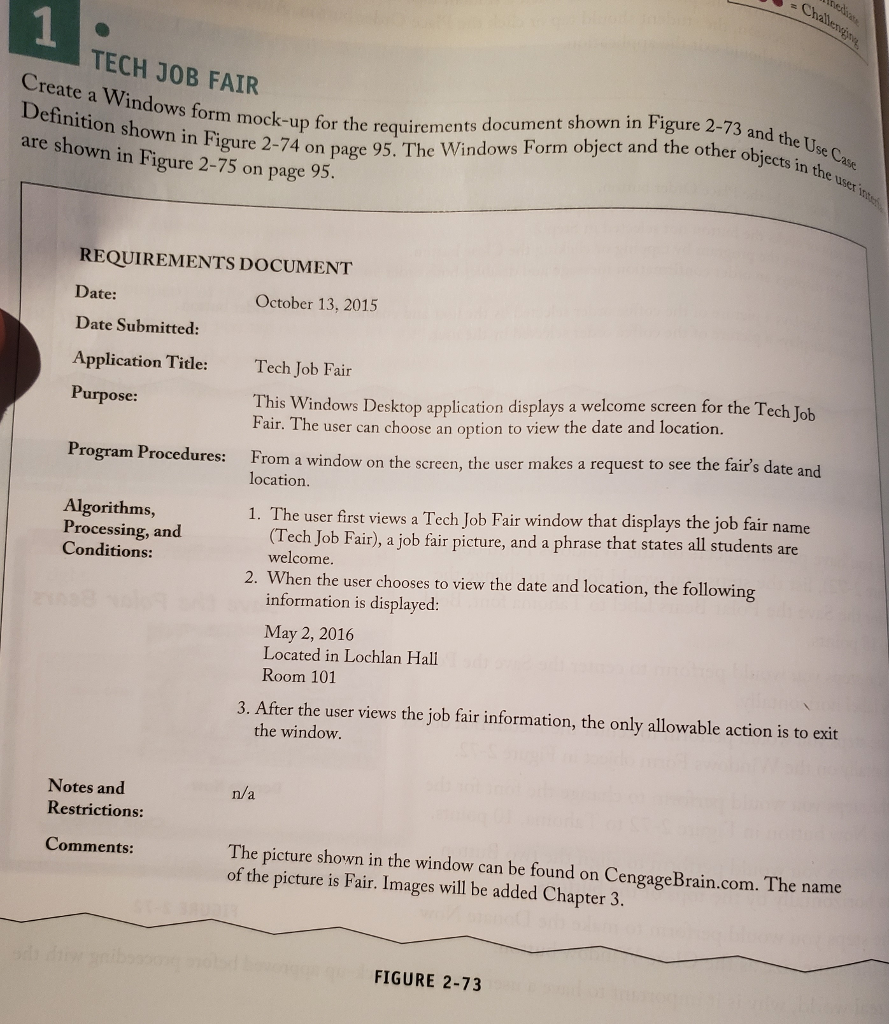
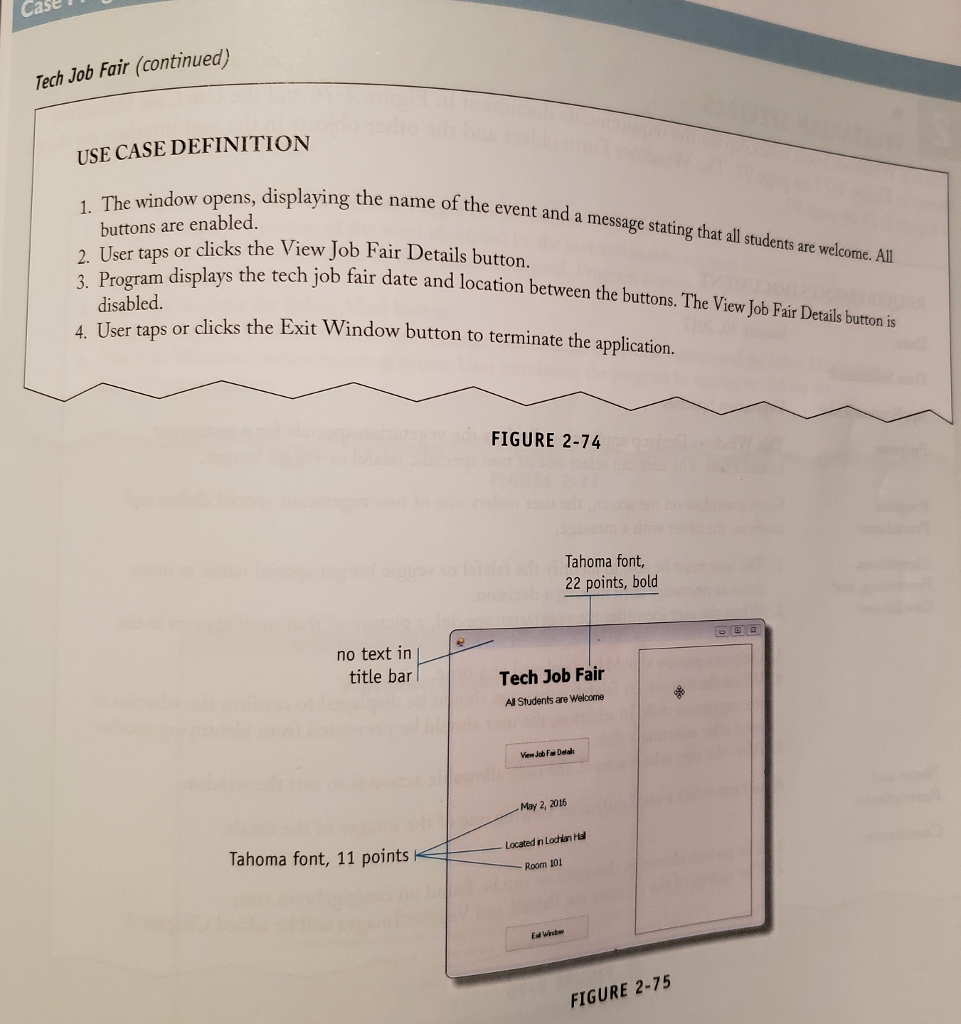
case Tech Job Fair (continued) USE CASE DEFINITION .displaying the name of the event and a message stating that ll students are welco 1. The window opens, name buttons are enabled. 2. User tas or d 3. Program clicks the View Job Fair Details button. displays the tech j s or clicks the Exit Window button to terminate the application students are welcome. All the tech job fair date and location between the buttons. The View Job Fair Detais burton is ob fa disabled. 4. User tap FIGURE 2-74 Tahoma font, 22 points, bold no text in title bar Tech Job Fair All Students are Welcome Mew Job FDetai May 2, 2016 Located n Lochlan Ha Room 101 Tahoma font, 11 points FIGURE 2-75
Step by Step Solution
There are 3 Steps involved in it

Get step-by-step solutions from verified subject matter experts
 Study Help