







Question: CCNA 1 Case Study Part 1- Due Date:(Wed.) June 20 150.1.1.200 /24 150.1.1.100 /24 Fa0/ W-A-1 Fa0/1 Public Web Server www.cana.com Public Web Server www.derosa.com
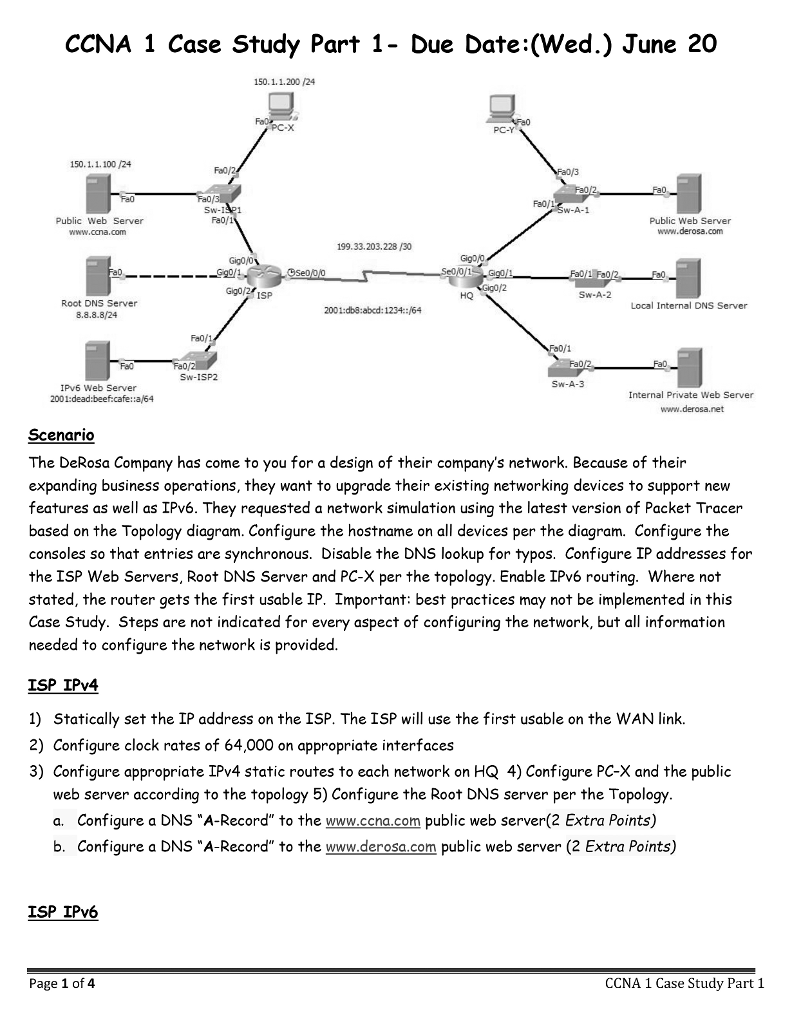
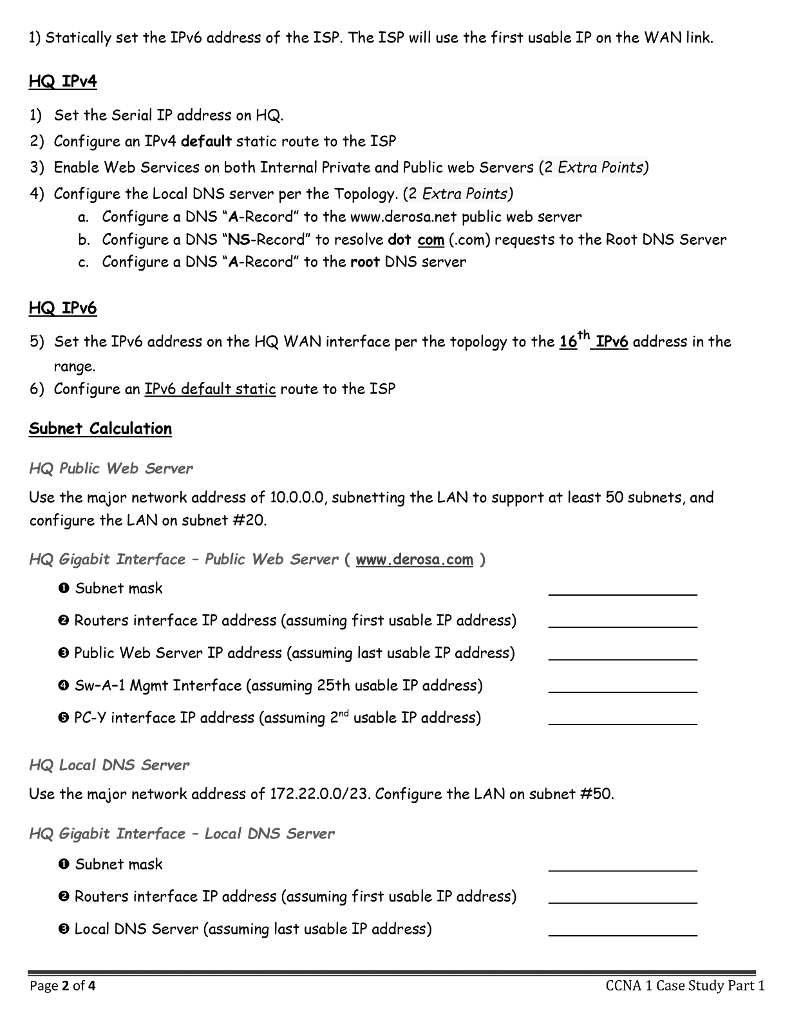
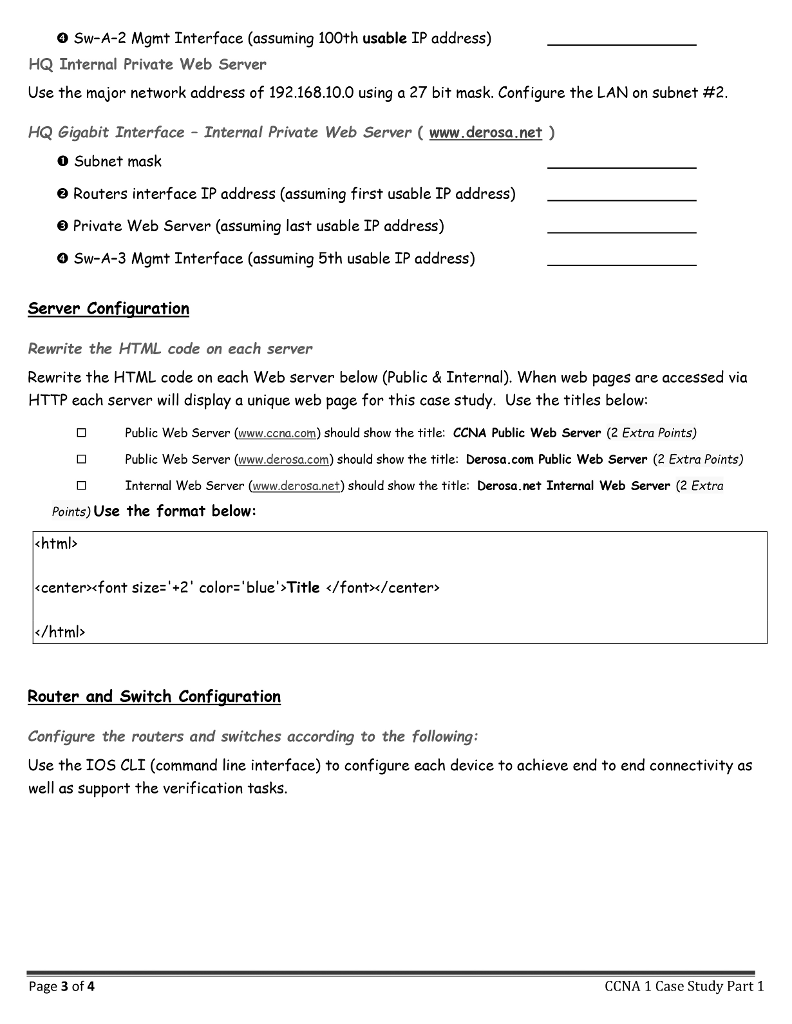
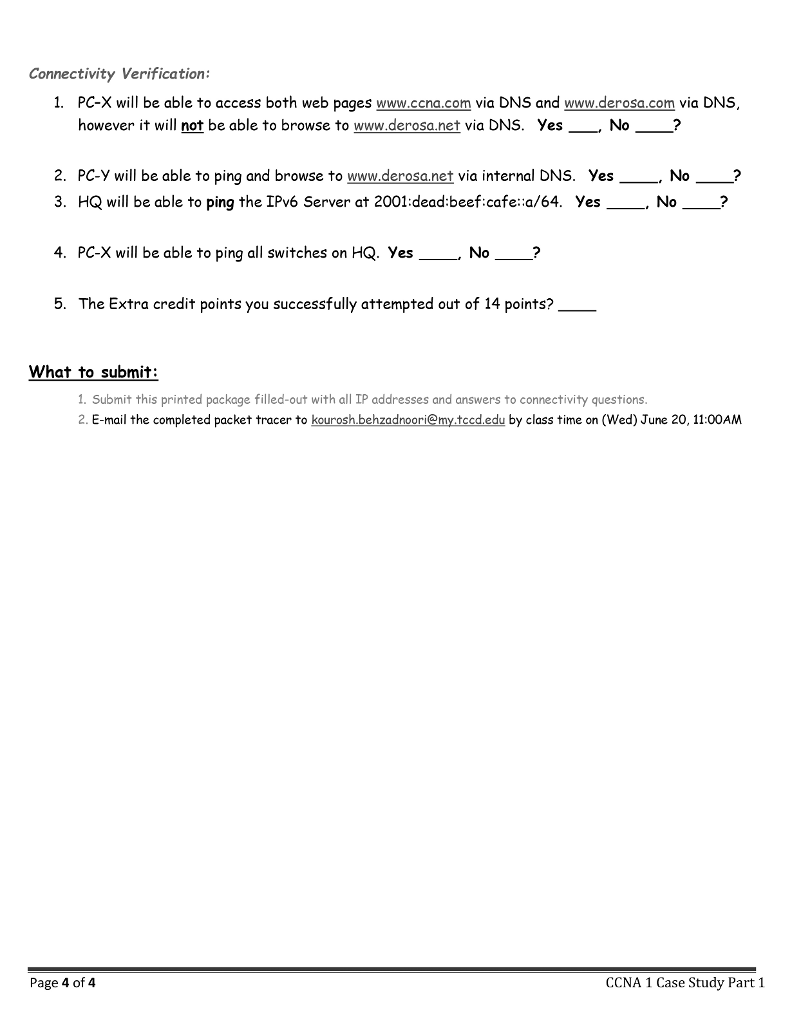
CCNA 1 Case Study Part 1- Due Date:(Wed.) June 20 150.1.1.200 /24 150.1.1.100 /24 Fa0/ W-A-1 Fa0/1 Public Web Server www.cana.com Public Web Server www.derosa.com 199.33.203.22830 Gigo/O a0 Gigo/2 ISP HQ Sw-A-2 Root DNS Server 8.8.8.8/24 Local Internal DNS Server 2001:db8:abcd: 1234::/64 Fa0/1 Sw-ISP2 Sw-A-3 IPv6 Web Server 2001:dead:beef.cafe::a/64 Internal Private Web Server www.derosa.net Scenario The DeRosa Company has come to you for a design of their company's network. Because of their expanding business operations, they want to upgrade their existing networking devices to support new features as well as IPv6. They requested a network simulation using the latest version of Packet Tracer based on the Topology diagram. Configure the hostname on all devices per the diagram. Configure the consoles so that entries are synchronous. Disable the DNS lookup for typos. Configure IP addresses for the ISP Web Servers, Root DNS Server and PC-X per the topology. Enable IPv6 routing. Where not stated, the router gets the first usable IP. Important: best practices may not be implemented in this Case Study. Steps are not indicated for every aspect of configuring the network, but all information needed to configure the network is provided ISP IPy4 1) Statically set the IP address on the ISP. The ISP will use the first usable on the WAN link. 2) Configure clock rates of 64,000 on appropriate interfaces 3) Configure appropriate IPv4 static routes to each network on HQ 4) Configure PC-X and the public web server according to the topology 5) Configure the Root DNS server per the Topology a. Configure a DNS A-Record" to the www.ccna.com public web server(2 Extra Points) b. Configure a DNS A-Record" to the www.derosa.com public web server (2 Extra Points) ISP IPv6 Page 1 of 4 CCNA 1 Case Study Part 1 CCNA 1 Case Study Part 1- Due Date:(Wed.) June 20 150.1.1.200 /24 150.1.1.100 /24 Fa0/ W-A-1 Fa0/1 Public Web Server www.cana.com Public Web Server www.derosa.com 199.33.203.22830 Gigo/O a0 Gigo/2 ISP HQ Sw-A-2 Root DNS Server 8.8.8.8/24 Local Internal DNS Server 2001:db8:abcd: 1234::/64 Fa0/1 Sw-ISP2 Sw-A-3 IPv6 Web Server 2001:dead:beef.cafe::a/64 Internal Private Web Server www.derosa.net Scenario The DeRosa Company has come to you for a design of their company's network. Because of their expanding business operations, they want to upgrade their existing networking devices to support new features as well as IPv6. They requested a network simulation using the latest version of Packet Tracer based on the Topology diagram. Configure the hostname on all devices per the diagram. Configure the consoles so that entries are synchronous. Disable the DNS lookup for typos. Configure IP addresses for the ISP Web Servers, Root DNS Server and PC-X per the topology. Enable IPv6 routing. Where not stated, the router gets the first usable IP. Important: best practices may not be implemented in this Case Study. Steps are not indicated for every aspect of configuring the network, but all information needed to configure the network is provided ISP IPy4 1) Statically set the IP address on the ISP. The ISP will use the first usable on the WAN link. 2) Configure clock rates of 64,000 on appropriate interfaces 3) Configure appropriate IPv4 static routes to each network on HQ 4) Configure PC-X and the public web server according to the topology 5) Configure the Root DNS server per the Topology a. Configure a DNS A-Record" to the www.ccna.com public web server(2 Extra Points) b. Configure a DNS A-Record" to the www.derosa.com public web server (2 Extra Points) ISP IPv6 Page 1 of 4 CCNA 1 Case Study
Step by Step Solution
There are 3 Steps involved in it

Get step-by-step solutions from verified subject matter experts
 Study Help