







Question: Ch 5& 6 Excel Problems Chttps/ewcon Ch 5 & 6 Excel Problems 6 Help Save & Exit Submit 1 2. After entering the formula in
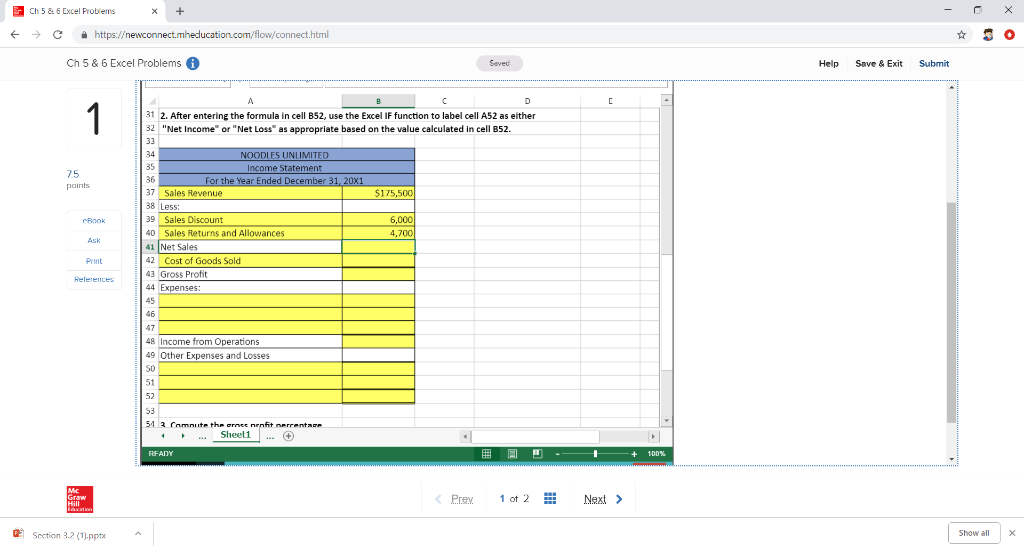
Ch 5& 6 Excel Problems Chttps/ewcon Ch 5 & 6 Excel Problems 6 Help Save & Exit Submit 1 2. After entering the formula in cell B52 use the Excel IF function to label cell A52 as either 2 "Net Income" or "Net Loss" as appropriate based on the value calculated in cell B52 NOODLES UNLIMITED ncome Statement 35 36 37 Sales Revenue 38 Less 39 Sales Discount 40 Sales Returns and Allowances 41 Net Sales 42 Cost of Goods Sold 43 Gross Profit 44 Expenses 75 175 6,000 Print 46 8 Income from Operations 9 Other Expenses and Losses 50 51 52 . Sheel1 +100% Prey 1 ot 2 Next> Section 32 (pptx Show all Ch 5& 6 Excel Problems Chttps/ewcon Ch 5 & 6 Excel Problems 6 Help Save & Exit Submit 1 2. After entering the formula in cell B52 use the Excel IF function to label cell A52 as either 2 "Net Income" or "Net Loss" as appropriate based on the value calculated in cell B52 NOODLES UNLIMITED ncome Statement 35 36 37 Sales Revenue 38 Less 39 Sales Discount 40 Sales Returns and Allowances 41 Net Sales 42 Cost of Goods Sold 43 Gross Profit 44 Expenses 75 175 6,000 Print 46 8 Income from Operations 9 Other Expenses and Losses 50 51 52 . Sheel1 +100% Prey 1 ot 2 Next> Section 32 (pptx Show all
Step by Step Solution
There are 3 Steps involved in it

Get step-by-step solutions from verified subject matter experts
 Study Help