Question: challenge 3: eTextbook: New Perspectives on HTML 5 and CSS: Comprehensive: Comprehensive TY Quick Tour Print Search Annotations Accessibility Bookmark Open the code2-3_txt.html and code2-3_txt.css
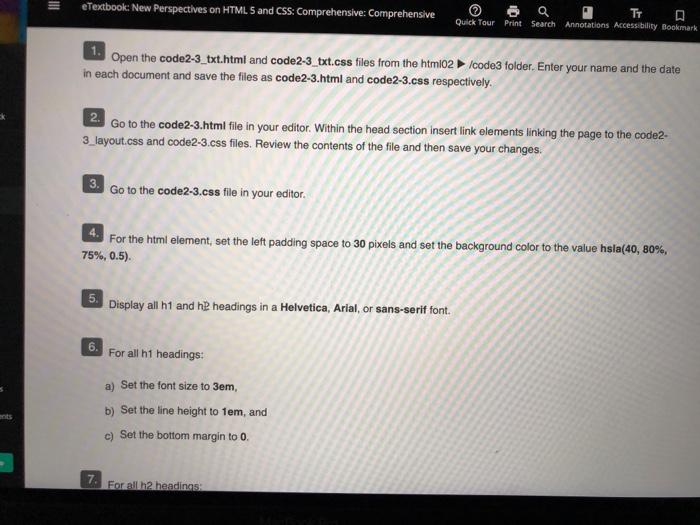
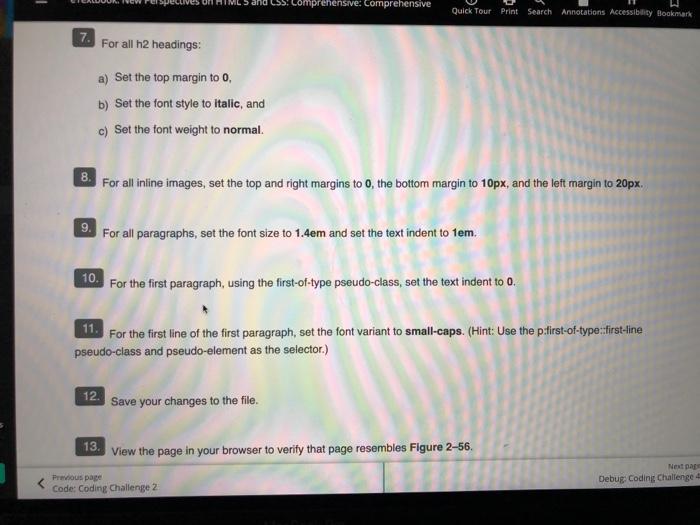
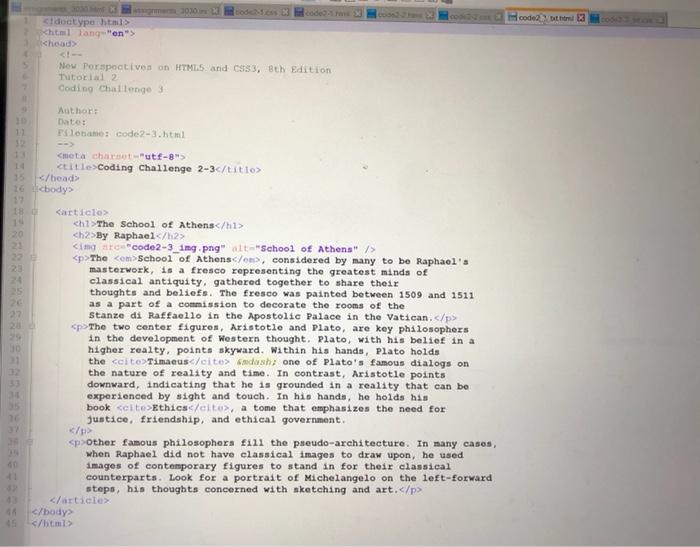
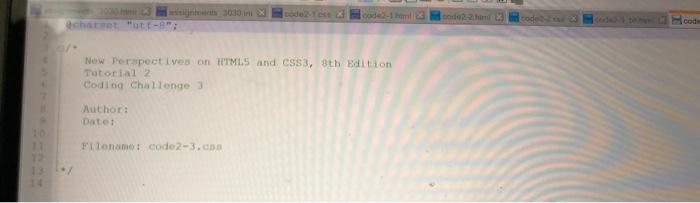
eTextbook: New Perspectives on HTML 5 and CSS: Comprehensive: Comprehensive TY Quick Tour Print Search Annotations Accessibility Bookmark Open the code2-3_txt.html and code2-3_txt.css files from the html02/code3 folder. Enter your name and the date in each document and save the files as code2-3.html and code2-3.css respectively. 2. Go to the code2-3.html file in your editor. Within the head section insert link elements linking the page to the code2- 3_layout.css and code2-3.css files. Review the contents of the file and then save your changes. 3. Go to the code2-3.css file in your editor. For the html element, set the left padding space to 30 pixels and set the background color to the value hsla(40, 80%, 75%, 0.5) 5. Display all h1 and 2 headings in a Helvetica, Arial, or sans-serif font. 6. For all h1 headings: a) Set the font size to 3em, b) Set the line height to tem, and c) Set the bottom margin to 0. 7. Forall2 headings Comprehensive: comprehensive Quick Tour Print Search Annotations Accessibility Bookmark 7. For all h2 headings: a) Set the top margin too, b) Set the font style to Italic, and c) Set the font weight to normal. 8. For all inline images, set the top and right margins to 0, the bottom margin to 10px, and the left margin to 20px. For all paragraphs, set the font size to 1.4em and set the text indent to 1em. 10. For the first paragraph, using the first-of-type pseudo-class, set the text indent to 0. 11. For the first line of the first paragraph, set the font variant to small-caps. (Hint: Use the p-first-of-type:first-line pseudo-class and pseudo-element as the selector.) 12. Save your changes to the file. 13 View the page in your browser to verify that page resembles Figure 2-56. Next par Previous page Code: Coding Challenge 2 Debug: Coding Challenge code 3 doctype html> Xhtml Tang"on"> Now Perspectives on HTML5 and CSS3, 8th Edition Tutorial 2 Coding Challenge 3 Author Datei Float code2-3.html
Coding Challenge 2-3c/title> 16 23
The School of Athens
By Raphael
The School of Athenson, considered by many to be Raphael's masterwork, is a fresco representing the greatest minds of classical antiquity, gathered together to share their thoughts and beliefs. The fresco was painted between 1509 and 1511 as a part of a commission to decorate the rooms of the Stanze di Raffaello in the Apostolic Palace in the Vatican.
The two center figures, Aristotle and Plato, are key philosophers in the development of Western thought. Plato, with his belief in a higher realty, points skyward. Within his hands, Plato holds the Timaeus Sadash, one of Plato's famous dialogs on the nature of reality and time. In contrast, Aristotle points downward, indicating that he is grounded in a reality that can be experienced by sight and touch. In his hands, he holds his book Ethics, a tome that emphasizes the need for Justice, friendship, and ethical government.
Other famous philosophers fill the pseudo-architecture. In many casos, when Raphael did not have classical images to draw upon, he used images of contemporary figures to stand in for their classical counterparts. Look for a portrait of Michelangelo on the left-forward steps, his thoughts concerned with sketching and art.









 Study Help