







Question: CHALLENGE ACTIVITY 4.8.1: Indentation: Fix the program. Retype the below code. Fix the indentation as necessary to make the program work. if New York' in
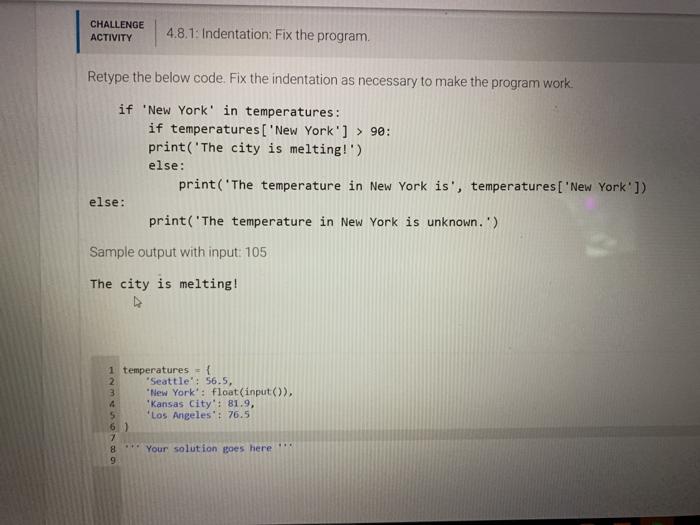
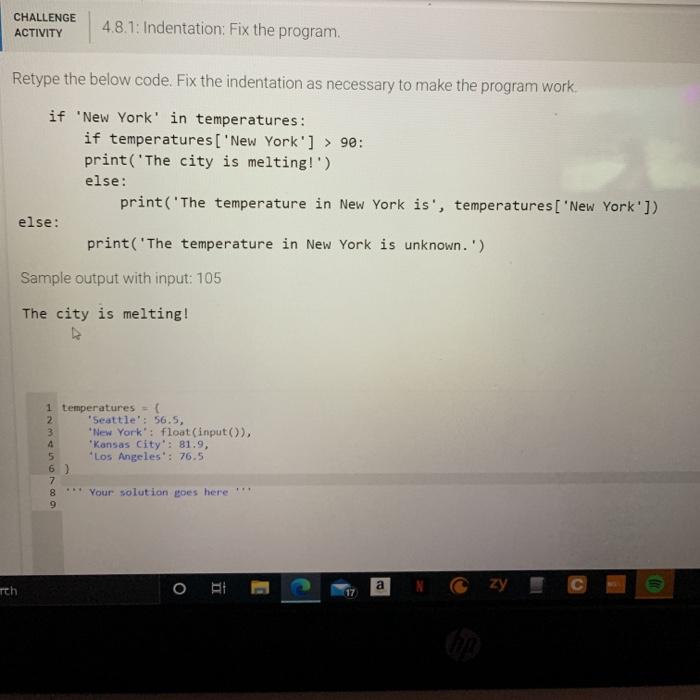
CHALLENGE ACTIVITY 4.8.1: Indentation: Fix the program. Retype the below code. Fix the indentation as necessary to make the program work. if New York' in temperatures: if temperatures['New York'] > 90: print('The city is melting!') else: print('The temperature in New York is', temperatures['New York']) else: print('The temperature in New York is unknown.') Sample output with input: 105 The city is melting! 1 temperatures = { 2 Seattle': 56.5, 3 New York: float(input()), 4 Kansas City": 81.9, 5 'Los Angeles': 76.5 6) 8 9 Your solution goes here CHALLENGE ACTIVITY 4.8.1: Indentation: Fix the program. Retype the below code. Fix the indentation as necessary to make the program work if 'New York' in temperatures: if temperatures['New York'] > 90: print('The city is melting!') else: print('The temperature in New York is', temperatures['New York']) else: print('The temperature in New York is unknown.') Sample output with input: 105 The city is melting! 1 temperatures = { 2 Seattle': 56.5, 3 New York': float(input()), 4 Kansas City': 81.9, 5 Los Angeles : 76.5 6) 7 * Your solution goes here 00 a o rth T. Czy 22 17
Step by Step Solution
There are 3 Steps involved in it

Get step-by-step solutions from verified subject matter experts
 Study Help